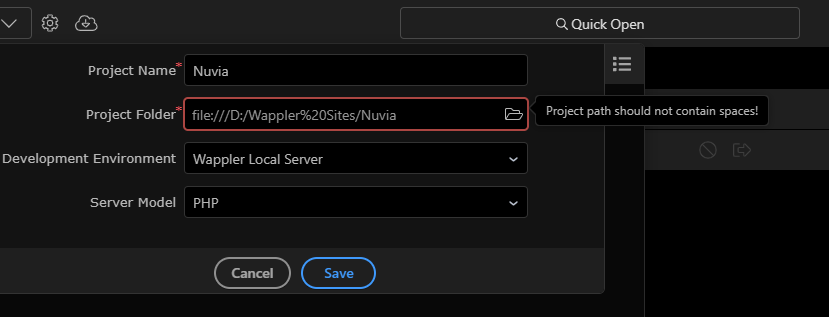
Hi
Now Wappler no longer allows spaces in the path, but my default “Wappler sites” folder contains one.
Hi
Now Wappler no longer allows spaces in the path, but my default “Wappler sites” folder contains one.
wappler-sites - lowercase and a hyphen to eliminate the shift key.This will streamline and future proof your workflow.
Thank you, I don’t mind changing the rule itself, but I don’t understand the need for such a change when everything has been working perfectly fine until now. What really bothers me is having to update the paths on my 53 projects. @Teodor
well if your old projects were working fine, just leave them as they are.
Just for new projects make sure you use a path without spaces in it.
We had to introduce this restriction to prevent various build errors when using different tools and specially on when making mobile or desktop apps.
So believe me it will save you a lot of headaches in the future.
I’m using a Mac… By default all folders are stored in icloud so my Folder path looks like “~/Library/Mobile Documents/com-apple-CloudDocs/Documents/Websites/…”
I’m not sure how to navigate a Project Folder without using the “…Mobile Documents…” path
Storing sites on cloud drives is not ideal. This had led to many issues being reported on this forum due to synchronisation issue causing problems and version corruption.