I know there are different avenues to get the Logged In User’s Identity and bind such things as their full name, city, etc that may be displayed on the pages they use while logged in,
or to restrict views to their own data, filtering out other users.
I can already do this – but – I decided now to review this page –
And I notice there were 4 Security Components then & now 5 Security Components in 2022.
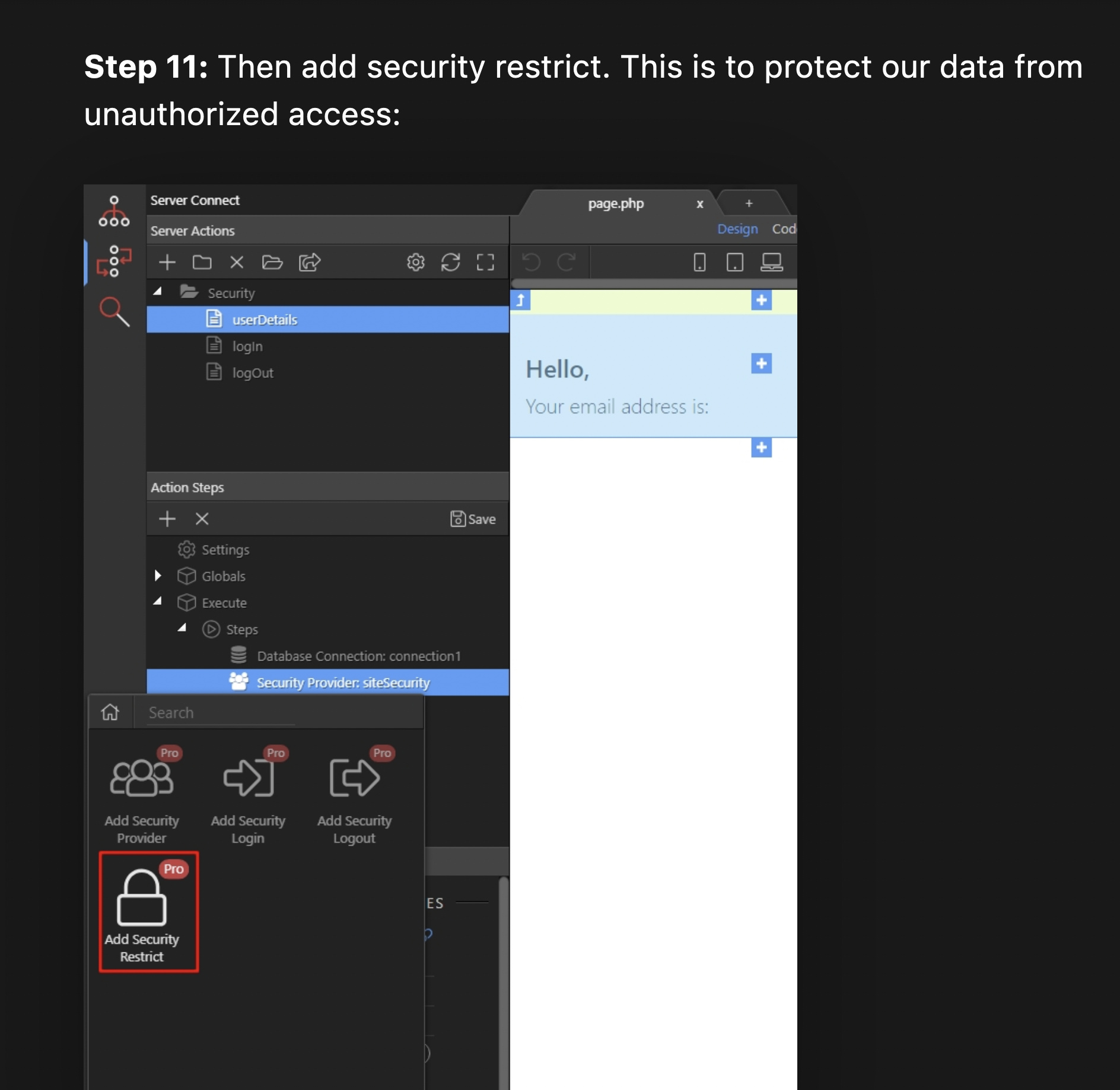
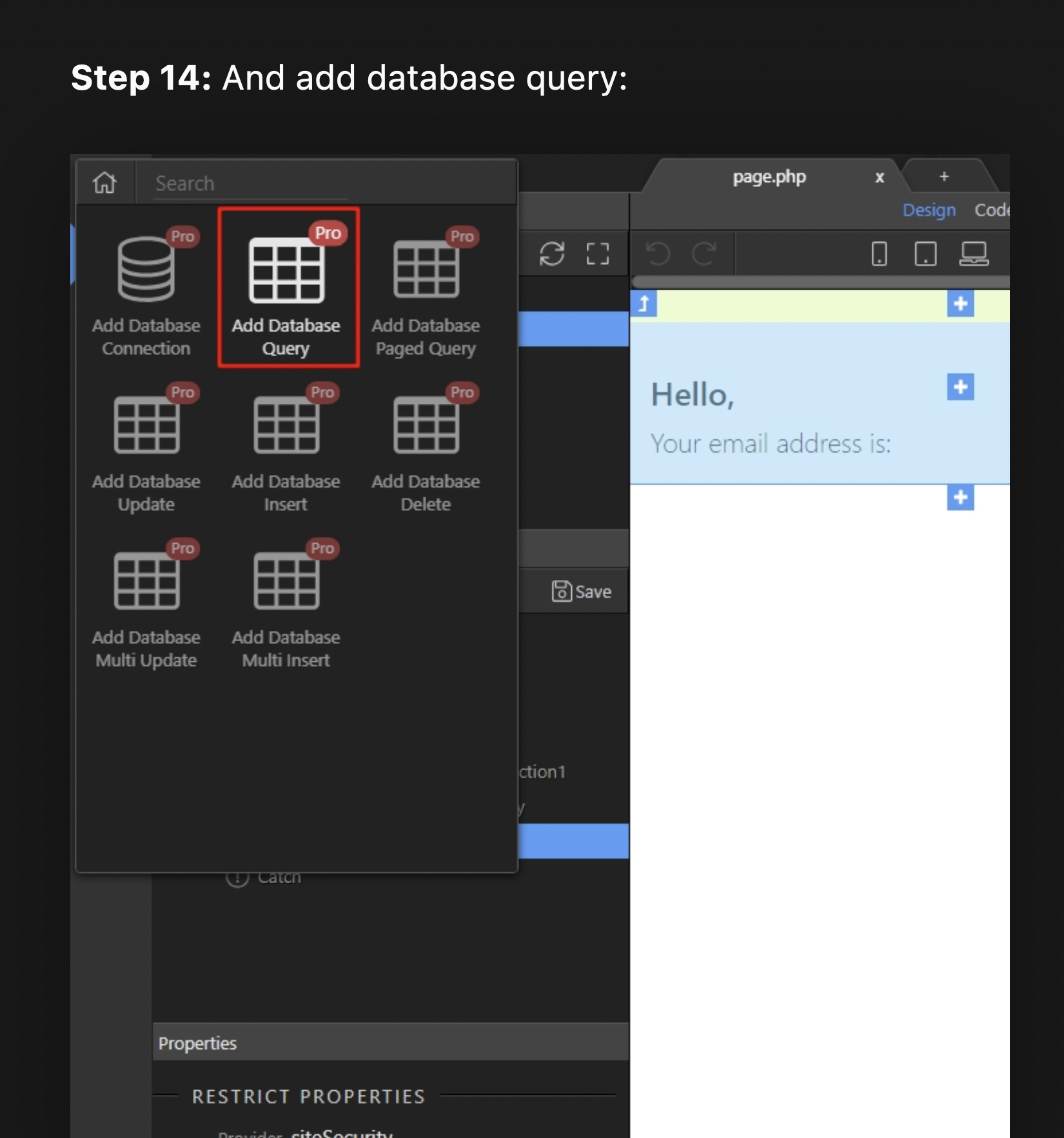
But here is how adding Security Restrict to Security Provider looks like these days.
I already set up a Security Provider days ago. It is in use now to protect the user form page after a User attempts to successfully or unsuccessfully log in.
This Security Restrict setup asks for Properties that I already completed when I created the Security Provider “security stories”.
Rather than plow on trying to guess the underlying programming changes in Wappler I am stopping here to ask these questions.
What does Security Restrict do that is a separate function and useful for getting and binding User details to pages?
If I want to keep going with using Security Restrict on top of Security Provider do I fill in these properties AGAIN that already exist as properties of Security Provider?
What, please, are my next steps to creating what the original Documents instruction promised : Getting User’s details & binding them to a page? I can already get them from the table I use to match login credentials with a table of authorized users
The security restrict step is used to protect your server action. It's not the same as the Security Enforcer used to protect your page from being accessed.
So the security restrict step in your server action is used to protect if anyone tries to access it directly like: https://yoursite.com/dmxConnect/api/your_server_action and has no permissions to do so.
Also this is a wrong setup:
In your server action steps you should no longer add the security provider as a separate step. You define your security provider under globals > security providers once and it's globally available for your server action. So remove the security provider step from there.
Globally available means it’s available to be picked across all your server actions in the project. Same as Database Connections, Security Providers, Mailers, S3 Storage - same things that prior v4 you had to define as steps in your server actions. Now you don’t need to define them in every server action, but instead only once per project under globals.
If I'm understanding what you have just written --
So the security restrict step in your server action is used to protect if anyone tries to access it directly like: https://yoursite.com/dmxConnect/api/your_server_action and has no permissions to do so.
Then in EACH API setup the Security RESTRICT must ALSO be applied for Server security so that the following can not be accessed by addressing it in the browser window by its url --
This is just One Api that you are saying has to be set up PER API SERVER CONNECTION -- correct?
action="dmxConnect/api/newestinsert.php"
This would, to me, be a DEFAULT applied automatically everytime an API query is created.
Not sure i understand the combination of terms you are using in your reply.
All i am saying is - if you have a Server Action, which needs to be protected from being accessed by unauthorized users needs to have the Security Restrict step added. That's all.
I am quoting you and you refer to one "security action".
So, by what you are saying the protection is Specific -- confined to just one server connection action.
Obviously, for ANOTHER Server Action, I must refer to a different file -- as in my example -- I have 7 API connections set up.
By your quote I cannot just refer Globally to ANY connection file for Server Protection. I have to set up a Security Restrict that refers to THAT file, if I want to protect the connection I am making at the server.
That won’t work because pages like registration/login/password reset occur before the user is authenticated and therefore a global restrict would prevent them from working too…
To be clear: Use security enforcement in the App element of your App Structure (on the page) to prevent access to a page - link it to a Server Connect API file that has the necessary security restrict.
Use the Security Restrict step on every Server Action that needs protecting from unauthenticated access this will prevent subsequent queries/steps from completing if the user doesn’t have the necessary permissions
I am referring to a server action, not to a "security action".
You just need to go and add a security restrict step in every server action you want to protect ....
You just need to go and add a security restrict step in every server action you want to protect …
I believe I have explicitly shown that I understood it enough to ask for you to say Yea or Nay.
Then in EACH API setup the Security RESTRICT must ALSO be applied for Server security so that the following can not be accessed by addressing it in the browser window by its url –
This is just One Api that you are saying has to be set up PER API SERVER CONNECTION – correct?
But WHY is this a "Maybe Yes, maybe No" situation??
Don't we BY DEFAULT Want to, Have to Protect Each API file at the server?
I have not seen this Protect Each API (Server Connection) as part of any documentation at to Best Practice Wappler project protection against unauthorized connection file access.
Of course no ...
You don't want to protect any Server Action which returns data on the public part of your site. You only want to protect the Server Actions which are used for protected areas like profile details etc. and require a logged and authorized user to access the data.
Same as on your site - you don't add login/protection for the public facing part of it.