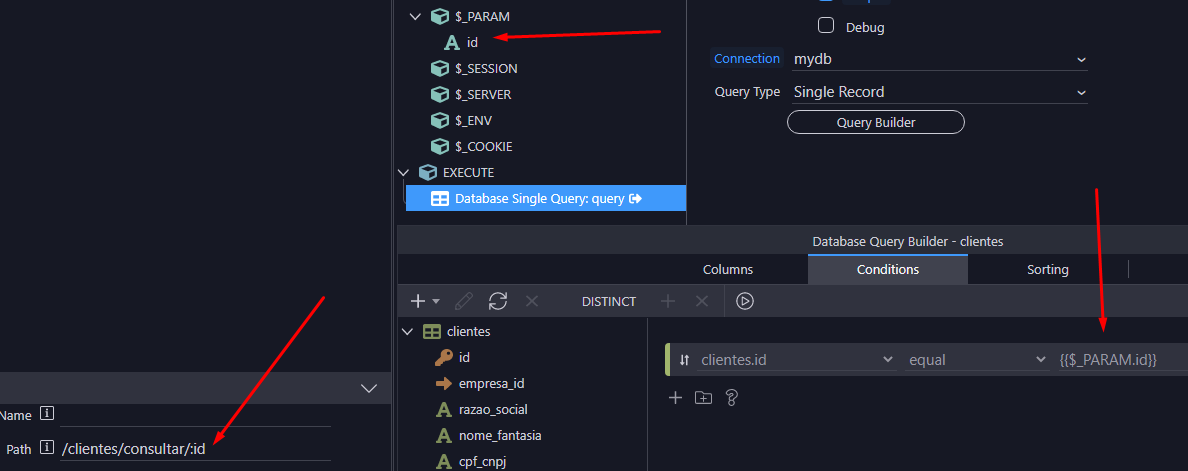
how to make a query passing parameters in an api:
example:
api/list/product = return all list of products
but
franse
August 24, 2023, 6:59pm
2
Hey @Valtenci
Take a look:
If you don’t know how to define an URL parameter on your page, please check this tutorial as you will need this later.
First, we need to create a server action. Open the server connect panel and click the add new button:
[image]
We call it product_details:
[image]
Then right click GET under Globals menu:
[image]
Add variable:
[image]
This variable will be used to filter our database query. Let’s call it: productid (NOTE - it needs to be lowercase).
[image]
Right click steps:
[i…
The interface is old but the method is still the same.
Apple
August 24, 2023, 9:54pm
6
Were you able to solve this? I look at the screenshot and don’t know why it doesn’t work
I’m testing it, I’ll let you know the result
because I’m trying to explain and this …
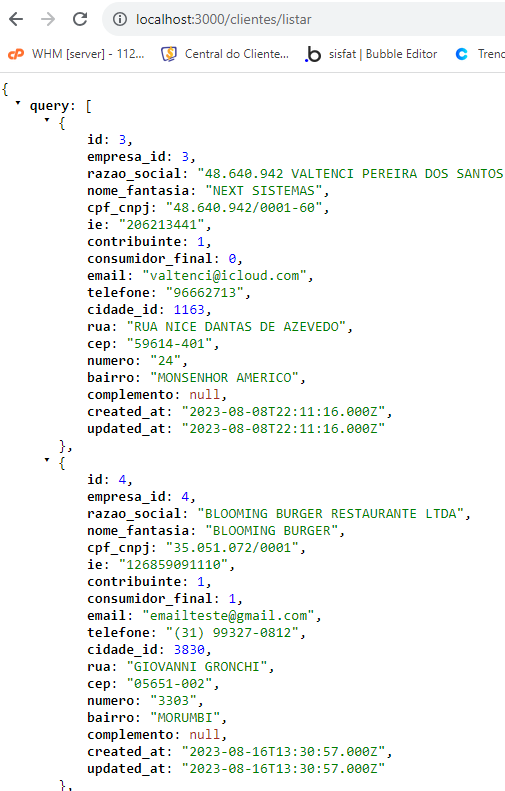
localhost:
it works perfectly
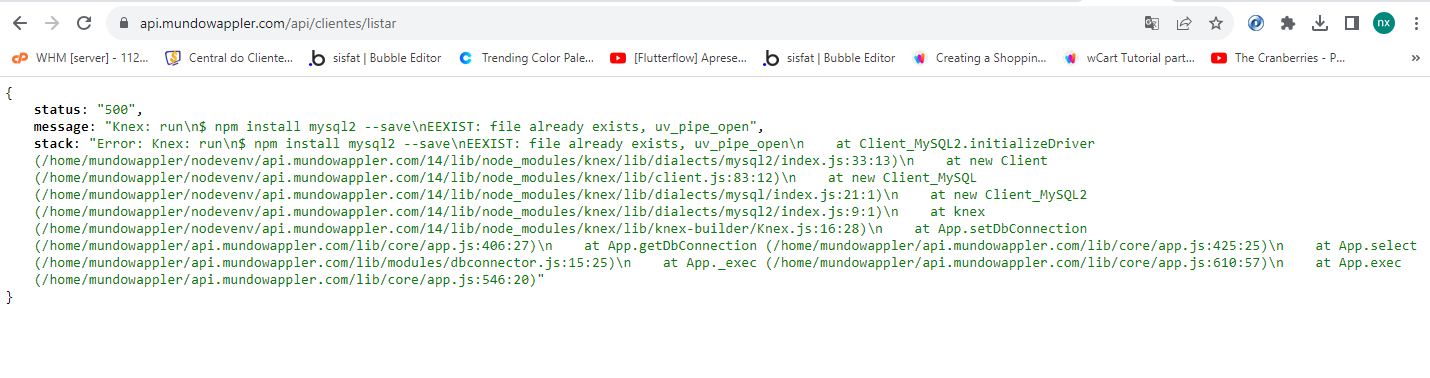
in my domain:
franse
August 24, 2023, 11:55pm
9
@Valtenci
[image]
If you set variables in Define Query Params in main layout page, then you should be able to select it via picker on content page, and it should work.
I created a fresh project to test this some time ago. Resulting bidnding looks like {{query.param1}}
But, in one of my client’s existing project, this was not working and I had to resort to doing what you are doing.
Would be very interested to see what the issue here is.
I’m trying to make a normal api call as shown in the image
Apple
August 25, 2023, 12:00am
11
This is not a problem with parameters, you did everything right in the screenshot. This is an entirely different problem, some error when NodeJS tries to connect to the database.
Can you open a bug report?
open a bug report?
Apple
August 25, 2023, 12:05am
13
Never mind
Can you copy-paste the error message on your last screenshot to here?
Apple
August 25, 2023, 12:13am
15
In your cPanel where you see the NodeJS app, is there a button to “npm install”?
yes, I already did that, and the error persists