Paged Query Offset Parameter Bug

Wappler Version : 4.9.0
Operating System : Windows 11
Server Model: NodeJS
Database Type: MySql
Hosting Type: Docker

Expected behavior

When adding a custom variable for a paged query’s offset parameter, that it would use this variable with no problems.

Actual behavior

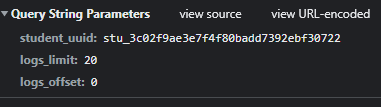
This is the payload.

image

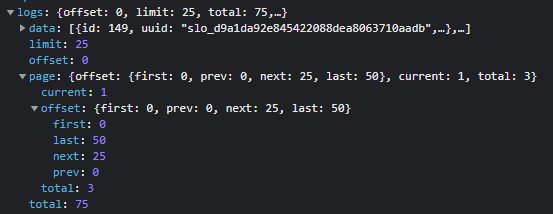
This is the response. Notice the limit. Regardless of the payload, it is ALWAYS 25.

image


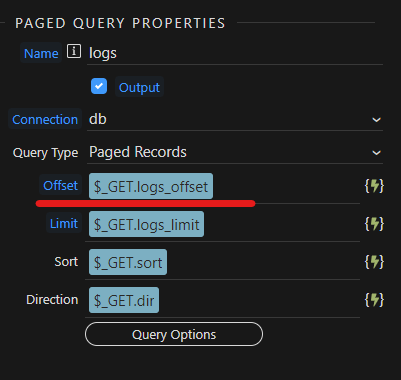
I DO HAVE TO STRESS, when using the standard $_GET.offset variable, this works perfectly, even with a custom limit variable. When you change the $_GET.offset variable to, for example, $_GET.logs_offset, the above happens.

How to reproduce

Just create a paged query, then change the variable for the offset parameter. When changing the query params from, say, a select element, nothing will happen. The payload is correct, however the ServerConnect query comes back with a limit of 25, always.

Cheers
Michael

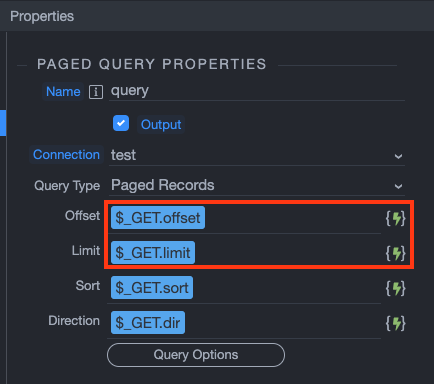
Well, the parameters for the offset and limit have default values - offset and limit, otherwise you will have to change them here as well:

Screenshot 2022-05-12 at 11.48.47

Just select the new GET vars you are using.

That’s exactly where I’m talking.

Limit works fine. But once Offset is changed, it all breaks.

You mean once the GET variable is changed in the UI or once the limit value changes?

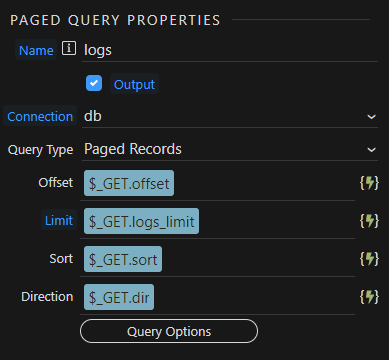
So this works perfectly.

image

This is broken.
image

I’ve tried in two separate API files and the same thing occurs.

I suppose this is only a problem when you have multiple paged queries in a single API, because you’ll need more variables.

I am having this exact issue currently. This seems to be a bug that still exists.

Additionally, regardless of what you set the offset variable in the paged query properties, the default $_GET.offset still works, seemingly showing that the offset variable is not actually working (despite being set correctly in the json)

I can't really recreate the issue.
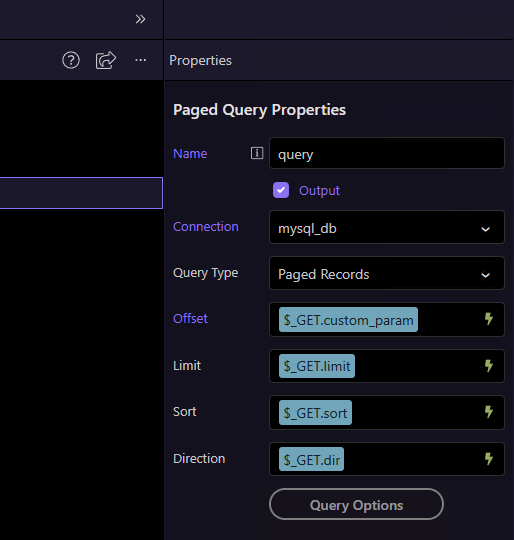
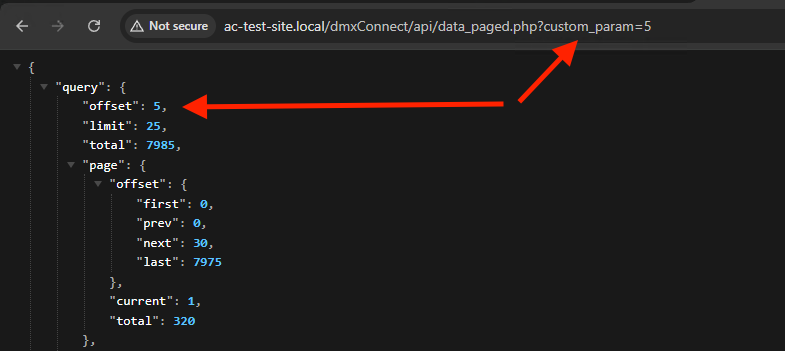
I just tested this by adding a random get param:

then running the server action using this custom parameter it properly changes the offset/paging:

So probably something is not properly set on your page, where you change the offset. Maybe provide more details about your setup - both server side and on the page.

I’m running NodeJS, and my setup is pretty similar to the OP’s, but here’s what I’m seeing:

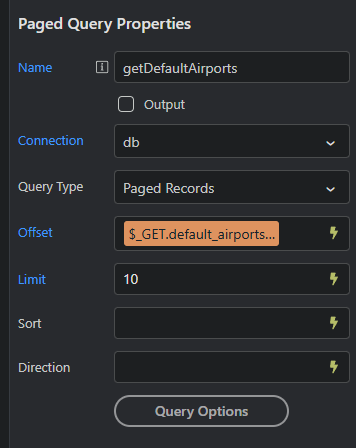
I have a paged query, with the offset set to $_GET.default_airports_offset

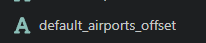
Just in case, I have also added this manually in the input get section:

image

I have also confirmed the custom param is set as the offset within the JSON (to make sure it isn’t a UI issue of inserting the offset)

image

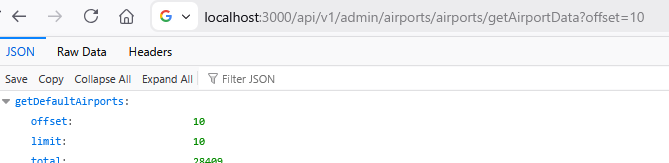
However, using this also results in the offset being 0:


If I change the param in the browser to just offset, it works as expected

May also be worth noting that these queries were insert as a “Database Query” and then converted to paged using the query type dropdown. Maybe that has something to do with it, but I haven’t tested that theory

Sorry if not the case, but here you have:
default_airport_offset as input and you're passing custom_airports_offset

That being said, I can confirm I had a few issues with offset too, exact same problem, but it was a month ago, don't remember how I solved it..

Will try to find a space in the weekend and recreate the issue..

I remember: created a set value with $_GET.customoffset.toNumber() and used that as offset input

Ah sorry, I just noticed that as well, but in this case it was just a screenshot error as I had multiple tabs open (I’ve got two paged queries which are both having this issue custom_ and default_), but the issue does actually still occur with the correct parameter as well.
I’ll definitely give this a try. Thanks!

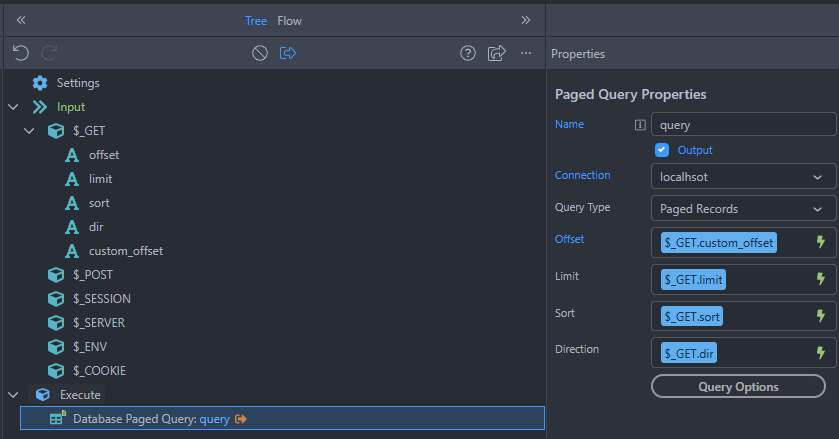
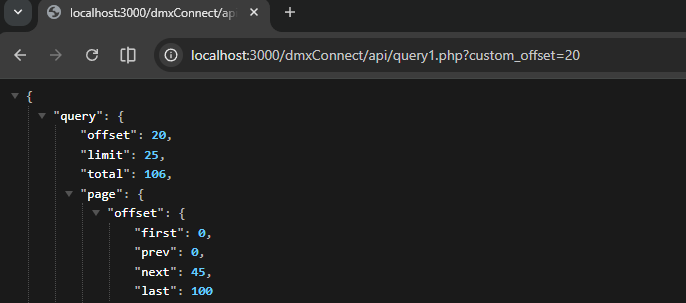
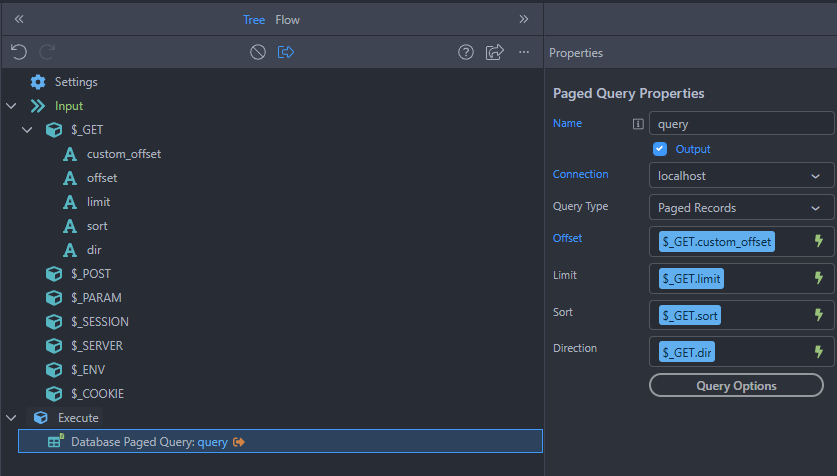
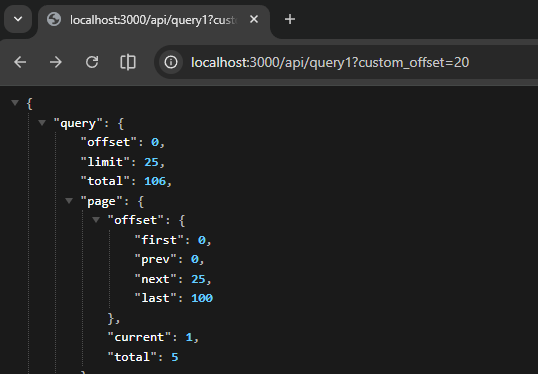
I tested both PHP and NodeJS, and the problem seems to be only happening on NodeJS:

PHP:


NodeJS:


1 Like

Bump