We all regularly use the debug output when developing but I’ve been caught out in the past where I’ve overlooked switching it off so I’m wondering if there could be an option to set the output to be activated for certain IP addresses. That way I can see it but no-one else can and it’s not so serious if I leave it active.
Hi @sitestreet It’s actually really easy to do in Wappler. You can just set a new global variable from $_SERVER["REMOTE_ADDR"] and then use it in your Server Action. That way you can conditionally show the debug output only for your own IP address.
Step 1

Step 2
Example:
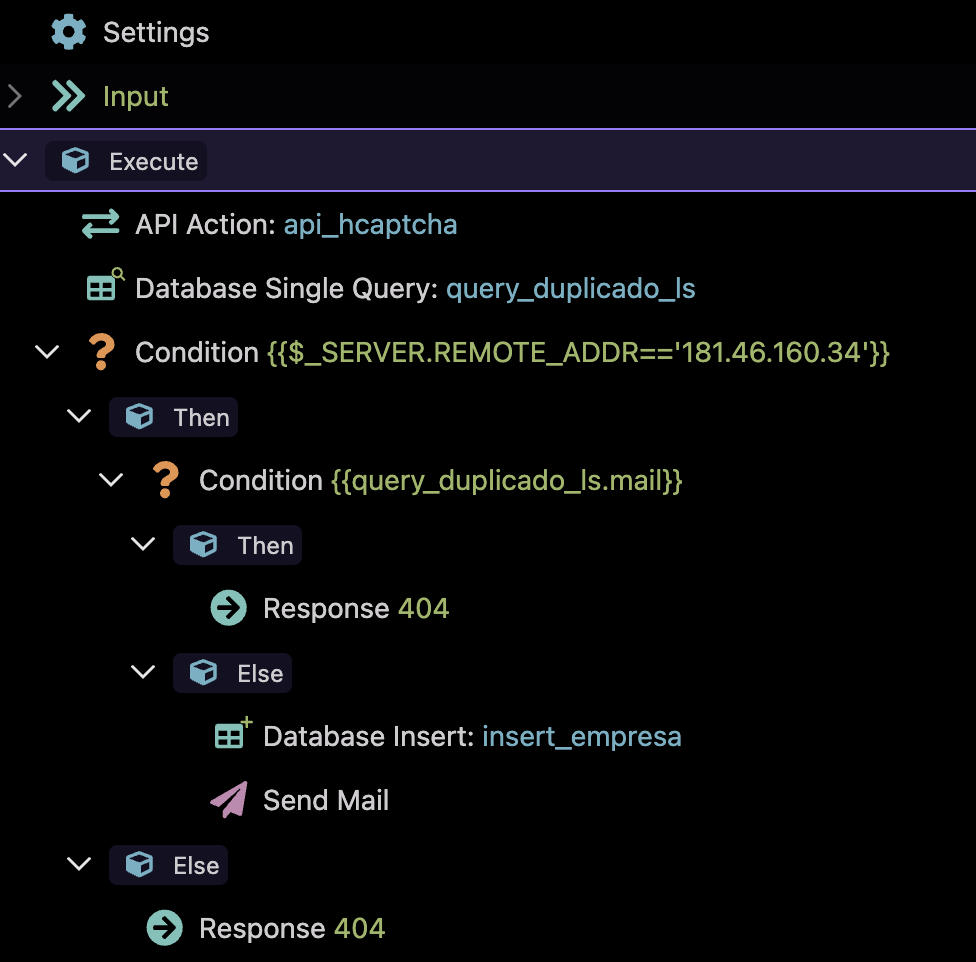
Thanks @Max_Saravia . However, this would mean editing all the server actions and putting that condition in. Or could this be achieved by put that into the global action?
And I’m assuming this is emailing all the console output? I would prefer to have it in the console just like we have it now but instead of showing it only when debug mode is on, set it to show when the IP address appears in the list of IP addresses.
You don’t need to add the condition in every single Server Action. The easiest way is to put it once in your global action (Globals > Server > $_SERVER > REMOTE_ADDR) and then just check it against a whitelist of IPs. That way it works across all your actions automatically.
And no, it doesn’t email anything it just behaves the same as the normal debug output. The only difference is that it will only show up in the console when your IP matches the allowed ones.
Hmm, interesting. I’ll give it a go. Thanks again.
EDIT: Sorry, I’m confused! What’s the significance of query_duplicado_ls and then the other parts of the inner condition? I just can’t make sense of your screenshot I’m afraid.
Don’t worry about query_duplicado_ls and the rest you saw — that was just a Server Action I happened to be working on and I modified it quickly to give you an example. It’s not relevant, you can ignore that part. The only thing that matters is checking $_SERVER.REMOTE_ADDR against your allowed IPs
Hmm, I feel like I should know this but am still confused.
If this is going into the global action, where is the bit which sets whether the debug is output or not?
Right, let me clarify . Adding $_SERVER.REMOTE_ADDR to the Global Action just makes the client IP available everywhere.
The actual switch for the debug output is simply a condition you add once (for example in Globals or in your layout). Something like:
-
If $_SERVER.REMOTE_ADDR is in your list of allowed IPs → set debug = true.
-
Else –> set debug = false.
Then Wappler will only output the debug info when that debug flag is true. So you don’t touch every Server Action you just control it globally by that condition.
OK, that’s exactly how I thought it should be done. But what’s the actual bit for set debug = true?
GPT says this:
Wappler does not have a single global debug switch for Server Connect that enables full debug output across the entire project—debug must be enabled per action step using "test": true in your Server Connect steps.
Don’t worry, you’re not the only one 
All questions you’re asking are the same as mine
@sitestreet Let me clarify both scenarios since there seems to be some confusion:
1. Wappler's Native Debug Output: You cannot dynamically control Wappler's built-in debug output (the one that appears in browser console) using variables. That "Set Debug = true" toggle in Server Connect settings is manual only - there's no way to make it respond to IP conditions or any other dynamic logic through the UI.
2. Custom Debug Logic (What I was actually describing): What you CAN do is create your own conditional debug information that shows/hides based on IP addresses. This involves:
-
Creating a global variable with your IP whitelist condition
-
Using that variable to conditionally display custom debug outputs in your Server Actions
-
This gives you IP-based control, but it's YOUR debug info, not Wappler's native system
So when I said "Wappler will show debug output accordingly" - I was incorrect about the native system. I was referring to custom debug outputs you create yourself.
If you want IP-based debug control, you need to implement custom logic. Wappler's native debug system remains manually controlled only.
Sorry for the confusion in my earlier explanations!
Thanks @Max_Saravia. So I think the original feature request stands then.

If you have looked at a lot of my recent extensions i include a checkbox to turn on/off console logging. I had considered making that a setting at $_ENV level. Perhaps that could be implemented but to do that every console.log line in every function would need to be made conditional.
From memory i used something like (converted for $_env)
$_ENV.log && console.log("message).
Guessing AI could update that globally?
On the basis that there is already a single point of toggling this, I’m hoping it could be easily expanded into something like an $_ENV setting. That way we could easily set the criteria at a global level on each project where IP is one option but there could be many others like date or the value of a variable, etc.