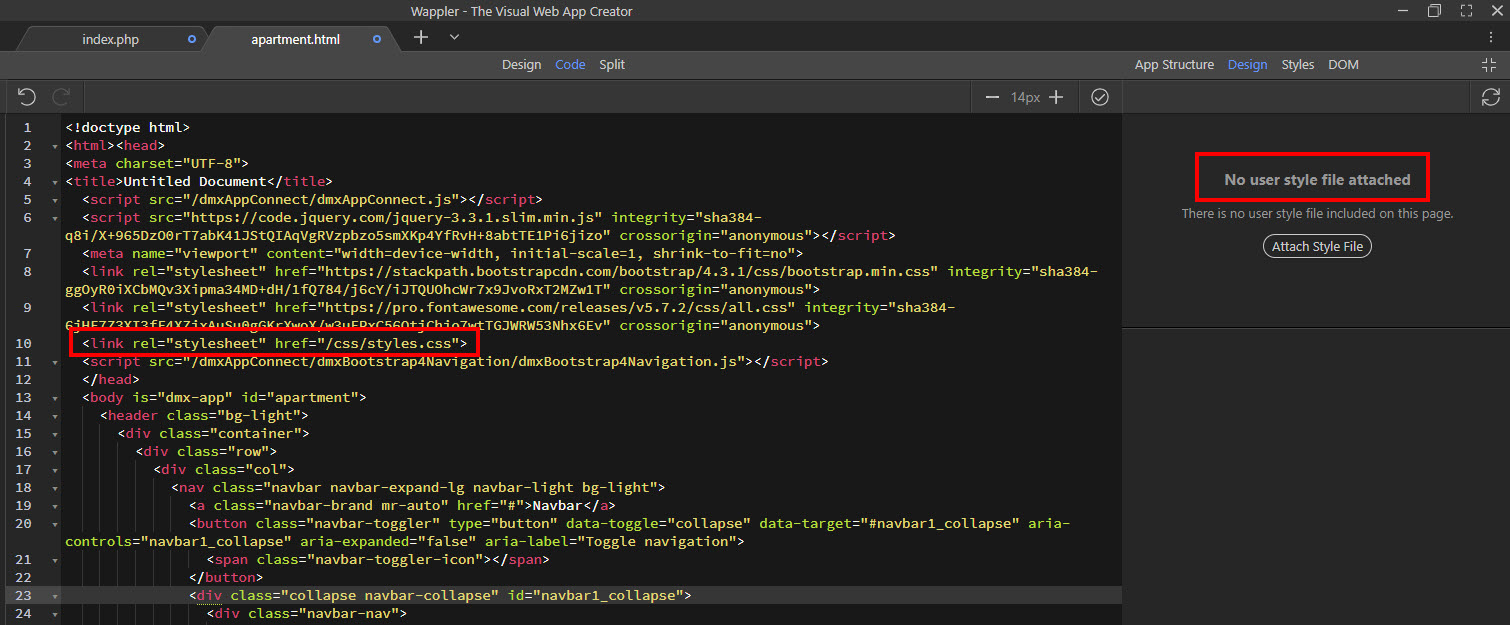
I prefer to call my style sheet ‘styles.css’ (plural) to distinguish it from other style sheets. Unfortunately, Wappler doesn’t recognizes it. See image:
When I click ‘attach style file’ it adds a new link to ‘style.css’ (singular) but adds nothing to the css folder. The Design panel then becomes operational. Is this a bug or am I missing something?
In the project option I had style.css (singular) I was using this project as a test site previously and forgot to change the stylesheet name in the project settings. Cheers.
Teo, i am thinking to have a different styling sheet for each module in the project for example for admin, users and for public and use relevant style sheets on layout pages as required or use multiple style sheets each with specific group of styles without repeating.
I have hard time working around this at style panel as project defaults to the single parameter give at project setting.
Wondering if there is a guide or video tutorial on how the topic is supposed to be handled on wappler.

 I was using this project as a test site previously and forgot to change the stylesheet name in the project settings. Cheers.