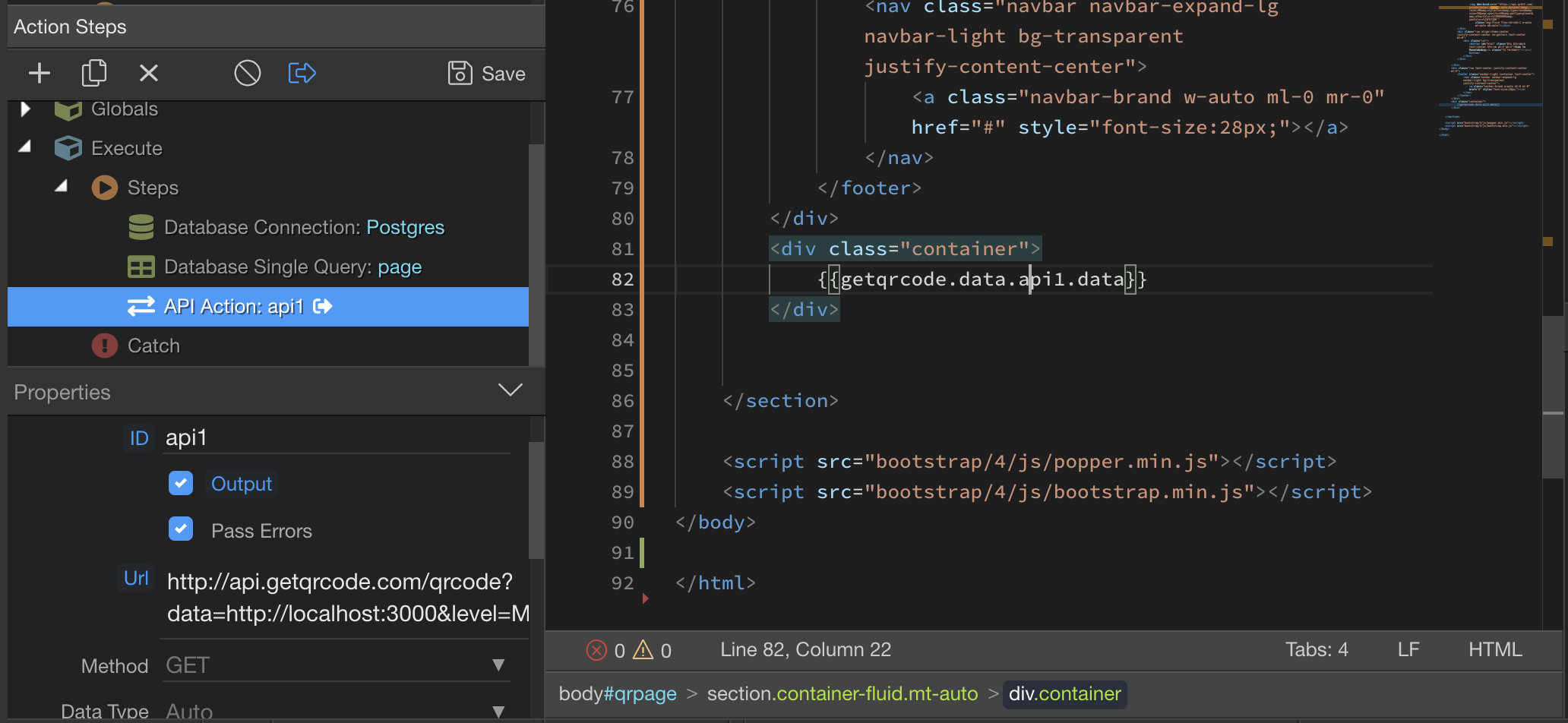
I get svg image data from the Server Connect API and want to dynamically display it on the page. However, the svg is displayed as a text on the page. At the same time, if I just manually insert the data that I’m getting from the API into the page, svg is displayed normally.
Environment: Node js
SVG rendered as a text on the page:
Snippet:
<svg className="Qr-item-svg" width="100%" height="100%" viewBox="-5 -5 35 35" fill="white" xmlns="http://www.w3.org/2000/svg" xmlnsXlink="http://www.w3.org/1999/xlink"> <circle opacity="0.3" r="0.25" key="0" fill="#000000" cx="0.5" cy="9.5"/><circle opacity="0.3" r="0.25" key="1" fill="#000000" cx="0.5" cy="14.5"/><circle opacity="0.3" r="0.25" key="2" fill="#000000" cx="0.5" cy="15.5"/><circle opacity="0.3" r="0.25" key="3" fill="#000000" cx="0.5" cy="16.5"/><circle opacity="0.3" r="0.25" key="4" fill="#000000" cx="1.5" cy="8.5"/><circle opacity="0.3" r="0.25" key="5" fill="#000000" cx= ...</svg>
Thanks