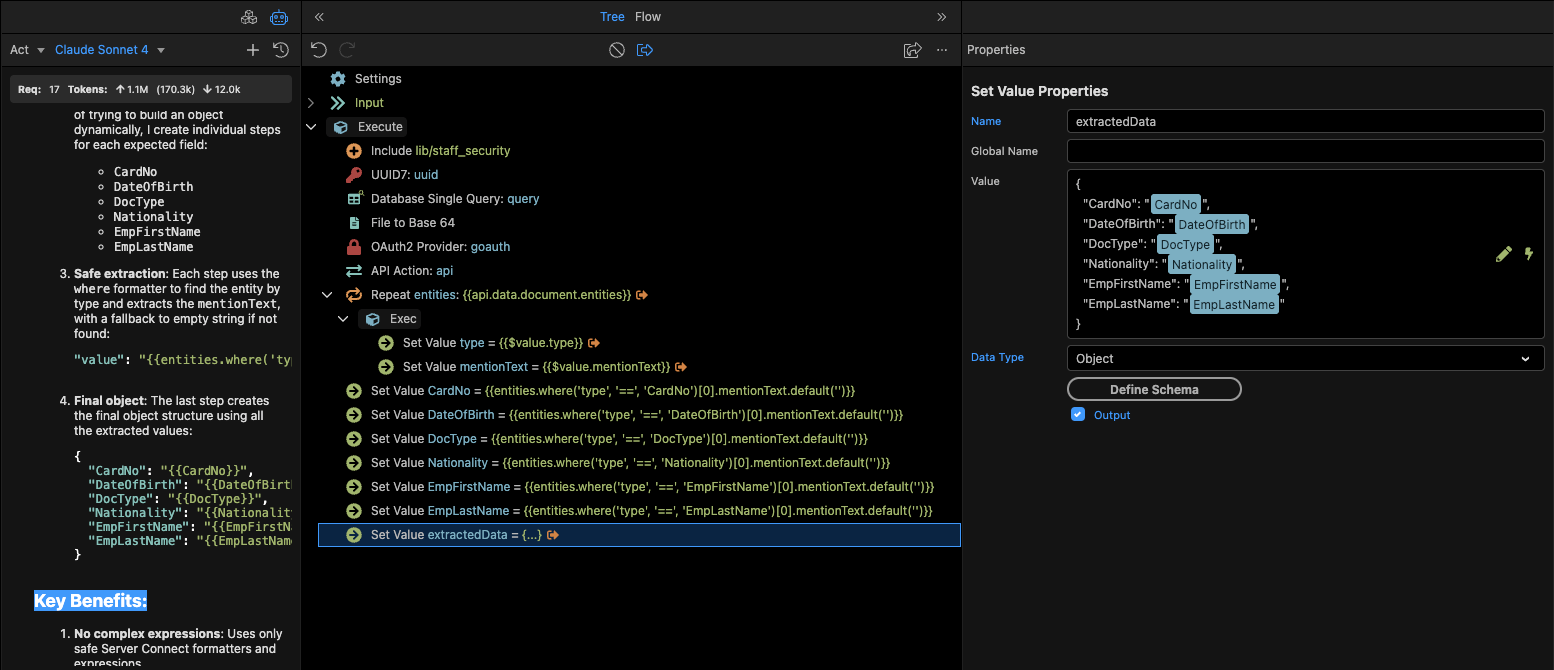
My goal is to use this transformed data in a Database Update step to map each key to a specific column (for example: emp_first = EmpFirstName, emp_last = EmpLastName, etc.).
Could someone guide me on the correct way to perform this transformation and use the result in the Database Updatestep?
Any working example or best practice would be really helpful.
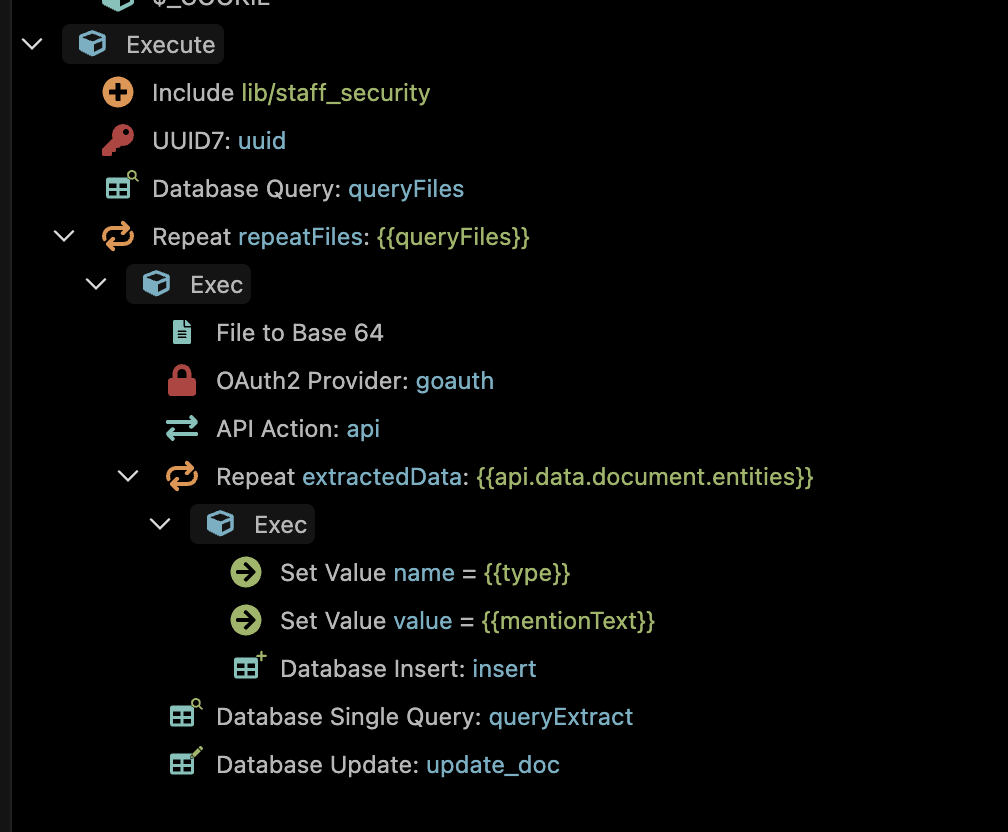
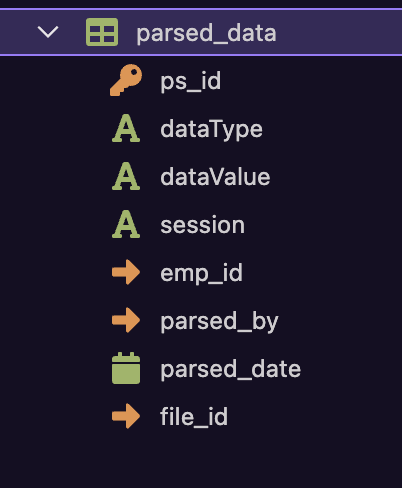
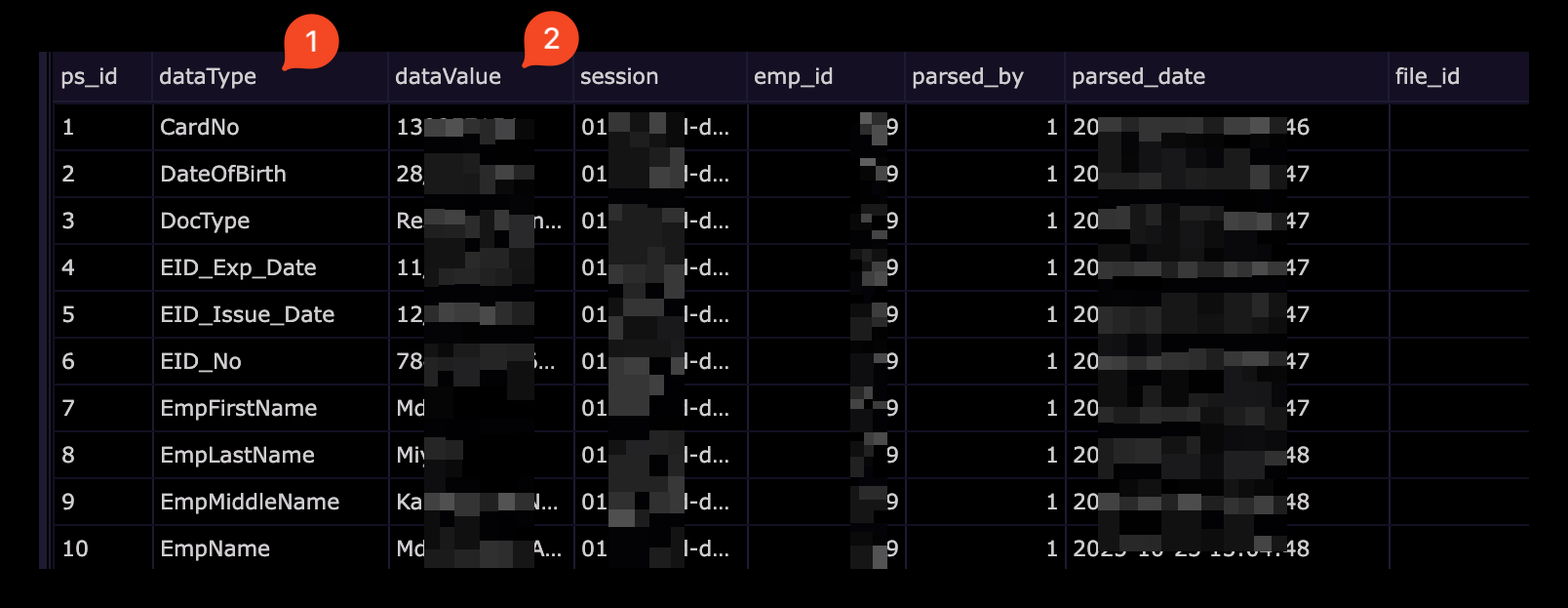
Currently I’m storing these values in a separate table Under repeat > insert After that I’m using that table (DocsProcessedTable) to update those data to my primary table (EmpDetails)
Because API output data is not consistent. It’s an AI data processor. For each type of document, it generates different output.
It’s is possible to directly update the primary table within the workflow rather than inserting and then updating. But for that I need the output in this format.
You will need to use the node function i listed earlier (not tested but should work). Ideally you should to convert it to a server connect custom module. Do you know how to do that?
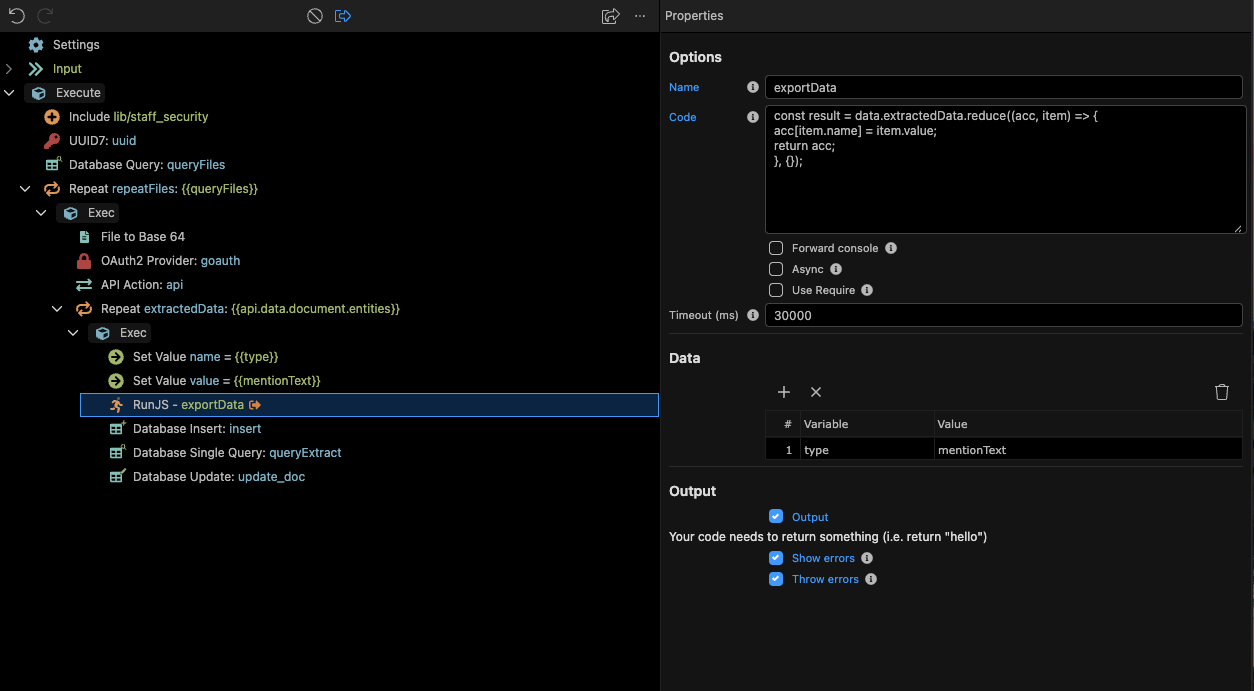
You'll find that several standard collection/array functions available in Node.js are not yet available in Wappler's serverconnect framework. It definitely takes experimenting, help from AI, and patience. I was able to create a new object using a Set Value element and the code below:
While this now has your "name" values as the key, you'll need to find a way in Wappler to extract the value from the array that follows each key. I tried several different methods but was unsuccessful at merging this into a new object using available Wappler collections functions.
AI can certainly write Node.js code to handle this issue. It would be rather simple in javascript to solve. Adding custom extensions isn't hard at all in Wappler and your best bet might be using AI to write you the code to convert the API response to your desired object and map it to your table column names.
{
    "status": "500",
    "message": "data is not defined",
    "stack": "RunJS:1\n( function() { const result = data.extractedData.reduce((acc, item) => {\n                              ^\n\nReferenceError: data is not defined\n    at RunJS:1:31\n    at RunJS:5:19\n    at Script.runInContext (node:vm:149:12)\n    at exports.run (/Users/user/Documents/projects/nodejs/app_sys/extensions/server_connect/modules/runjs.js:13:29)\n    at App._exec (/Users/user/Documents/projects/nodejs/app_sys/lib/core/app.js:722:49)\n    at App._exec (/Users/user/Documents/projects/nodejs/app_sys/lib/core/app.js:689:20)\n    at process.processTicksAndRejections (node:internal/process/task_queues:105:5)\n    at async App.exec (/Users/user/Documents/projects/nodejs/app_sys/lib/core/app.js:655:5)\n    at async App.repeat (/Users/user/Documents/projects/nodejs/app_sys/lib/modules/core.js:86:21)\n    at async App._exec (/Users/user/Documents/projects/nodejs/app_sys/lib/core/app.js:722:22)"
}
can you show the actual data schema returned by the API call (I assume you have generated the schema via the API component). What is the APi you are using?
This error is not related to the data returned by the API call, but rather not configuring RunJS correctly to inject the object/variable into the RunJS environment
Unfortunately, it's been a long time since I've used this, so I can't point exactly how to fix it, but it's related to the Data properties in the RunJS step
Extract entities: First, we process the API response into a clean array with type and mentionText fields.
Individual setvalue steps: Instead of trying to build an object dynamically, I create individual steps for each expected field:
CardNo
DateOfBirth
DocType
Nationality
EmpFirstName
EmpLastName
Safe extraction: Each step uses the where formatter to find the entity by type and extracts the mentionText, with a fallback to empty string if not found:

 Claude Sonnet 4 solved it.
 Getting Expected Output (Thanks to Claude Sonnet 4):