Need a mathematician smarty pants please

I built an admin panel which has image upload… to avoid issues for my client when adding gallery images i added some auto choosing options.

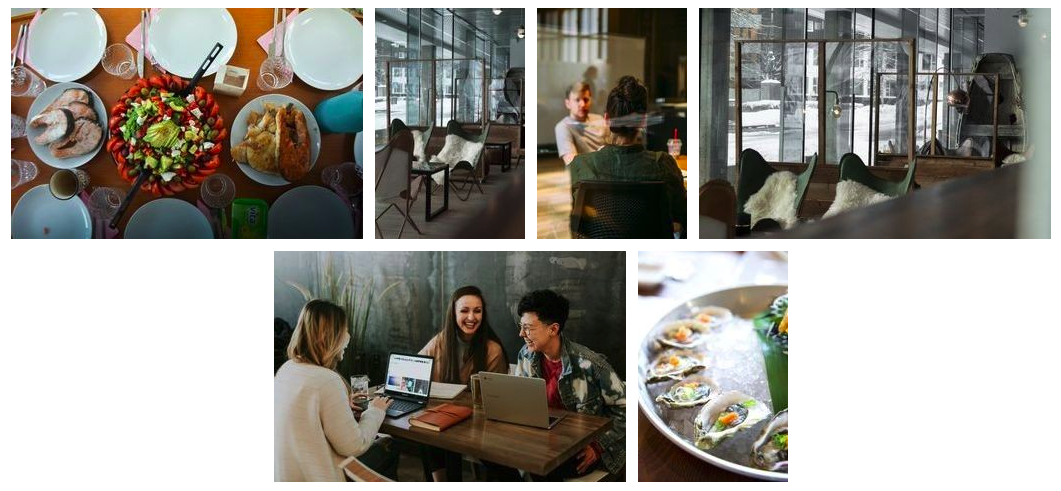
So the gallery was always
Image 1 - Portrait
Image 2 - Landscape
And that sequence just repeated over and over again, so when my server action was cropping and resizing images for them it would know if it was cropping for a portrait or a landscape end result image. This was achieved pretty easily with the following.

((image_category.value == 'Gallery') && (image_position.value.toNumber() % 2 == 1)) ? 'Portrait' : 'Landscape'

This made all odd numbers = 1 so it was pretty easy to do considering all odd positions were Portrait and all evens were Landscape.

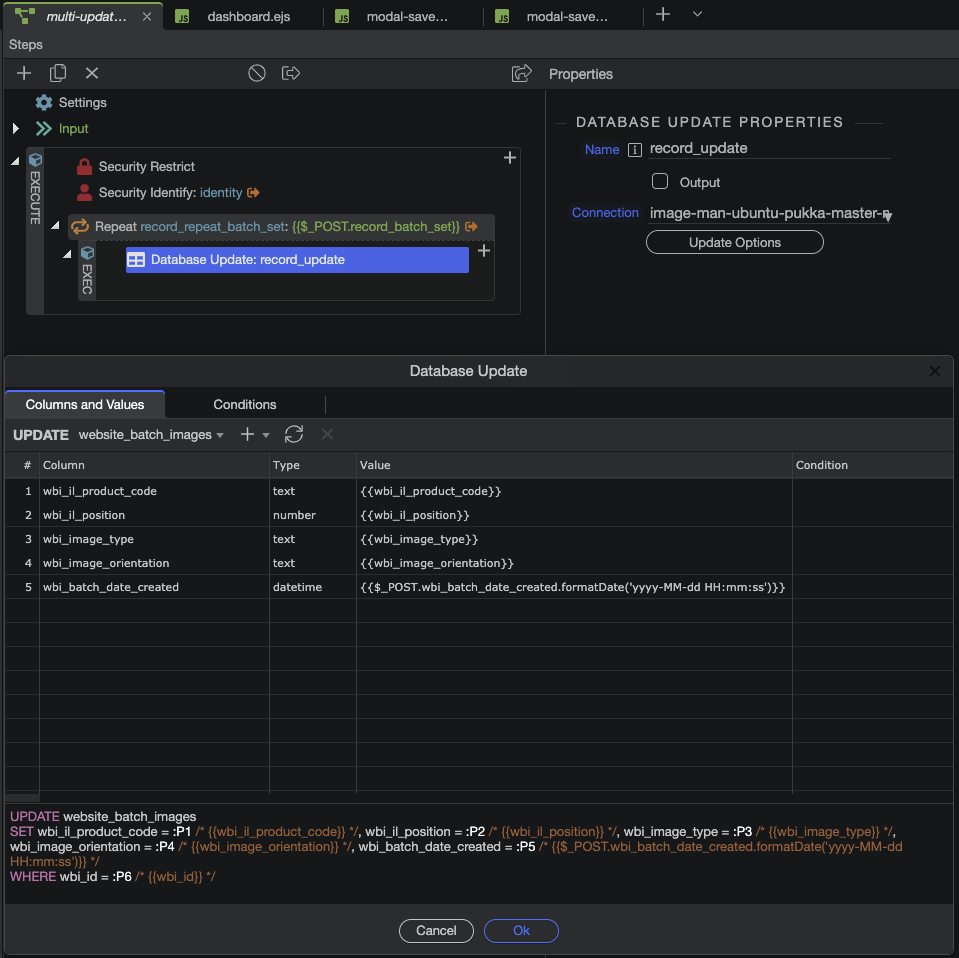
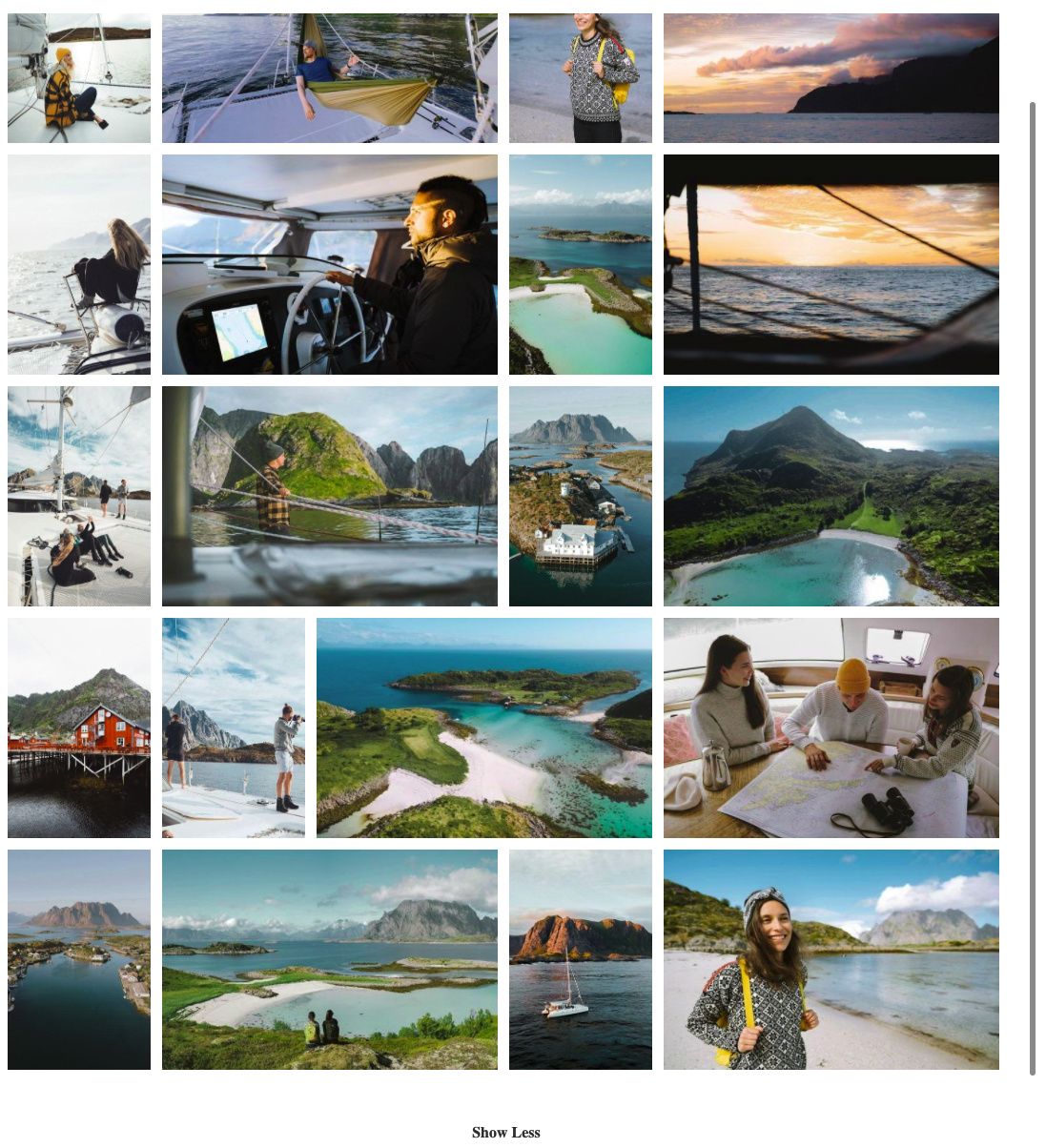
Now they asked for a change, and the new order will be
Image 1 - Landscape
Image 2 - Portrait
Image 3 - Portrait
Image 4 - Landscape
And that new sequence just repeats over and over.

Is there any mathematical way like that modulo operator idea to adjust my condition to make the new sequence auto choose L,P,P,L , L,P,P,L , L,P,P,L
I can not think of a way, but hoping someone is a maths boffin.

What are your server action steps and are you using a repeat step for this? Or 4 separate resize steps?
What is image_position.value and where does it come from?

Hopefully this video kind of explains it better, when the image position is changed to 2, the radio button for Landscape gets auto selected.

The end result looks like this currently

They want to alter to this

The server action just writes to my database
image1.jpg - Gallery - 1 - P
image2.jpg - Gallery - 2 - L
image3.jpg - Gallery - 3 - P
etc.

Server Action

Do you always select a batch of 4 iamges? Can they be 8, 12 etc? Or 5?

Yes, there can be any amount, one has about 30 images in it, and they do not seem to stick to batches of 4 either, some of them have 6


OR

Ok i am still not sure i understand which part do you want to change? Something in the server action or something on the front end where they select the images?

Wouldn’t laying them out in a 4-column masonry be a better (and easier) solution?

Only front end

If the user enters an image position i need it to auto change the orientation radio button to either Landscape or Portrait depending on the position number they chose.

Image Position Orientation
Image01.jpg 1 L
Image02.jpg 2 P
Image03.jpg 3 P
Image04.jpg 4 L
Image05.jpg 5 L
Image06.jpg 6 P
Image07.jpg 7 P
Image08.jpg 8 L
Image09.jpg 9 L
Image10.jpg 10 P
Image11.jpg 11 P
Image12.jpg 12 L

Before this design alteration they made it was so simple, all Odd numbers were P and all Even numbers were L.
Now it makes no difference if the number is Even or Odd it could be L or P, but I assume mathematically there is some way to distinguish a pattern somehow.

1 Like

This is more based on the content management system that is saving out the images at various sizes and various orientations as they have about 10k images, so often the original image could be a landscape @ 8000px x 4000px and they choose to show it as a portrait image in the gallery rather.

After the front end form has all their choices made and writes it to the database then a secondary server action goes in and saves out all Portrait images at 300px x 500px and crops to ensure even if the original was a landscape it is now cropped to portrait.

Isn’t that what you need then?

<div class="container">
    <div class="row" is="dmx-repeat" id="repeat1" dmx-bind:repeat="60">
        <div class="col-3">
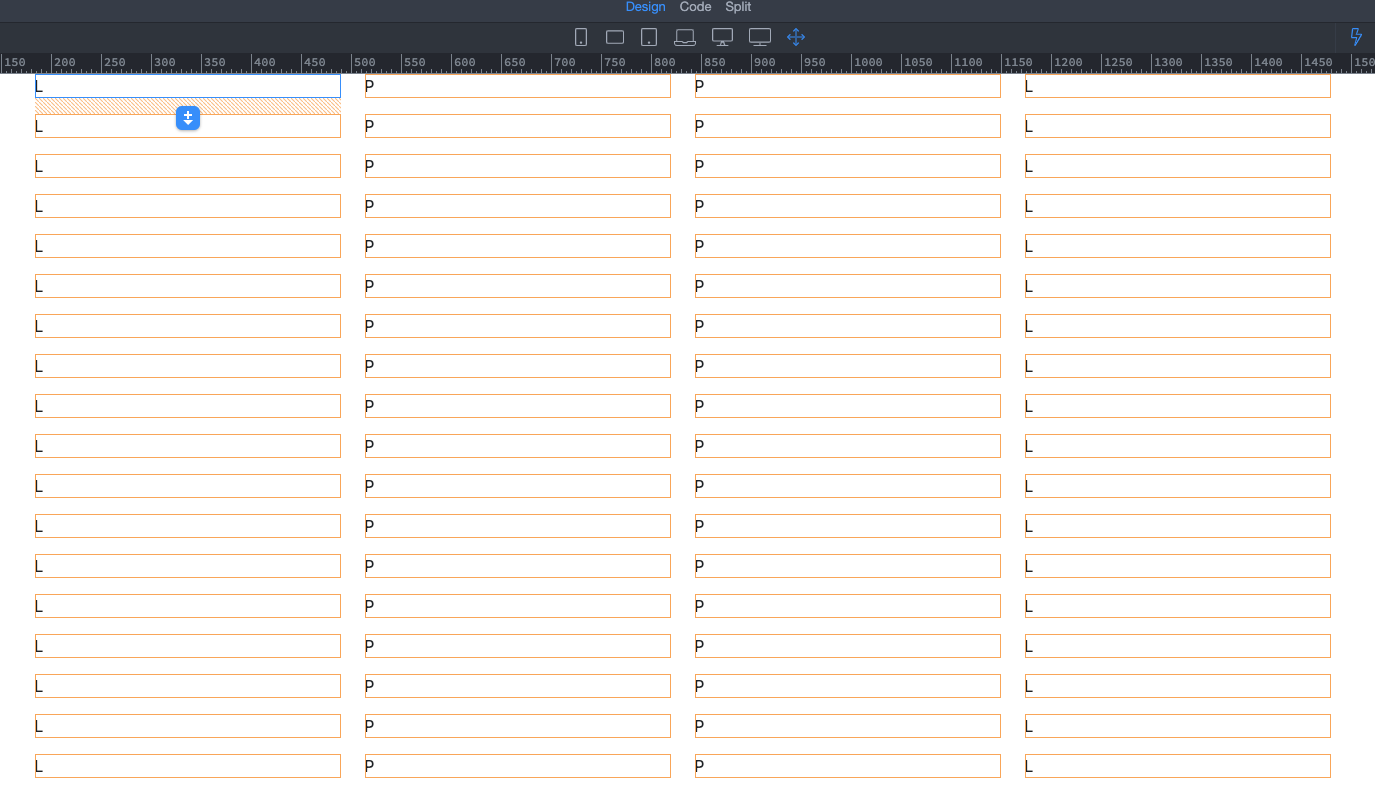
            <p>{{$index % 4 == 1 || $index % 4 == 2 ? 'Portrait' : 'Landscape'}}</p>
        </div>
    </div>
</div>
1 Like

Going to test it out quick, one sec.

Almost Teo, this is giving
1 P
2 P
3 L
4 L
5 P
6 P
7 L
8 L

Not in the example code i provided:

Then there must be different in your repeat showing the images? What is your repeat code?

Not certain which part you need, so here is the whole form code, the part we dealing with is the final Div that says Intended Image Orientation

<form is="dmx-serverconnect-form" id="scf_save_for_web" method="post" action="api/save-for-web/multi-update-images" dmx-generator="bootstrap5" dmx-form-type="inline" dmx-populate="sc_multi_insert_images_modal_open.data.query_deleteme_images" dmx-on:success="sc_image_batches.load({})">
    <p>This function adds images into batches to try track what has been given to Pukka Active and what has not, a new batch will be created named "{{sc_multi_insert_images_modal_open.data.query_deleteme_images[0].wbi_batch_date_created.formatDate('yyyy-MM-dd HH:mm:ss')}}", however you can assign all the below setting into an existing batch where desired.</p>
    <div class="form-group pkt-footer-underline pb-3">
        <label for="wbi_batch_date_created">Select Existing Batch</label>
        <select id="wbi_batch_date_created" dmx-bind:id="wbi_batch_date_created_{{$index}}" class="form-control" name="wbi_batch_date_created" dmx-bind:value="sc_multi_insert_images_modal_open.data.query_deleteme_images[0].wbi_batch_date_created" dmx-bind:options="sc_image_batches.data.custom_query_image_batches" optiontext="wbi_batch_date_created.formatDate('yyyy-MM-dd HH:mm:ss')+' Assigned to: '+wbi_il_product_codes.replace('DELETEME','NEW BATCH')" optionvalue="wbi_batch_date_created">
        </select>
    </div>
    <div id="record_batch_set" is="dmx-repeat" dmx-bind:repeat="sc_multi_insert_images_modal_open.data.query_deleteme_images">
        <div class="row form-row pkt-footer-underline pb-3 mb-3">
            <div class="col-5">
                <img dmx-bind:src="'/travel-images/thumbnails-from-orig-uploads/'+wbi_il_url_local" class="img-fluid img-thumbnail" dmx-bind:alt="wbi_il_url_local.split('.').first(0).humanize()" width="300" dmx-bind:height="(300/mil_uploaded_image_width)*mil_uploaded_image_height">
            </div>
            <div class="col-7">
                <input type="hidden" class="form-control" id="inp_wbi_id" name="wbi_id" dmx-bind:id="insp_wbi_id_{{$index}}" dmx-bind:name="record_batch_set[{{$index}}][wbi_id]" dmx-bind:value="wbi_id" required="">

                <div class="form-group">
                    <label for="inp_wbi_il_product_code" dmx-bind:for="insp_wbi_il_product_code_{{$index}}">Choose Product</label>
                    <select class="form-control" id="inp_wbi_il_product_code" name="wbi_il_product_code" dmx-bind:id="insp_wbi_il_product_code_{{$index}}" dmx-bind:name="record_batch_set[{{$index}}][wbi_il_product_code]" dmx-bind:options="sc_list_products.data.query_products_map" optionvalue="mipm_page_code" optiontext="mipm_page_name_url+' : ('+mipm_page_code+')'" required="">
                        <option value="">Pages</option>
                    </select>
                </div>

                <div class="row my-4">
                    <div class="col-6">
                        <select class="form-control" id="inp_wbi_image_type" name="wbi_image_type" dmx-bind:id="insp_wbi_image_type_{{$index}}" dmx-bind:name="record_batch_set[{{$index}}][wbi_image_type]" dmx-bind:options="sc_list_image_types.data.query_image_types" optionvalue="ism_type" optiontext="ism_type" required="">
                        </select>
                    </div>

                    <div class="col-6">
                        <input type="text" class="form-control" id="inp_wbi_il_position" name="wbi_il_position" dmx-bind:id="insp_wbi_il_position_{{$index}}" dmx-bind:name="record_batch_set[{{$index}}][wbi_il_position]" placeholder="Enter Position Number" value="1" required="">
                    </div>
                </div>
                <div class="form-group">
                    <label>Intended Image Orientation <i class="fas fa-info-circle fa-fw" dmx-bs-tooltip="'This should choose the correct orientation based upon image type and position, you can adjust if you have a valid reason.'"></i></label>
                    <div is="dmx-radio-group" id="radio_orientation_group" name="radio_orientation_group" class="radio-group" dmx-bind:value="(((inp_wbi_image_type.value == 'Gallery') && (inp_wbi_il_position.value.toNumber() % 4 == 1)) || ((inp_wbi_image_type.value == 'Gallery') && (inp_wbi_il_position.value.toNumber() % 4 == 2))) ? 'P' : (inp_wbi_image_type.value == 'Chapter' || inp_wbi_image_type.value.startsWith('Filter') || inp_wbi_image_type.value == 'Staff') ? 'P' : 'L'">
                        <label class="form-check-label me-5" for="inp_wbi_image_orientation_portrait" dmx-bind:for="insp_wbi_image_orientation_{{$index}}_portrait">
                            <input type="radio" id="inp_wbi_image_orientation_portrait" name="wbi_image_orientation" dmx-bind:id="insp_wbi_image_orientation_{{$index}}_portrait" dmx-bind:name="record_batch_set[{{$index}}][wbi_image_orientation]" value="P" required=""> Portrait
                        </label>
                        <label class="form-check-label ml-2" for="inp_wbi_image_orientation_landscape" dmx-bind:for="insp_wbi_image_orientation_{{$index}}_landscape">
                            <input type="radio" id="inp_wbi_image_orientation_landscape" name="wbi_image_orientation" dmx-bind:id="insp_wbi_image_orientation_{{$index}}_landscape" dmx-bind:name="record_batch_set[{{$index}}][wbi_image_orientation]" value="L" required=""> Landscape
                        </label>
                    </div>
                </div>

            </div>
        </div>
    </div>
</form>

Is this the condition your are using?

(((inp_wbi_image_type.value == 'Gallery') && (inp_wbi_il_position.value.toNumber() % 4 == 1)) || ((inp_wbi_image_type.value == 'Gallery') && (inp_wbi_il_position.value.toNumber() % 4 == 2))) ? 'P' : (inp_wbi_image_type.value == 'Chapter' || inp_wbi_image_type.value.startsWith('Filter') || inp_wbi_image_type.value == 'Staff') ? 'P' : 'L'

Yes, thats it

Why is it that part this complex:

(((inp_wbi_image_type.value == 'Gallery') && (inp_wbi_il_position.value.toNumber() % 4 == 1)) || ((inp_wbi_image_type.value == 'Gallery') && (inp_wbi_il_position.value.toNumber() % 4 == 2)))

Why not just:

(inp_wbi_image_type.value == 'Gallery') && (inp_wbi_il_position.value.toNumber() % 4 == 1 || inp_wbi_il_position.value.toNumber() % 4 == 2)

also … what is inp_wbi_il_position.value.toNumber() why not use $index ??

1 Like

After seeing how you were achieving that I adjusted it a little to

{{$index % 4 == 0 || $index % 4 == 1 ? 'Portrait' : 'Landscape'}}

Using this to check the results, https://www.calculators.org/math/modulo.php

Now it works perfectly Teo, thank you so so much, I wish i understood this Modulo / Modulus thing better, but it is working great now.

This takes whatever number has been typed into the position field rather than the index of the repeat, they could select 12 images for a single batch and the first image could be a hero image, and the second could be a highlight image, and 3-8 are Gallery images, so it has to rather go off the position they manually input rather than the position of display in the repeat.
Thanks, I was rushing to test and wrote it like poop, your simplified version works great with the slight modification to 0 or 1 not 1 or 2