Multiple upload images to dynamic folder and insert to database

Hello,
Everything follows the logic and there are not too many options to try with actually.

In your example - what needs to be done to show multiple images, selected in an multiple file upload field?

  1. You need a repeat region, which repeats the files from the file upload field.
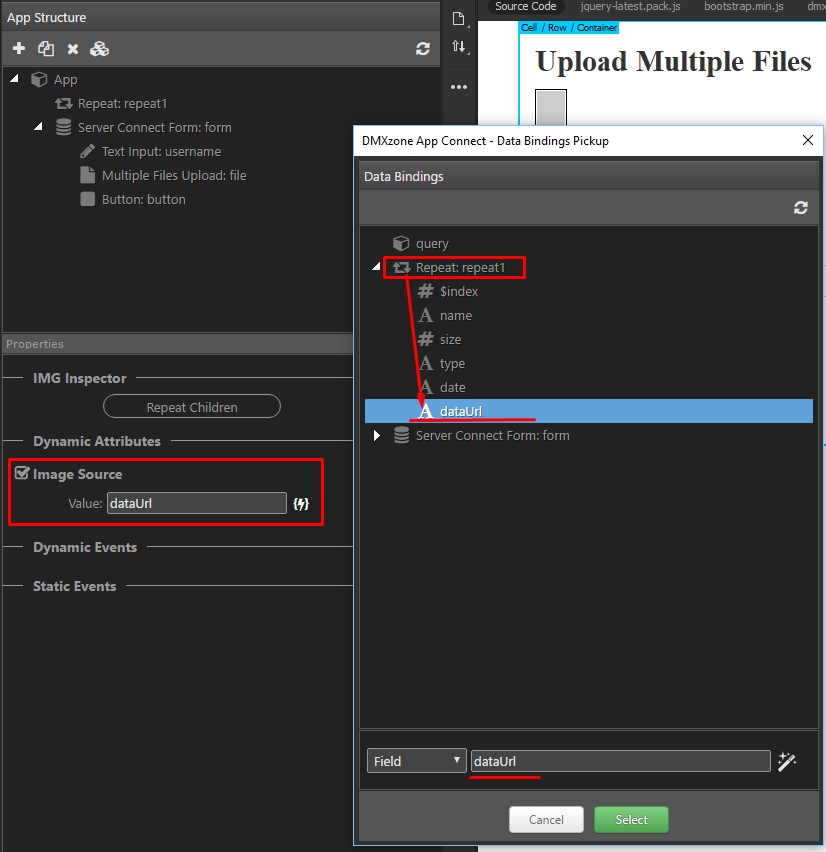
  2. You need an image inside the repeat which uses the returned dataURL.

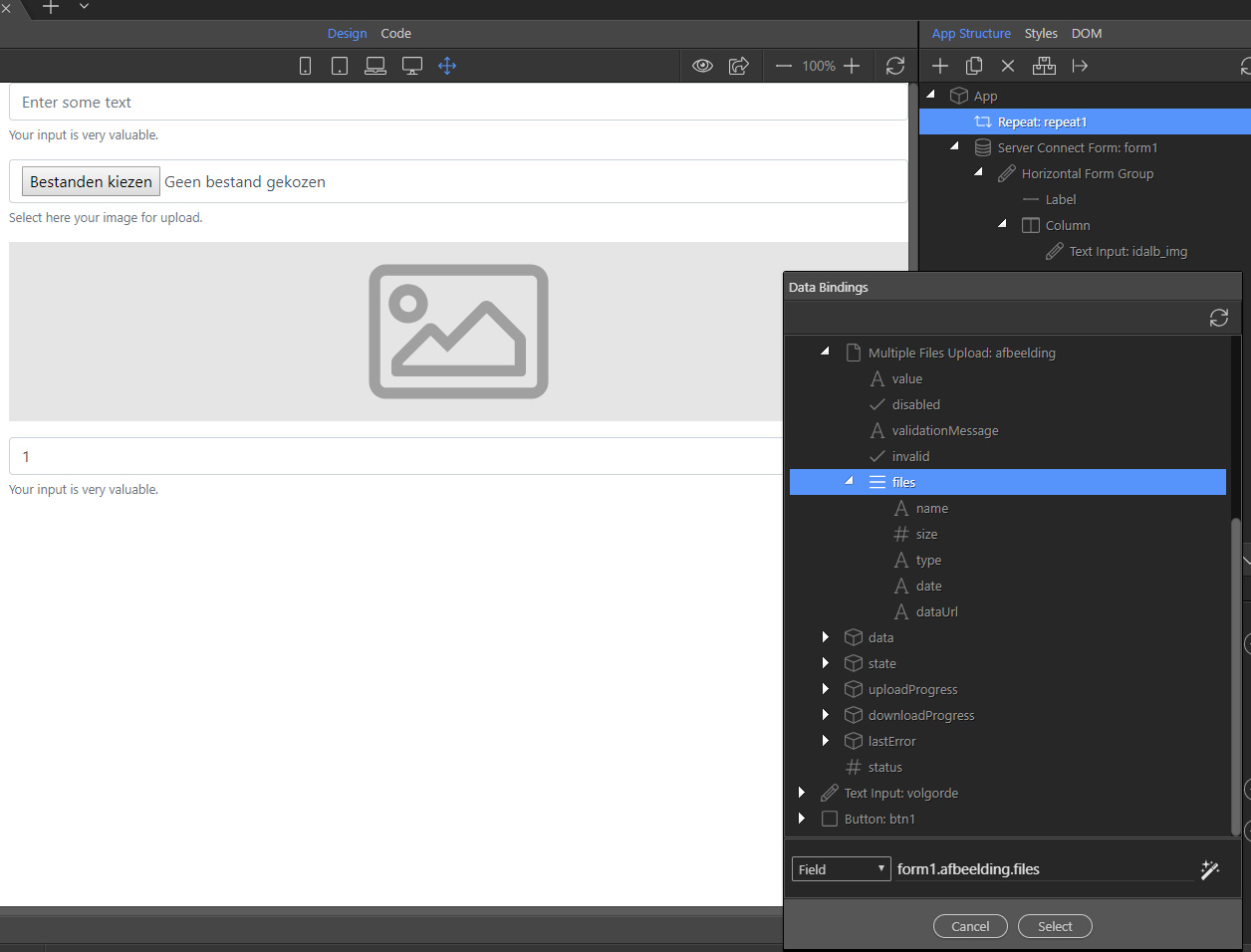
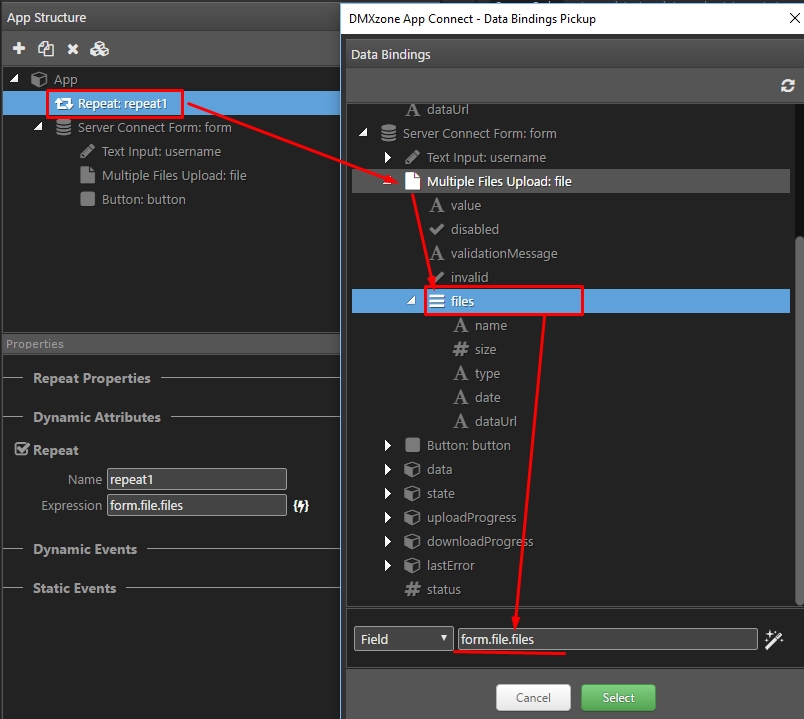
Create a repeat and bind the files object as an expression:

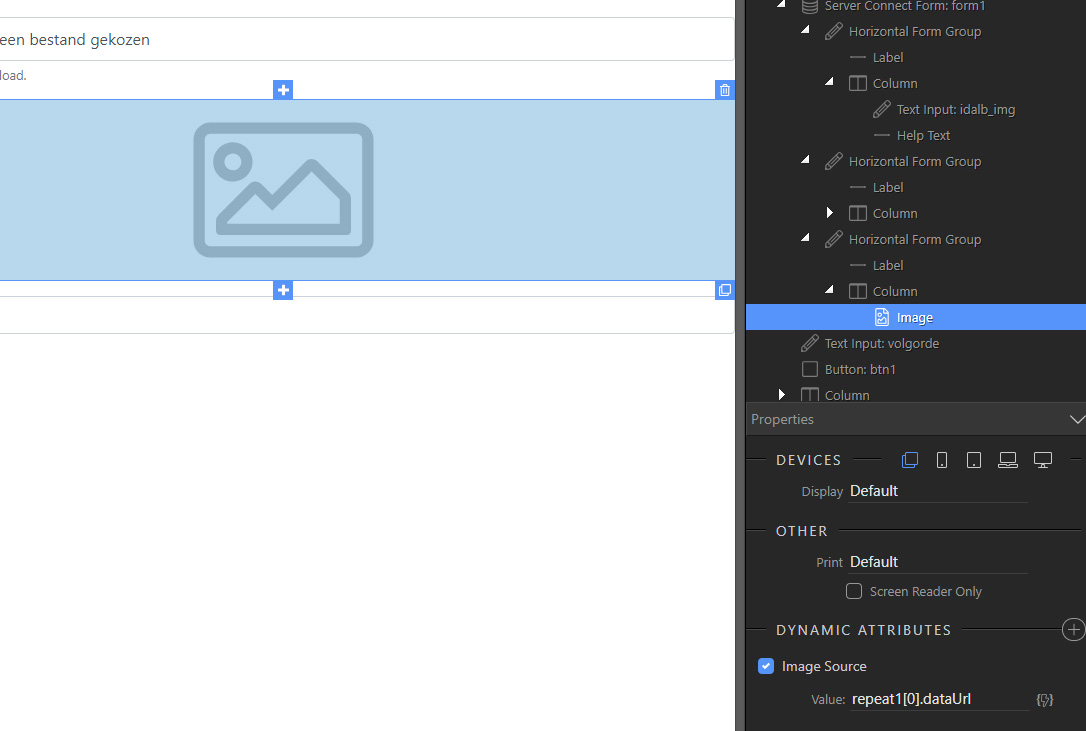
After that inside the repeat add an image and bind the dataURL as a source:

NOTE: Screenshots are from DW as i’ve sent this to some other users asking the same question, but in Wappler it is the same.

Which leaves me with this:
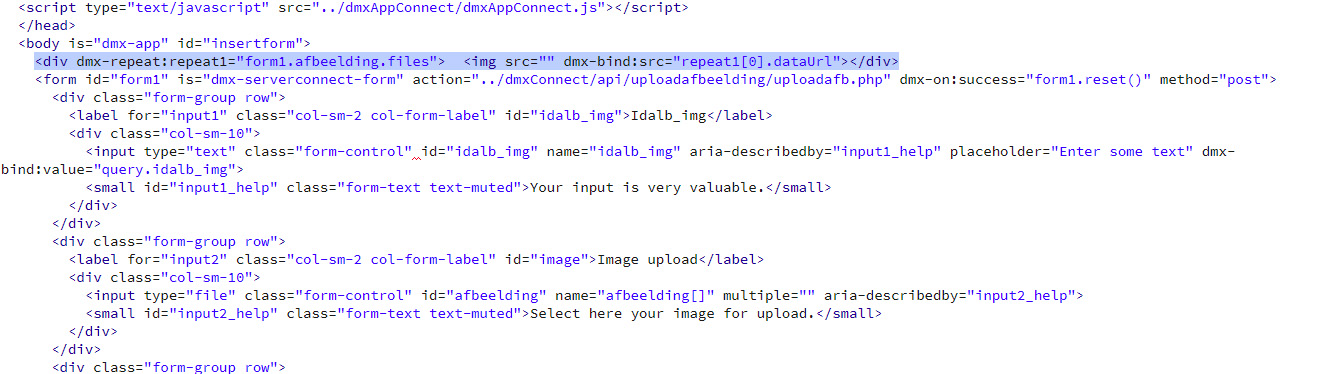
div dmx-repeat:repeat1=“form1.afbeelding.files”> </div
It will add an extra line above the form, but no content

Did you add an image inside the repeat and did you bind the dynamic image source to it??

You have bound a wrong value. See my screenshot please - it is only dataUrl for image source.

I am totally lost now. I just don’t get the logic. I give up for the weekend. Will make another attempt next week :tired_face::unamused::sweat:

What do you mean?
What exactly you cannot understand? I explained you the logic - you repeat the file object and bind the images inside…
Just check my screenshots.

I know you are trying your best to make me understand the logic, but I just don’t seem to see it. I don’t even understand what is meant by “bind the images inside”

Jacques, see:

https://wappler.io/docs/#Dynamic-Attributes

binding images - is just adding dynamic image source as described in the docs.

So inside the “preview div”?


Inside the repeat region.
You repeat the images being selected for upload, then inside the repeat region you put the images with dynamic source binding.
It is just your dynamic image source that is wrong.
The expression shouldn’t be ‘repeat1[0].dataUrl’ but just ‘dataUrl’ you just seem to click something wrong in the data picker.

That is what I thought I had done. I only get an empty div above the form.

Please read my previous reply:

Strange. That was generated by appconnect. Working now. Time for weekend. Have a good one and thanks

1 Like

Still one more. It repeats the images vertical. Can I get them to repeat next to eachother?

This is up to you.
If you repeat a block element it will be repeated vertically. If you repeat inline elements they will be repeated horizontally.
In your case you repeat the div around the images, div is block level element. If you want to repeat the images use repeat children instead of repeat, or just style your div to be inline.
More on this topic: https://www.w3schools.com/html/html_blocks.asp
Done. I think I get it now. Up for a new challenge next week :rofl:

1 Like