I have been trying to create a message query with two tables using wappler server action
1 - User
2 - Message
when I join user ID from table 1 to table 2.
I was only able to join sender ID or Receiver ID to display their real name.
sender ID and Receiver ID are both in table user but only one will show the name.
I tried to add a variable array and repeat region in the server action - I am still with nothing.
Is there any steps someone can help with this section?3
You will need to use aliases if the ids link to the same table. When creating the JOIN in the query (for each user id link - sender/receiver) add an alias. Then when choosing the columns to return, give those an alias too - something like sendername, receivername
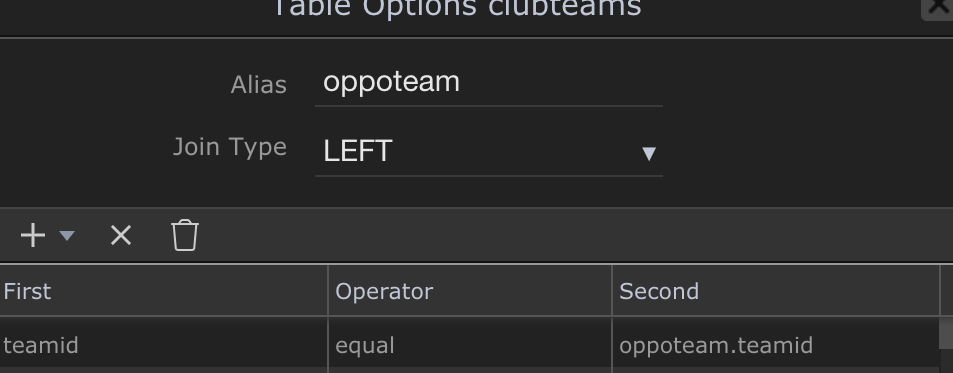
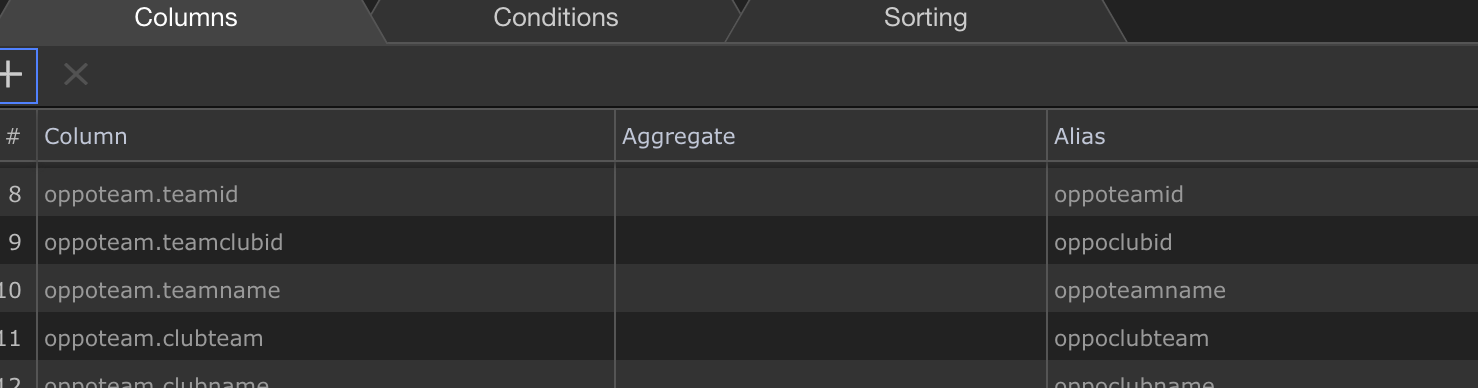
In the example below I was creating a home team and oppostion team. The ‘oppoteam’ alias was given to the clubteams join and then I gave each column an alias.
I don’t see what you mean. Join Table only give me an option to select the identical ID and rename the Join function on the server action.
I tried to create Join user table and message and name its senderid; and do the same for receiver. But its not working. Its only returning one sender value.
You should then choose the join options:
give the alias a name - mine is oppoteam but you will probably have something like senderuser
make the join type LEFT
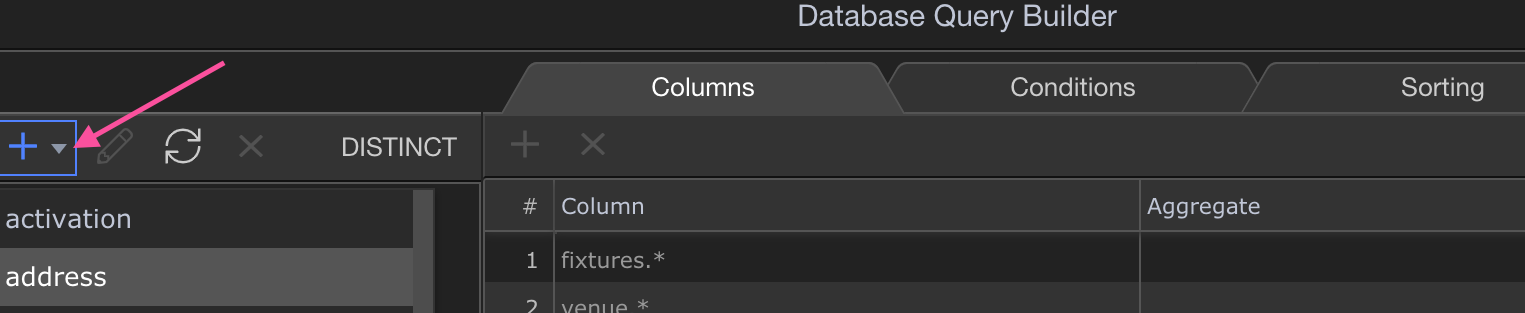
Click the little + button to choose the userid column (for ‘first’) and then under ‘second’ choose the senderid column (mine are linked by their teamid)
Click OK
Click the + table and choose the user table again and follow the same steps but this time give it an alias such as ‘receiveruser’
In the tree on the left, you will have all three tables to pick from to show columns. Add the columns you want to return by double clicking them. For the user columns, add a name for each under ‘Alias’ such as sendername, senderemail, receivername etc.
Save the query and save the server action.
Now when creating the table you will have additional field from the Server Connect with the alias names you gave.
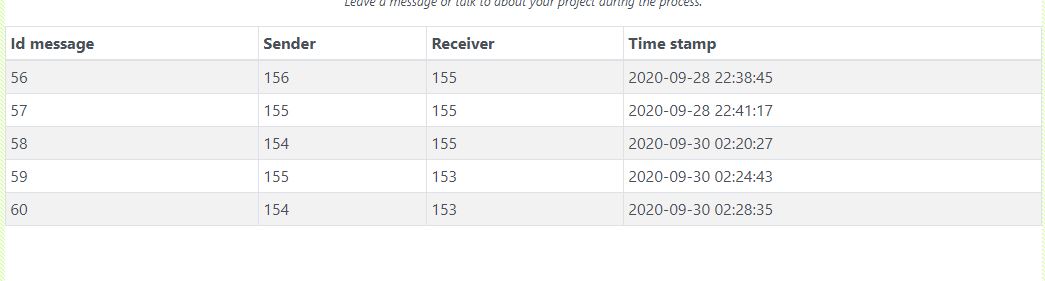
I tried it: I end up having this return when I generate the table:
The value will only return one name either receiver or sender name. I need both name to be display. I am not sure if you understand it little bit.
The user Id are there not the name is showing only one user name.