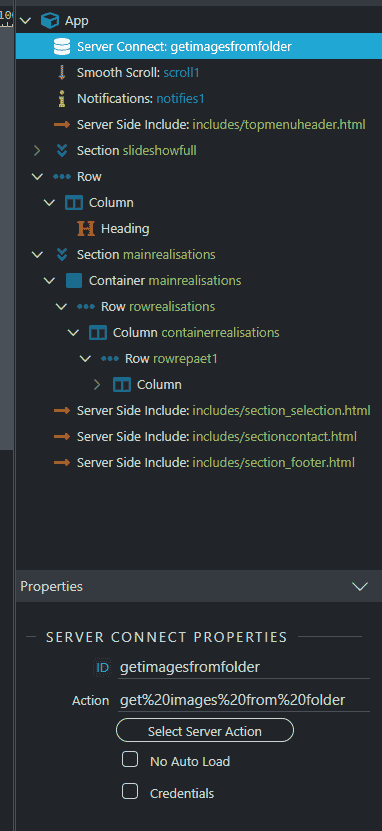
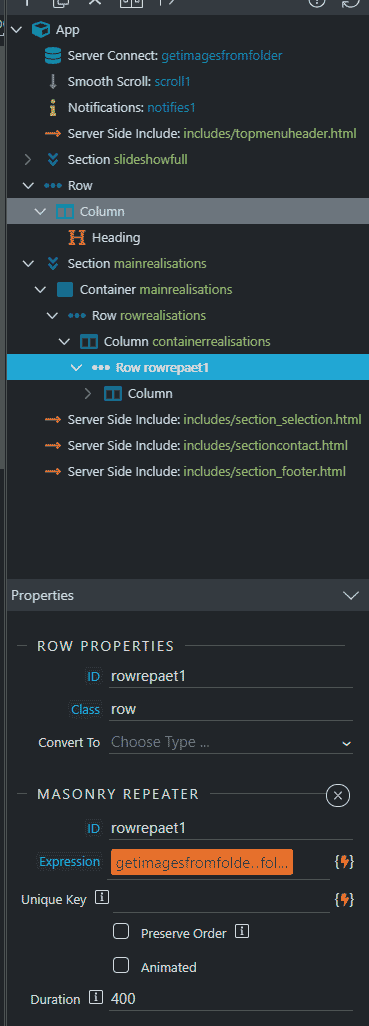
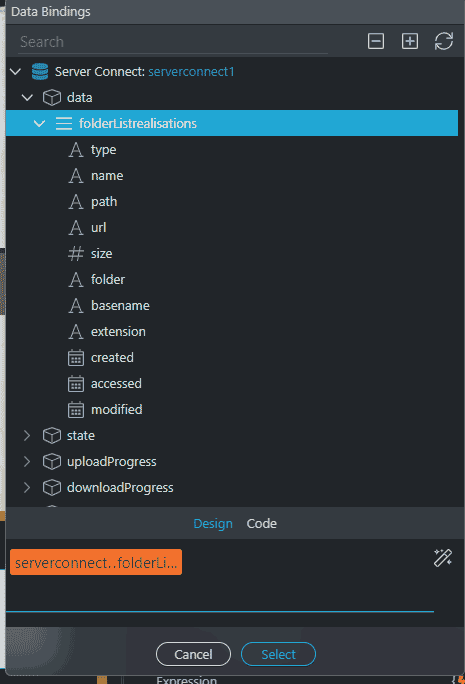
Hello! I’m trying to make a masonry that images display from a folder named “realisations” but nothing show. It is the first time I try this so I might be missing something.
I followed the documentation here ( Masonry with Dynamic Content): https://docs.wappler.io/t/applying-a-masonry-grid/2874
I added the server action file in app structure:
I have a row that I converted to repeat children and convert to masonry.
For the “expression” I used Data binding and then select “Folder” (is that ok?).
From my point of view everything look similar to the docs but I most have made something wrong so any help will be appreciated
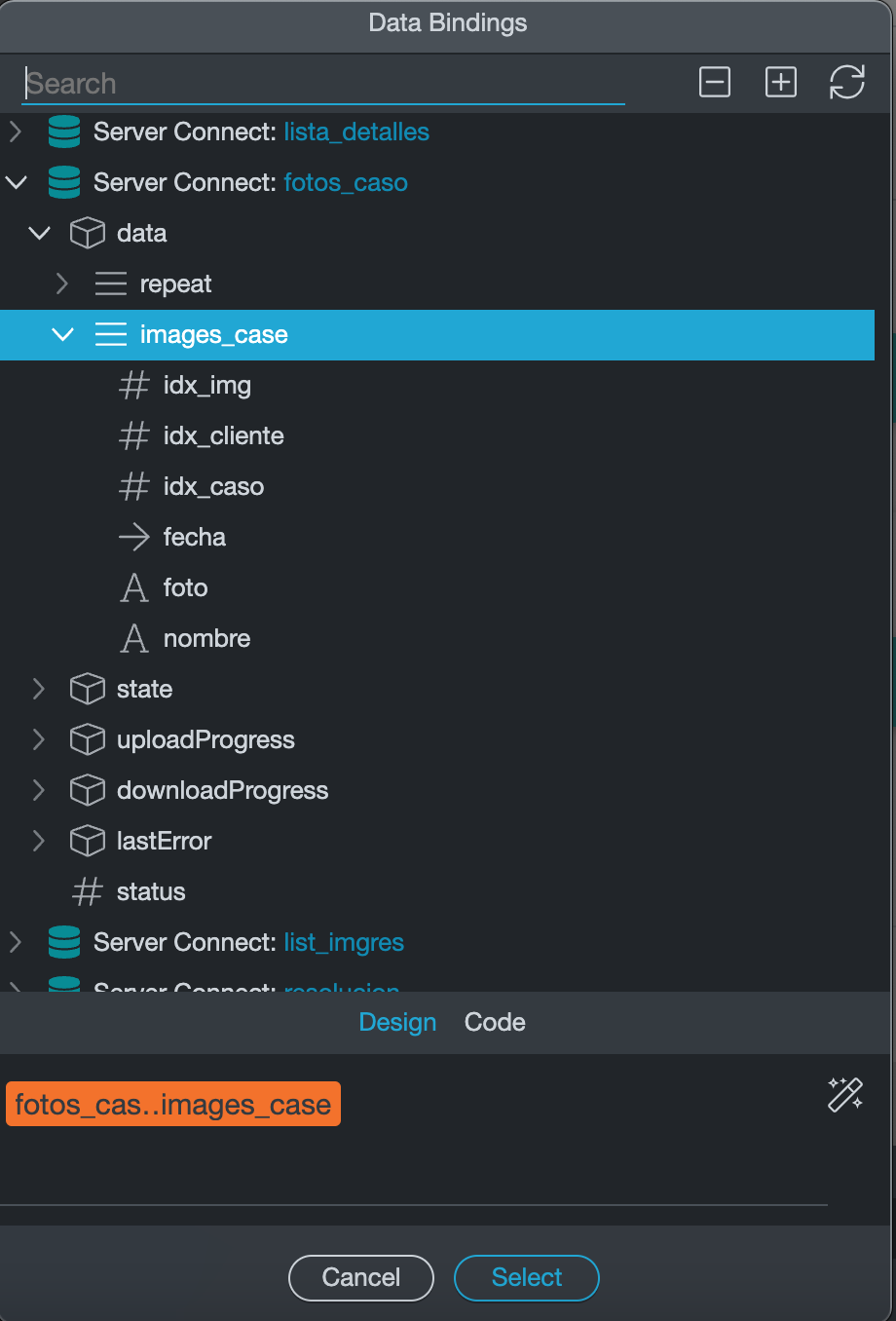
Hi @Webjack357 in the expression u need to use the array, not the inside the field in the array, in your case folderListrealisations
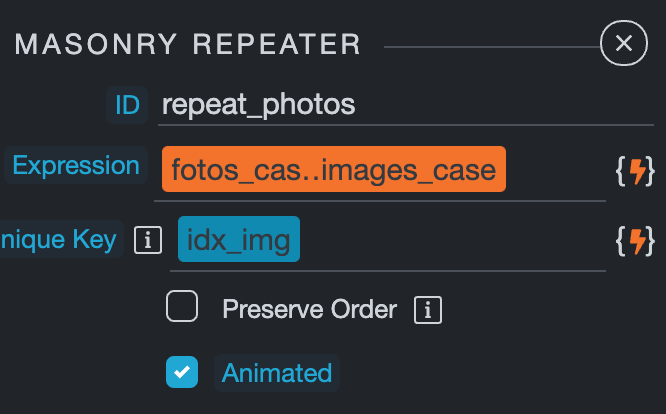
Here an example:
Ok so my expression is there ( serverconnect1.data.folderListrealisations) but still no photos showing…
Do I absolutely need to put something in the Unique Key in order to make ot work?
Yes sorry, in unique key u need to put your key field.
Wait did u put the image component inside the row or column? Cause I can’t see it in your captures.
I have image inside the colomn ( using BS5 image form the “Content” elements).
can u show me what is inside your image component? in image source.
Well this is weird, when I first created the colomn with image inside the source was there with the path to image but now there is nothing, is this normal?
Well when u changed the expression may be wappler deleted or changed the source. But your expression was wrong, so nothing was really lost.
OK so I will continue tomorrow as I am so actually so tired I can’t keep my eyes open!
Thank you very much Max for your help and patience with me
1 Like
No problem @Webjack357 , i suggest u to look this video it is outdated but it show u the basics of image gallery https://www.youtube.com/watch?v=uUJqFaQYWlc
Does this video show how to make a gallery from a folder? Because I am not using a database I simply want to show photos from a specif folder.
U need to save the url of every image for each record in your database first or at least the name of every image.
In fact I have something like 103 photos to put in some gallery and I found a post where Teodor explain a simple way to make the images display from a folder and that is what I am trying to achieve: Masonry gallery system with the images display from a folder... is possible?
For example if your image name is helloworld.jpg, its inside the folder images/test/ and in your database u have a field called -image- u should have the name of the file in this case helloworld.jpg inside that field and your source should be:
‘images/test/+image’
Ok thank you max I will take a look at it tomorrow, thank you again
oh now i see what u wanna achieve here, yes u can use that as your data source then just use the url field in your image source.
Teodor
March 23, 2022, 8:33am
20
You just need to select this expression for your masonry:
And then for the image use dynamic attributes > images > image source, then select the url binding from the data picker from the repeat you created.
That's all.