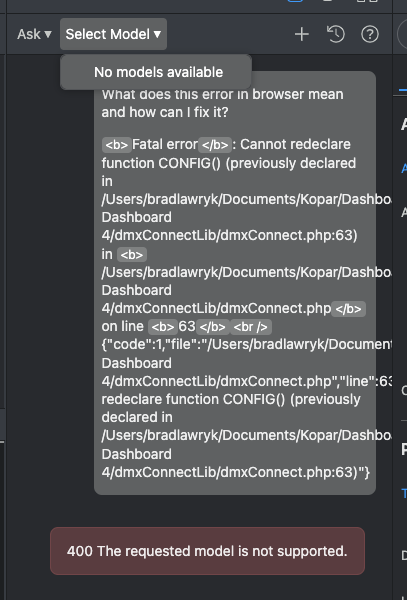
For some reason I am getting a fatal error when trying to view my project on wappler local server.
<b>Fatal error</b>:  Cannot redeclare function CONFIG() (previously declared in /Users/bradlawryk/Documents/Kopar/Dashboards/2024 Dashboard 4/dmxConnectLib/dmxConnect.php:63) in <b>/Users/bradlawryk/Documents/Kopar/Dashboards/2024 Dashboard 4/dmxConnectLib/dmxConnect.php</b> on line <b>63</b><br />
{"code":1,"file":"\/Users\/bradlawryk\/Documents\/Kopar\/Dashboards\/2024 Dashboard 4\/dmxConnectLib\/dmxConnect.php","line":63,"message":"Cannot redeclare function CONFIG() (previously declared in \/Users\/bradlawryk\/Documents\/Kopar\/Dashboards\/2024 Dashboard 4\/dmxConnectLib\/dmxConnect.php:63)"}
I have changed this to a bug. It's potentially destructive if the new PHP routing is made permanent in Wappler 8. This is on an older project and when I add a new route with the new experimental routing enabled it breaks the routing causing this error.
I was able to create the problem three times having to revert to a back up each time. I disabled experimental PHP routing and I was successfully able to add my new route. This is a serious breaking bug and needs to be addressed.
For Wappler 8 we need to be able to set routing per project. As it is now, I have to keep enabling and disabling experimental routing depending on which project I am working on. This leaves a great chance of error.
Or a way to convert older projects to the new PHP routing would be best.
Did some more digging and testing. When you get this error it appears to be the htaccess file may be causing files (loader.php) to try and load twice?
Changing the experimental settings back to stable magically fixes the problem without having to restore form a back up. So we will definitely need a way to switch routing in Wappler 8.
Open Options.
Scroll to Experimental.
Under Global, disable Enable PHP Routing Layouts.
Switch to Project tab and enable or disable Enable PHP Routing Layouts.
Repeat above steps to each project.