Okay, this works for me.
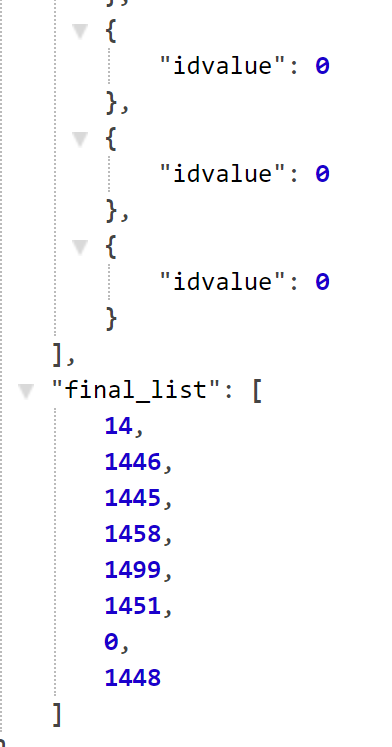
Try ticking the output box for the Set Value action within the repeat. If I remove the output, then I receive the same error.
Okay, this works for me.
Try ticking the output box for the Set Value action within the repeat. If I remove the output, then I receive the same error.
I have mine setup to use column type Numbers…maybe your tripbit_id is a string field? If so, then remove the toNumber() in the Set Value idvalue.
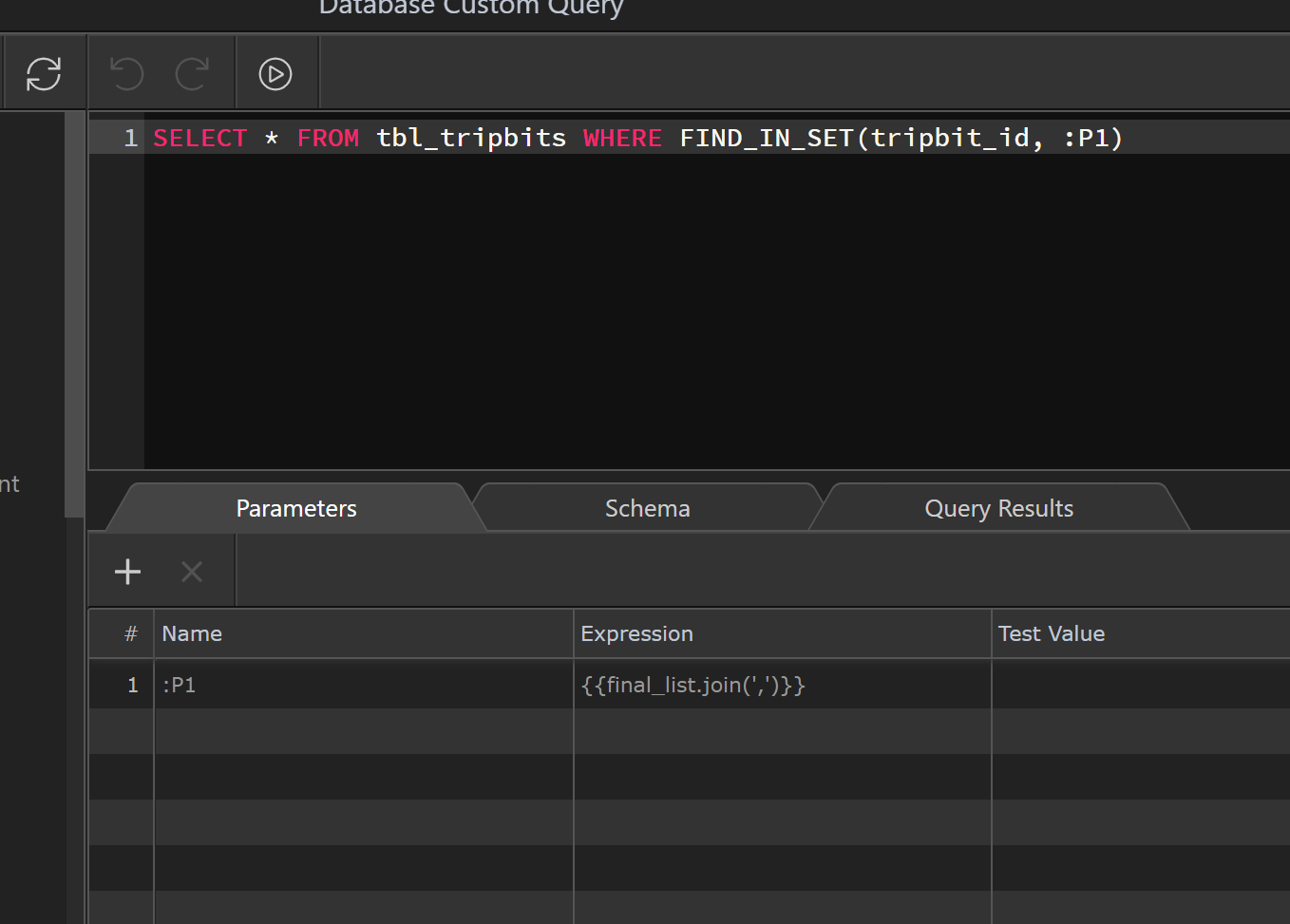
Just to be clear...you mean when you hit the play button within the query, correct? If so, then that will be using the test value, which you show as empty.
Running the file, is the only way to see the expression in use.
Well, duh! Of course.
It’s working perfectly now. Thank you so much for your help. I really appreciate it!
Hey mebeingken, do you know if it's possible to pass parameters to the query to be used for inserting dynamic values?
E.g. I'm using an INSERT custom query, and I have some JSON i'm including directly in the query (this inputs correctly with static data) - I'd like to replace some of the values in the static JSON with dynamic data using :P1 + a dynamic expression. Do you know if this is possible?
That’s already possible using the Server Connect Array List component: