My clients are complaining about the reCAPTCHA saying that it keeps their users from using the forms. An invisible reCAPTCHA could be a possible solution.
Hi Ben,
Are you referring to the recaptcha that requires you to click a checkbox “I am not a robot” that keeps users away? 
That is the one that is available in Wappler at present. I am referring to https://developers.google.com/recaptcha/docs/invisible
Yes I know, I just asked as I was wondering why the “I am not a robot” checkbox is keeping the users from submitting the form
We will probably integrate the new invisible recaptcha soon.
1 Like
I had a client who was unhappy with the reCAPTCHA included on a contact form. I replaced it with an alternative which I told him probably wouldn’t be as effective, but would at least be invisible. I added a ‘honeypot’ feature - where the submitted form fails validation if a particular field is given a value.
I gave the field a plausible name and ‘hid’ it with css:
#preferred {
position:fixed;
left: 2000px;
}
(probably more reliable than visibility:none)
I appreciate this solution is not as sophisticated as a reCAPTCHA but it has worked well in this case. I added the ‘honeypot’ about a year and a half ago. I redirected bad submissions (where the hidden was given a value) to myself - there have been almost 1400 so far. As far as I know, my client has not received a single email from a robot during this time.
6 Likes
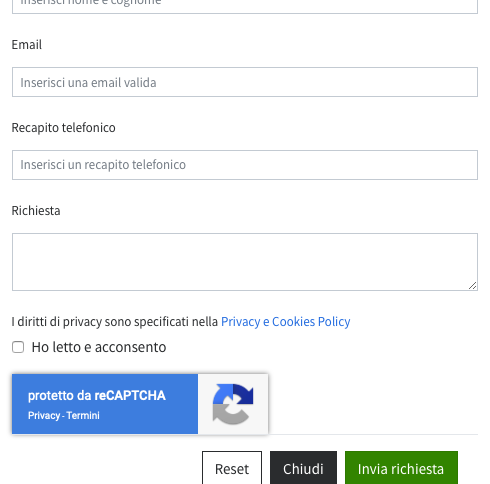
It is possible to insert invisible Captcha in a Wappler page
To do so, you must first register the site on Google ReCaptcha (https://www.google.com/recaptcha) choosing “Invisible” to obtain the site key and the secret key
Then configure client and server side
It works great
1 Like
Hi Marzio, could you explain for others here the configure the client and server side of this captcha?
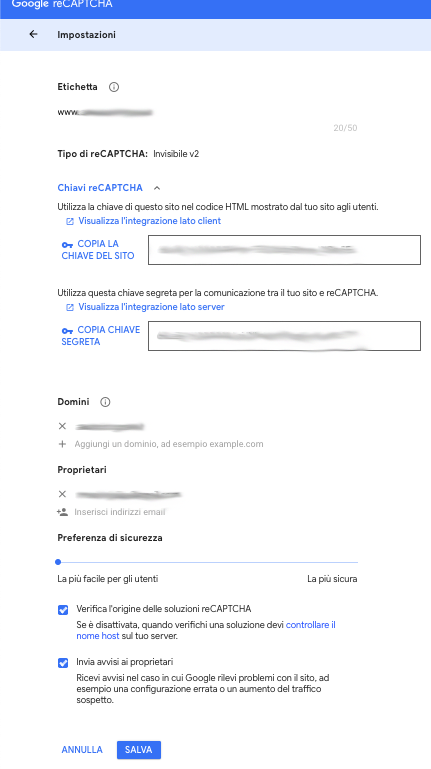
First you need to have a Google Account and register the site at the reCAPTCHA service (https://www.google.com/recaptcha/) - choosing “Invisible V2” setting
Take note of the keys (site and secret)
1 Like
This is a Tutorial
1 Like
Before close head

Position in the page

After close body

File captcha_scripts.js
Remember insert Key Site
capptcha_scripts.js.txt.zip (2.2 KB)
And conclude with the server-side file
Remember to enter the secret key
recaptcha.php.rtf.zip (1.4 KB)
I hope I have helped you
2 Likes
bumping this request!
1 Like
Bringing this up again. We more and more have to replace our honeypot solution with this ugly and user unfriendy Recaptcha. Please provide a Wappler implementation for this.
Does this feature is now Available? Can I use google captcha invisible??
Does a csrf token work for this? 
What is csrf token??
This has nothing to do with recaptcha.
No, the invisible recaptcha is not available in Wappler.
You can use the available recaptcha.
It’s a token generated by the front end and passed to the back end. It prevents your API being called directly, it only allows it to be called via your GUI.
