Invisible Characters in server connect parameters

Wappler Version : 7.2
Operating System : windows 10 and mac
Server Model: asp and asp.net
Database Type: sql server
Hosting Type: IIS

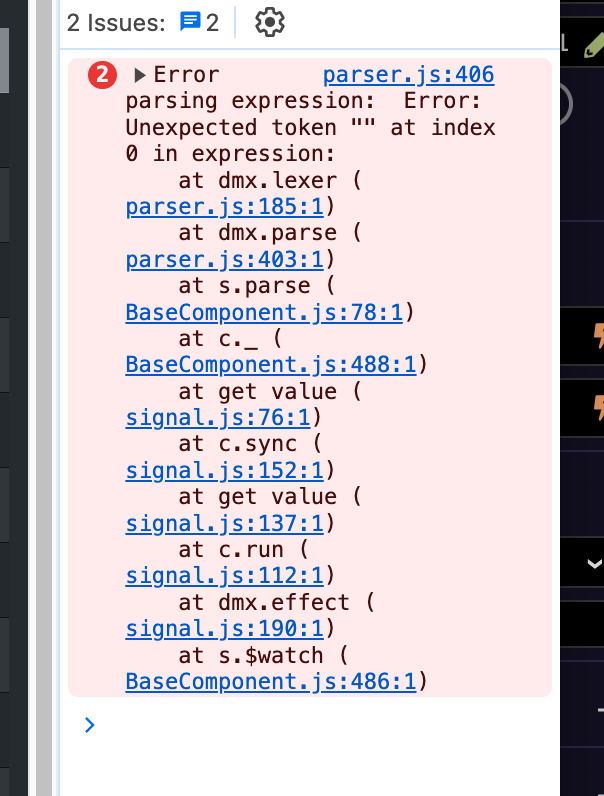
So this is a strange one: I am getting browser errors when parameters are empty. Or so I think.

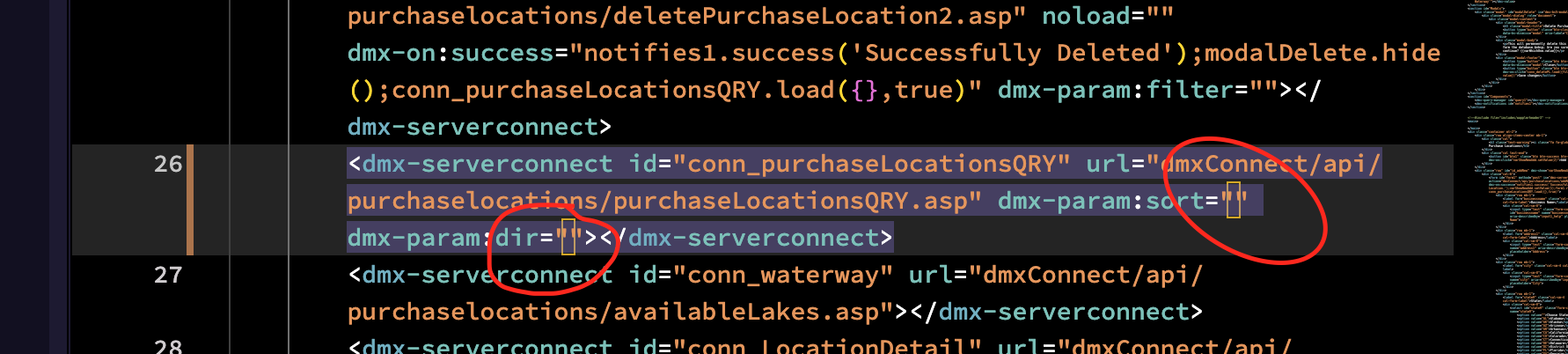
So if i just delete the pair of parentheses and then just re-add them then the error and the little yellow square in the middle of them goes away…

Those spaces are actually a Unicode chars for non-displayable spaces. They are unfortunate byproduct of the tagify we use for the visual expressions and the last version of it.

We try to clean them up but seems like we missed a few cases.

So could you please specify after which actions exactly those invisible spaces pppup?

I’ll pay closer attention to them from here and report back, these are the ones I saw just today…

 dmx-param:sort="" dmx-param:dir=""

its easy enough now to just delete the ““ and then re-add them. Now that I know what to look for. It doesn’t affect the code at all, it just gives me error messages in the browser console.
Fixed in Wappler 7.2.1

This topic was automatically closed 2 days after the last reply. New replies are no longer allowed.