I am moving along with Wappler and now comfortable with working with a single mysql table and now I want to be able to insert a new record in a table and also a foreign key associated table.
For example:
I have a “User” table with a primary key ‘userid’ and fk = ‘accountid’ which is attached to an “Account” table with the primary key being “accountid”. Now I assume I have this around the correct way (Account table will be attached to other tables). An account can have many user but users belong to one account.
User:
userid - pk
first name
last name
some other stuff
accountid - fk
Account:
accountid - pk
account type
other stuff
My question:
So a user signs up and I create a new “User” record and I also want to create a new “Account” record for the user and relate it to a new account record.
It is easy enough to insert a new record in the “User” table, but what it the best way to insert the associated account record.
My thinking is I would need to create an account record first and then create the “User” record and some how associate using the ‘accountid’ - fk
Can anyone shed a process or tutorial where you insert a record into multiple tables that share a relationship like this.
Once I see it in the Wappler process I can work it out from there?
Probably not too helpful, but a quick reply before I cook dinner… There is a Multi Insert database query in Server Connect that I believe is designed for this purpose.
Failing that you could use a custom Query which is the same as any SQL query you can think of.
If you can’t find a tutorial here, a normal Google search for a SQL Multi Insert query should help.
So I create the record in the account table first and then the user table, do I need to grab the accountid and store that as variable to insert in accountid foreign key In the user table?
Sorry, trying to understand how I maintain that relationship.
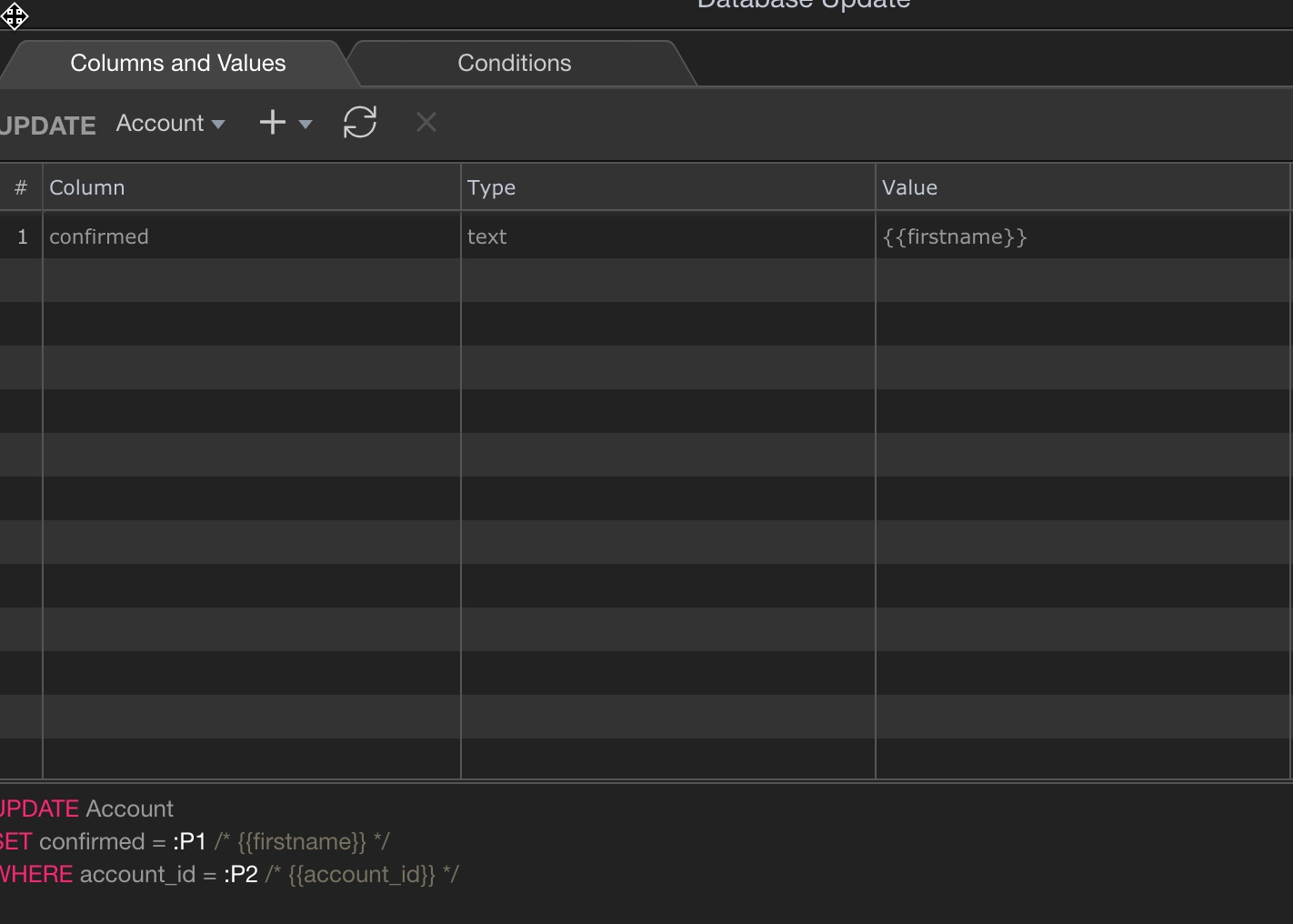
So I have been able to update the connected table which is all good and works great!
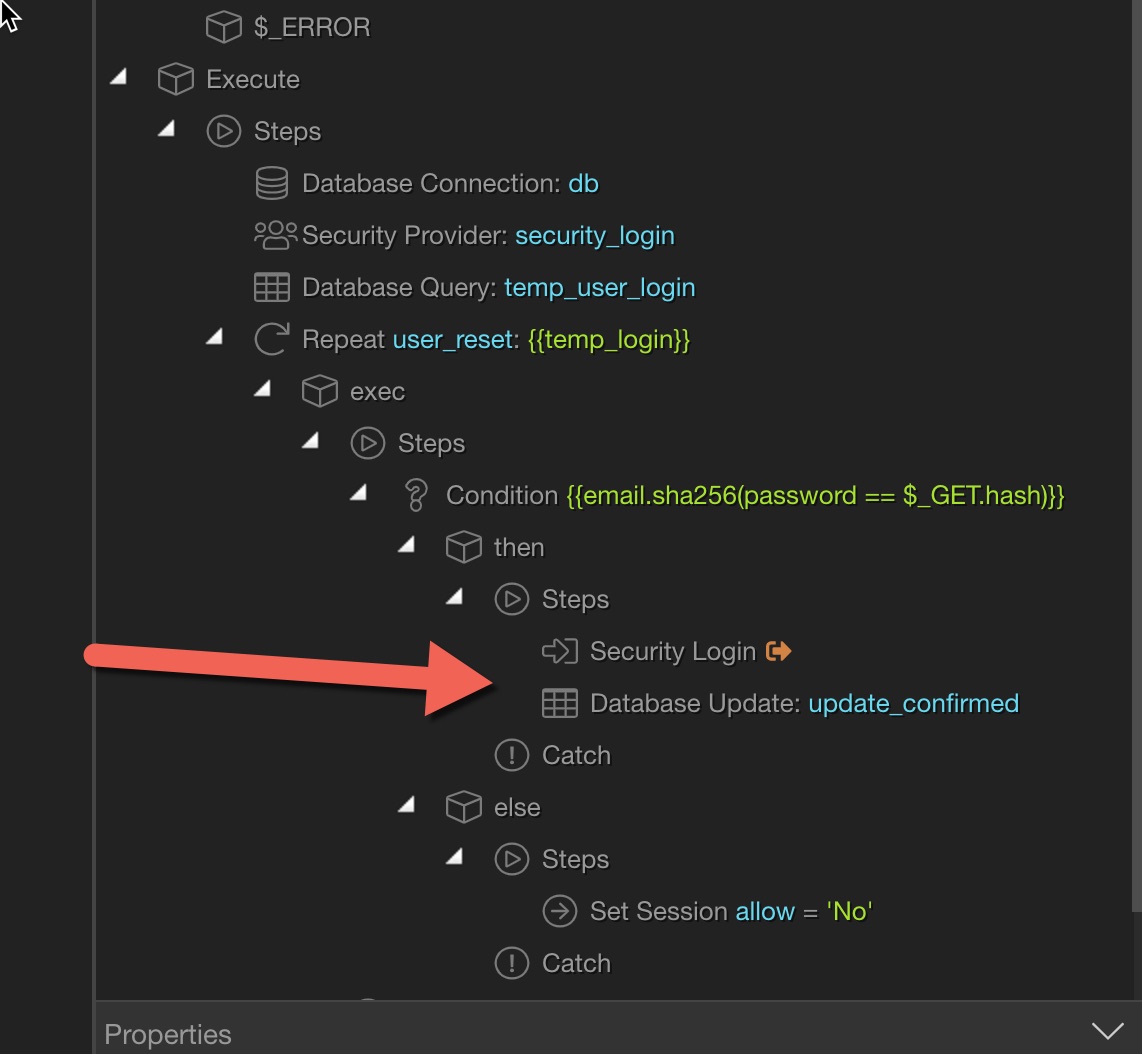
I have also been able to create a login process where it creates the account, sends an email with a link containing the email and hash and I have been able to log the user in and redirect them to the account page which is all great.
But for hours I have been stuck on an issue to try and make it work.
Question
When I log the user in after checking the hash (email salted with the password etc) I want to update the accounts table to say the user has confirmed the account. I don’t; know where I am going wrong and have tried so many different things but just can’t get it to work!
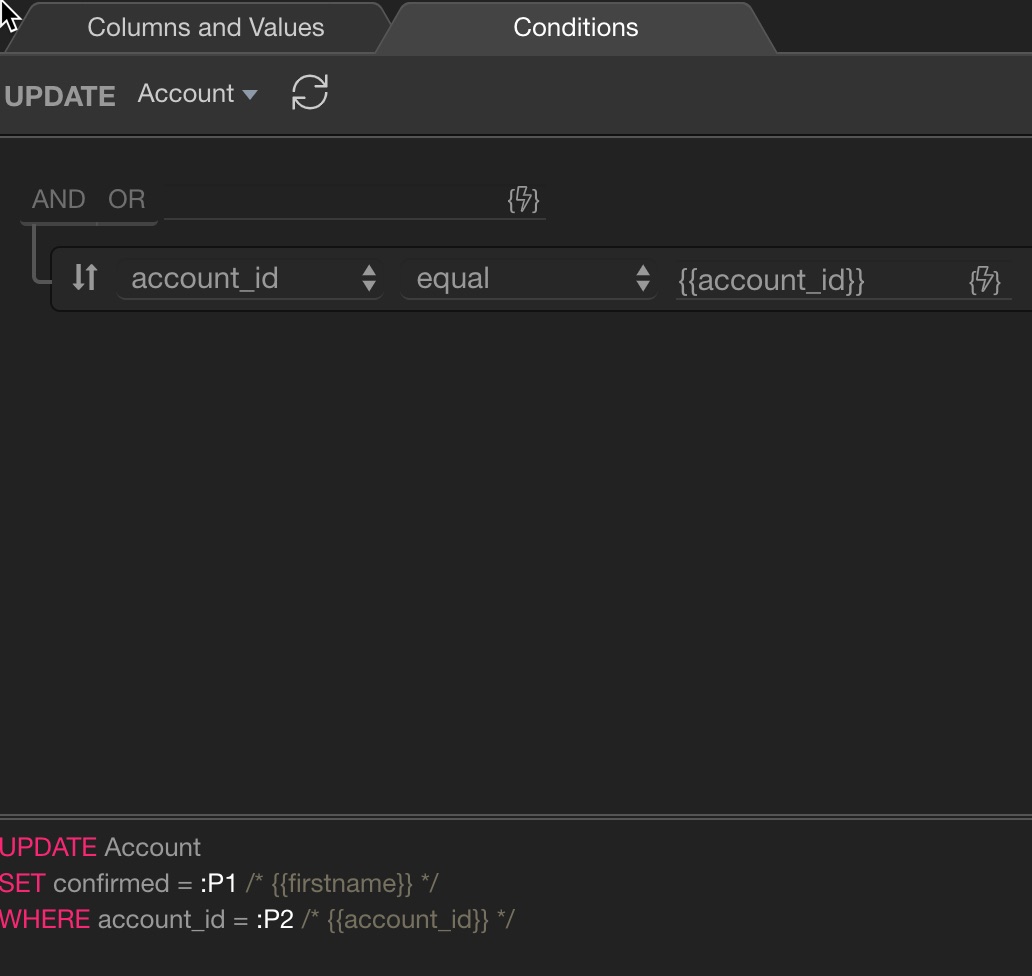
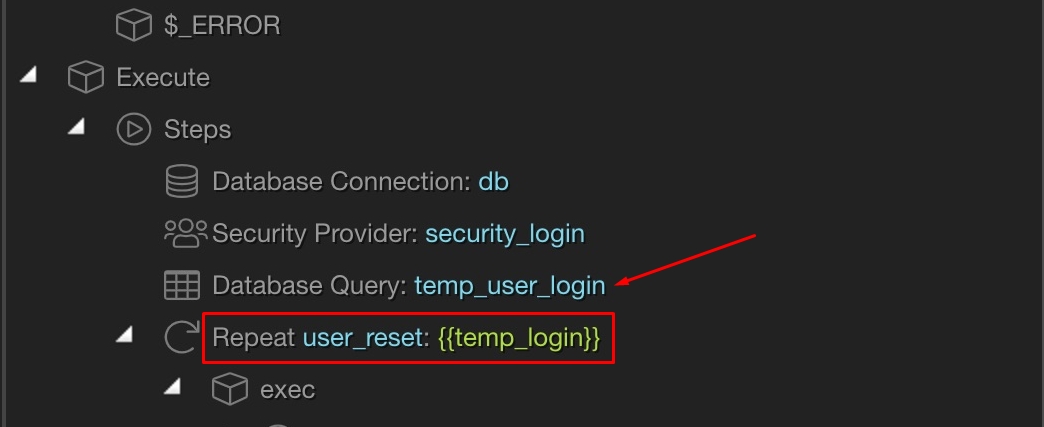
Step 3 Set the conditions which it pulls the {{account_id}} value from the query ‘temp_user_login’ (which is the “User” table) in the original topic question which pulls the foreign key for the account_id in that table.
I must be doing something fundamentally wrong, I have tried opening a db connection first in the Repeat and try it without and just can not get it to update.
Is there anything bleeding obvious I am doing wrong?
HI Yep. I have added a a letter and number and you name it to see if it will update. There is no reason on the db end why it won’t update. I can insert text into it when I create the record no problem.
Please create 2 set value steps under the login.
Add some names to them (doesn’t matter what) and select the {{account_id}} and {{firstname}} as values for them.
Enable the output options for the Repeat and the two set value steps.
Open the browser dev tools > network > XHR and run your server action. Check if in the reply you see right values in the set value steps.
HI @Teodor I completed the steps you described and from what I can see (Firefox) dev tools XHR I can only see the name of the repeating group under the json tab like this “user_reset ” which suggests that the it is not storing the values?
 one per each table.