I have a profile page that shows a user photo. The user can change the photo via AC S3 client. The url is always the same for this user. Profile photo name is fixed.
How could I instruct App Connect to download the new profile photo and update the DOM?
I am probably overthinking this and there is a much easier way than what I am about to embark myself on.
Thanks Teo! Not working at all but you enlightened me!
I tried your approach and realized you probably didn’t see my comment that the file name didn’t change so the URL would be the same.
From a reactive perspective it make absolutely no sense to re-download an image that has the same URL.
Enter stupid but not useless url parameter.
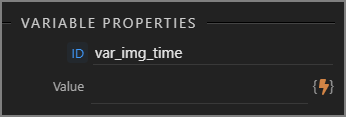
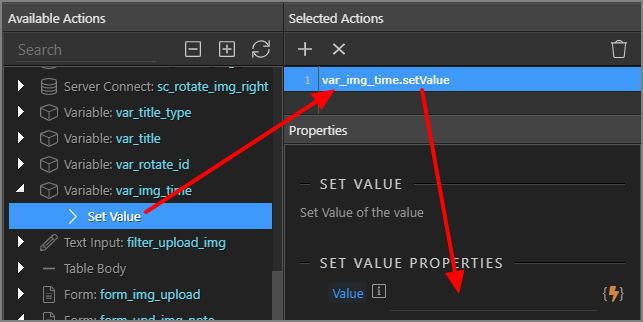
I created an AC variable uploadTime and set the value to Date.now()(via custom formatter) on success of s3upload1 AC component.
Then I just bound the src and appended the variable.
That’s a nice solution, still the dmx-bind:src="serverconnect1.state.executing ? '' : imageURL" should work as the url changes to '' when uploading, then it changes to the real url - weird it’s not working.
In my case, when the user navigates to his profile page the image is downloaded to browser because there is a view/preview of his avatar. So GET 200 https://site.com/profile.jpg
Then the user uploads a new image which will overwrite profile.jpg with a new profile.jpg so the new url is still https://site.com/profile.jpg. Then the bind changes to empty url while uploading and when finished it will change again to https://site.com/profile.jpg.
As that URL was already downloaded previously by the browser it will not request a re-download. That’s why I had to add a time URL parameter.
At least these are my findings. Maybe there is a bug or this case was not considered in AC?
With the same URL, the browser caches the image. So Teodor’s solution will not work in this case as you have identified.
Setting the “useless” get param is the way to work around the browser’s caching. We also use this for our CSS & JS includes on the page. So the end-user does not have to “hard-reload” to fetch latest files. Its a neat trick.
I haven’t actually had the ‘dynamic’ use-case that @JonL has here.
In my case, I have used either PHP script to get current date time or used a fixed date time when I have control over when to escape the cache.
As for your question, for setting the date time dynamically… the value you would give is another DATETIME variable’s value.
So add a DATETIME variable with “minute/seconds” as interval, and use that here as ‘varDateTime.datetime’.