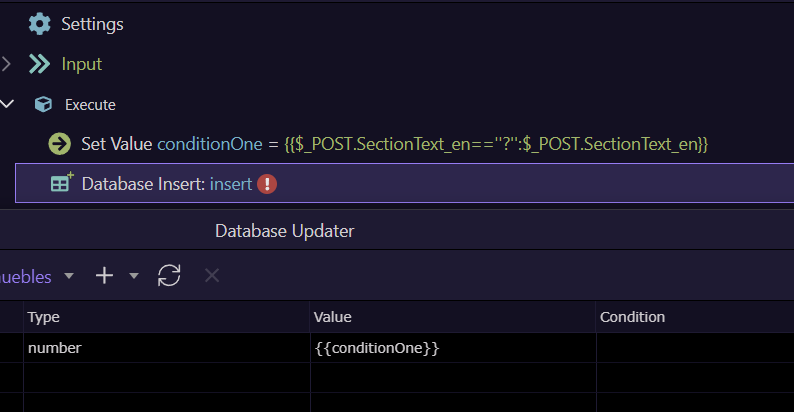
Wappler 7.0.0 Beta 13
Added html code in the server action Database value UI field is being replaced when I click on the field (trying to edit):
from:

to:

Wappler 7.0.0 Beta 13
Added html code in the server action Database value UI field is being replaced when I click on the field (trying to edit):
from:
to:
May I kindly ask you to please fix this in the next update? Thanks in advance.
Please fix this. We're bulding a new CMS and this bug costs us a lot of time fixing all edits afterwards. Thanks in advance.
Giving this a bump and hope for a fix. Thanks in advance.
bump.
Hey SWF, this problem has been resolved?
Nope
Hi, I think that the best is make that condicions outside the database querys, so, the best I think is to create a Set Value with same ternary condition above the Database Query and only bind the Set Value instead of creating the ternary condition inside the Database query.
Looks like only inside the database query window the html code get wipe, for another tenary condicions without html code is Ok to use it.
Honetly, I'm not agree, Wappler is great, but sometimes we just need to find different ways to get the same result, after all, is more practical, readable, maintainable and secure (prevent sql injections) that any logical operation stay outside the query.
I think you misunderstood the problem. It's an UI bug as this worked before. The condition must be set on the insert/update field and can't be solved with a set value.
The translator inserted 'trash' and that's not what he meant. hahaha
The wappler is great, however, in some graces it is still having problems.
What do you mean by UI? in the App Connect side or Server Connect side?
When you say insert/update refers to Server Connect and your image represents $_POST variables that only exist in Server Connect, then my answer is totally valid and it is not a good idea to check the html code inside SQL.
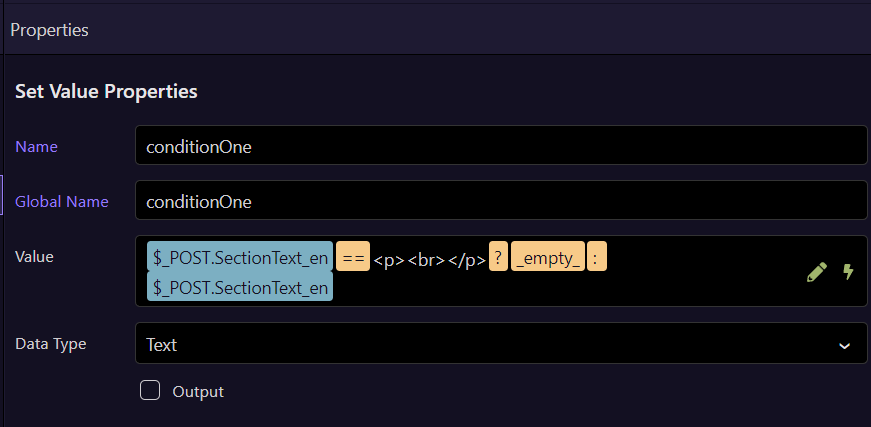
This is what I mean:
In the Set Value, the ternary condition, visually the html code is also removed, but in the properties panel the code remains complete without being deleted even if you modify it.
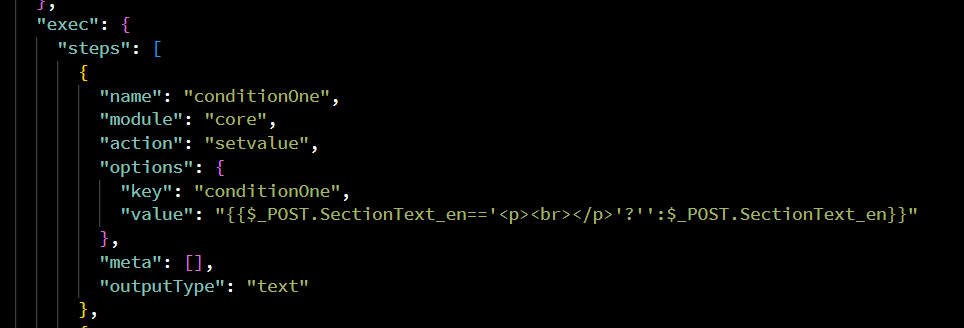
However, in "insert database" the first time you enter and save the ternary operation that has HTML code, the following does appear in the JSON code:
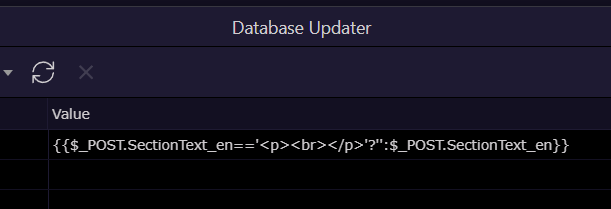
But if the value is modified, the HTML code disappears visually just like in Set Value with the ternary condition, but even if the "server data bindings" window is opened, the HTML code is completely removed and if any modification is made, or even without modifying the HTML code it disappears.
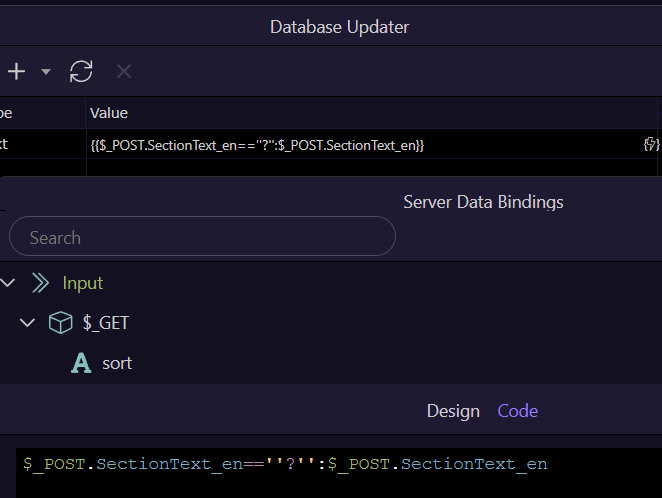
So yes, the error is visually seen when adding the HTML code in the server connect, it is removed.
And finally, I still think it's better to use separate variables to check these ternary conditions than checking within SQL, it's more readable and maintainable in case of future modifications.
Thanks for your time and your reply. I'm not sure if the additional set var is really easier to maintain, I've got to check the option again.
Nevertheless adding the ternary operator in the value field worked in an older beta and there still seem to be a bug that should be fixed.
Maybe additionally it would make sense to stop summernote from adding default
<p><br></p>
in the Wappler code or let the user configure it via the main properties of Wappler.
In that case, I think it would be best to leave summernote disabled by default, and only enable it via a button when it is time to edit it, that way summernote will not send anything in the form and will be able to manage the database Insert/Update by conditions if the POST exists.
But yes, this doesn't solve the visually error when displaying the html code in server connect.
I'll wait for the fix from George, thanks Alex.