How to use URL parameters values in form inputs?

Now that I have Session Variables established in my form pages
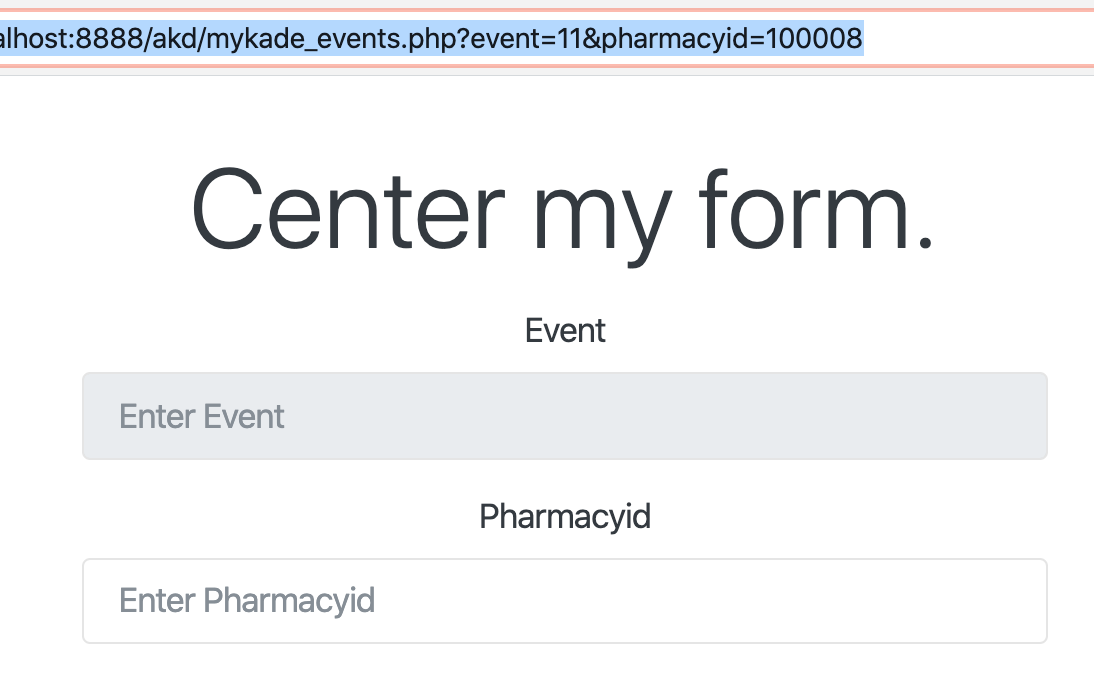
then my former URL value 1 to page 2 form input page is not picking up the values.

http://localhost:8888/akd/mykade_events.php?event=11&pharmacyid=100008

these are both INT type values so I have the inputs in the html set to “number”

the page code on this form looks like this for the “Event” and “Pharmacyid” fields.

    <div class="form-group">
      <label for="inp_event">Event</label>
      <input type="number" class="form-control" id="inp_event" name="event" aria-describedby="inp_event_help" placeholder="Enter Event" readonly >
    </div>
    <div class="form-group">
      <label for="inp_pharmacyid">Pharmacyid</label>
      <input type="number" class="form-control" id="inp_pharmacyid" name="pharmacyid" aria-describedby="inp_pharmacyid_help" placeholder="Enter Pharmacyid" >
    </div>

I have tried setting up different input characteristics & even tried binding to things that looked interesting …

But simple inputs are apparently needing help now.

Thank you for helping clear up this latest mystery!

Your inputs don’t have any dynamic values assigned to them.
You need to define your URL parameters and use them as dynamic values for the form inputs… how would the inputs know what to show, if you have not set values to them?

Also what’s the point of doing this on multiple pages and pass the values as URL parameters across them? Is there any specific reason why you are trying to do it like that?

Select your form field, got to Dynamic Attributes —> Value. Then bind your variable to the form field using the picker.

Be sure you have set up event and pharmacyid as variables on your page.

1 Like

To add to what Brad has said, make sure on the page with the form you click App in the App Structure, then click define query params, and make a variable for what you need, in your case event and pharmacyid and then click ok.

Then follow on from what Brad said
clicking you Enter Event input, looking in app structure, properties, dynamic attributes, Value, click the lightening bolt, find your query param for event and bind it.
Repeat the same steps for the pharmacyid

Thank you!

The first thing I tried was going to Dynamic Attributes then setting VALUE for those two fields and I thought I had followed through with setting up both as variables on this page -- I had a dmx-bind: with what I thought were the value parameters selecting what thought was an expression of the values named in the url.

But, I will try this again now.

As the question about WHY --

I only needed them one time -- on the next page, the actual input form page.
Once submitted I didn't need them again.

As a matter of necessity they need to Disappear as values immediately because the next use of the Form may be using new values for both variables in the same session.


Now let me gripe about one thing that I think by now is just plain WRONG
It is way too easy to upset all of the code just worked on in the Connection Query step.

This has set me back more than once -- to make all of my code useless to display because of the Binding of Queries to a Connection.

Sure, sure -- the intial CONNECTION is simply to one database-- the same database over and over for different queries.

BUT

I then name my Connections separately that I want to BIND a specific Action Step -- a query that may be an insert or simple query SELECT.

I have tried to keep each Connection that is going to have a specific query or queries attached or Bound --- a name --- Server Connection:GrabHotels

Then I want to bind to that connection the next action step which is going to USE a simple Select (whereas on another page I will be using an INSERT query)

What I want is to look like this -- only something like

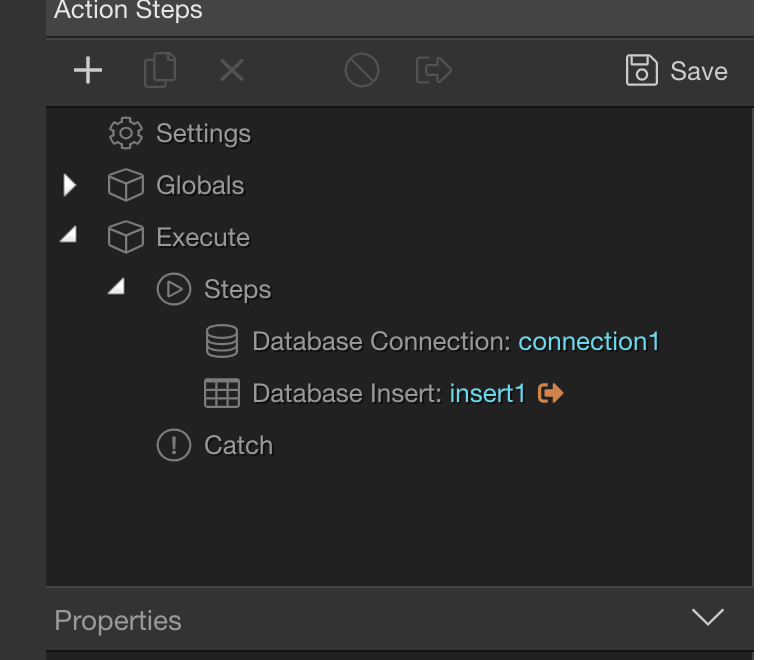
Database Connection: connection_to_post_form

Database Insert: insert_post_to_form

But for this demo I leave the "default Wappler" name values

I have decided to BIND these 2 Action Steps together because as I understand Wappler best practices it is Useful to do this to help make it easier to use & to be able to grab this same sequence of Action Steps under one distinctive name for application to a duplicate or similar page.

:

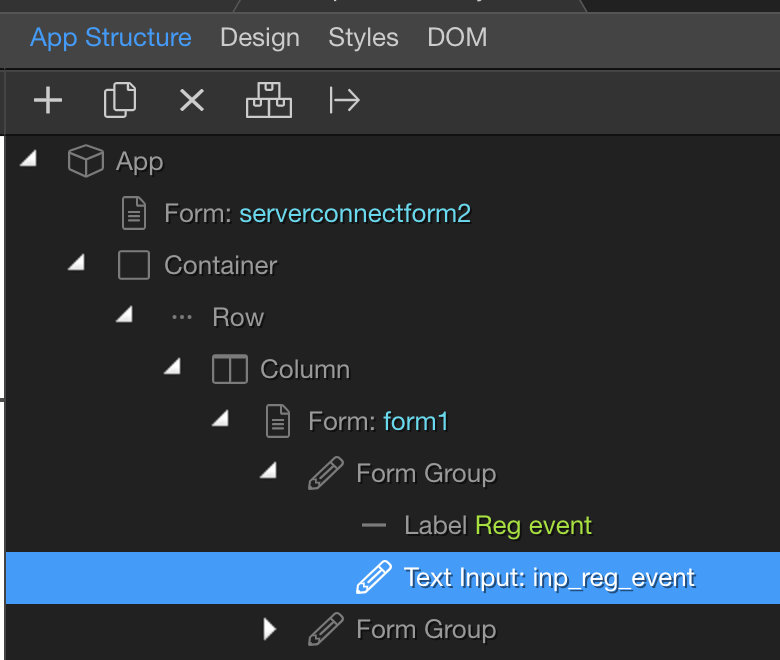
But on the APP STRUCTURE side I have this --

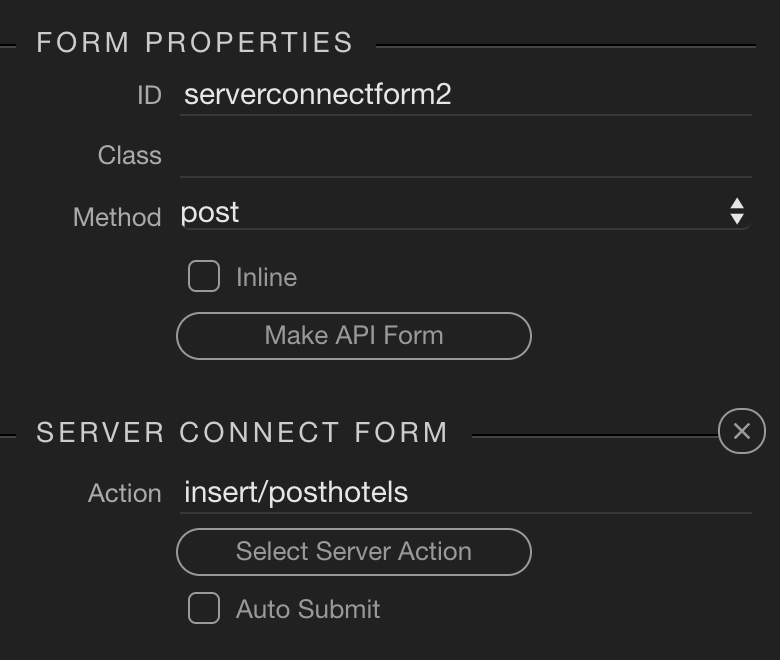
Wappler shoves this generic-name serverconnectform2

at me

I cannot choose the Action Steps package I made under MY Named Action

Wappler decides that I only get its own procedure with generic names -- apparently to "represent" what it thinks I want now.

Later on another page when I again make a set of action steps when I go to the App Structure side to ADD SERVER CONNECT component
the only component I can add has, again, a generic SERVERCONNECTFORM2

This is just WRONG

Because now if on a new page I use this NAME it seems to have the last or another in my sequence of previous action steps used --

I am led into believing that I can also specify ANOTHER SERVER ACTION

IF I go down this trail and select say -- insert/post_post_form (from my choice of previous QUERIES)

and SAVE -- somewhere soon after -- I forget what I actually see Wappler report -- I can irretrievably BREAK another page I have worked on.

The ACTIONS I have created and SAVED for another page can be REWRITTEN in their internal parameters & then the previous page -- although not changing any names of connections and action files that I have defined -- it is NOT the same Working Code anymore.

I have probably missed something from my recall of recent history but

this is so EASY to do. --- Building in PHP the code will always work everytime if the connection and functions and classes are not rewritten in the foundation of the application.

At any rate -- this foundational Connections and Action Steps is too prone to an error when working hour after hour or day after day.

I must be able to Save my Connection AND action steps under one BOUND NAME that I assign
and then FIND IT readily available on the App Structure side when I now decide to ADD SERVER DATA CONNECTION COMPONENT to a specific page.

Much is made of the Flexibility of Wappler -- you are basically free to determine your work flow. I follow the flow that the tutorials usually show for Server Connections and Action Steps.

But once Wappler only offers me ITS PROPRIETARY name for that Component
and I must use "Serverconnectform2" then I am on the path
to accidentally BREAKING another page's ability by, apparently, just choosing a different Server Action for this page.
I’m sorry but I am totally lost after I read your last post. I really cannot understand most of what you are trying to explain and the logic behind how do you need to name your server actions and their steps.

I can't say I fully understand the issue, but again I think there is some basic misunderstanding which may be holding you back.

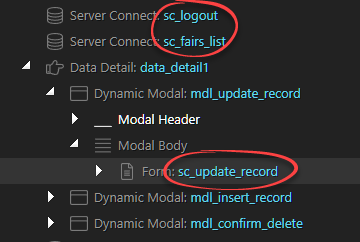
You can name references to server connect files however you like; you don't have to use the default name (ID) assigned by Wappler. I usually add a 'sc_' prefix, eg:

image

This is a typical page running CRUD actions: a list of records with buttons to opening modals, each of which includes a server connect form, named as I want. The naming options are completely flexible. Names can be assigned via the UI or directly in the code. There are no restrictions or 'proprietary' names and no possibility of breaking another page by choosing a particular name.

I give up

I see what you are saying – I have all my assigned names for such things too

I must be running Wappler 1998

Okay

Meanwhile

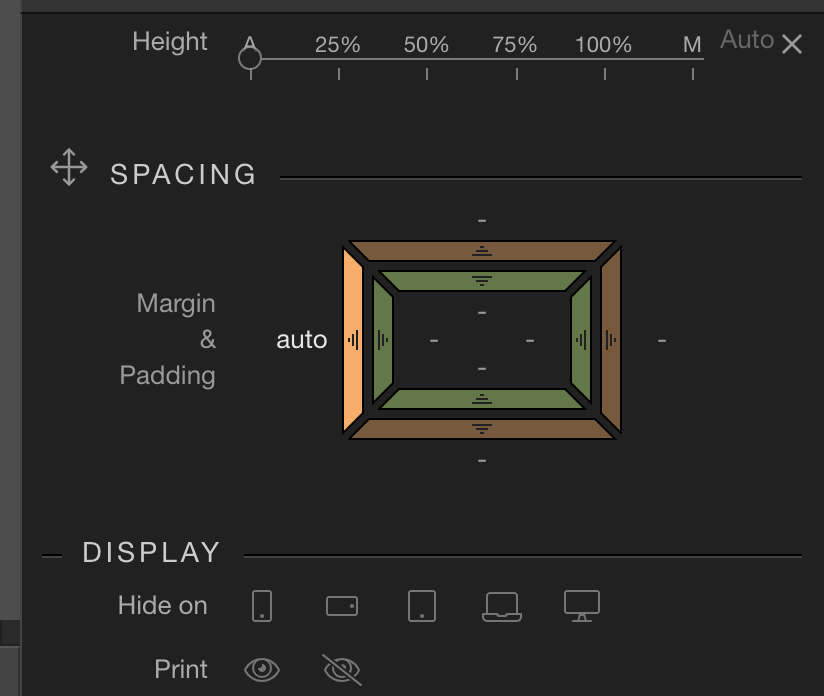
I cannot get this control to work – to enter or change values

The documentation evidently shows how Wappler used to look and what could be accessed to specify Margins and Paddings.

This gizmo must be the handy replacement feature.

I select the text area – say just content without paragraph

or a paragraph

I want finer tuned control besides Align left, center, right, justified.

But I cannot get to the Margin or Paddings no matter what I click – I see reflections of values like -1 or -5 etc

I can’t find a document that shows THIS in operation for changing Margin or Padding.

I'm sure it would be worth trying to understand it - it really shouldn't be difficult:

I add new Server Connect component, which is assigned the ID 'serverconnect1':

I then replace the default name with the name of my choice:

That's it.

(Regarding the Margin and Padding issue: a bug was introduced in the last update and will be fixed in the next. There have been a number of threads about this.)

1 Like

I am trying to understand this, can you show me a screenshot of what you call a Connection Query step. Just a screenshot please, as i am not the brightest and if your post is too long it will confuse me even more, so just a screenshot of what you are referring to as a "Connection Query Step"