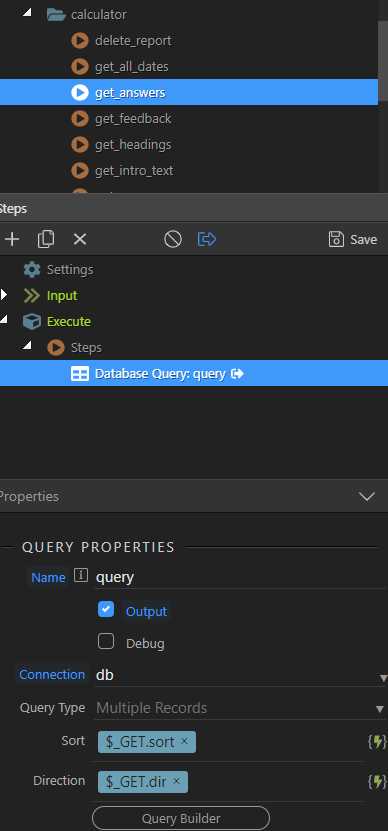
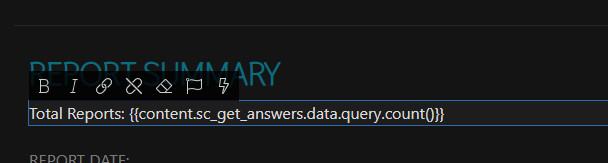
When you view in a browser, what do you get in Dev tools under Network for the SC call? Have you made any changes to the API file that haven’t been saved?
If COUNT() isn’t available in the list then make a Custom SQL query. I assume you don’t query multiple tables, just the singular table in your database.
If you need to find a count of all records with a particular value, and not include the count of records that don’t have that value, then something like
Just out of interest, I would like to start working on my project with Wappler 4, how would I safely do that without the possibility of corrupting my project created in 3.9.9.
Would I just copy my project file as a backup and open in 4? I’m not sure how docker works so I am very cautious about introducing any potential issues.
Would you say Beta 13 is safe enough to start developing existing projects or should I wait?
I’ve been using v4 Betas through every release and if I spot an issue (they’re beta after all) then I quit completely and open v3.9.9. Switching between the two should be fine but just make sure you don’t have both running at the same time.
Just so I’m clear you work on the same project switching from v4 and v3, you don’t have a copy of the project. Editing a seperate copy for each version?
Well all you need to do is to open your project in Wappler 4, no need to do anything special.
The latest beta is full featured and stable, last version before the official release.
Thankyou sitestreet, I have experienced so many problems in the past with the database connections and docker I am really nervous about switching to and from the beta and 3.9.9…thanks again cant wait to get stuck into the beta properly