How to display Server Connect object data in alphabetical order (dmx-repeat)

Hi everyone,

I’m using Wappler / App Connect with a Server Connect that returns an object (form_json) from an API.

I’m looping through this object using dmx-repeat with $key and $value, like this:

<tr dmx-repeat:itens_list="get_anuncio.data.produto.form_json">
  <td>{{ $key }}</td>
  <td>{{ $value }}</td>
</tr>

Everything works fine, but the problem is that the fields are displayed in a random order, since form_json is an object.

What I’m trying to do is:

  • Display the object fields in a table
  • Sort the fields alphabetically by key
  • Keep using App Connect / Server Connect (no backend changes if possible)

I tried:

  • toArray() + sort() inside dmx-repeat
  • Custom JavaScript with dmx.parse() and the updated event
  • Waiting for the Server Connect to finish loading

But I couldn’t get a reliable solution working, probably due to timing/rendering issues.

What is the recommended way in Wappler to sort an object (key/value) alphabetically before rendering it with dmx-repeat?

Any help or best practice would be appreciated.

Thanks in advance!

Site Reference:
What about using data view component? It has a sort/dir option

1 Like

Thanks for the suggestion!

I did consider using the Data View component, but unfortunately in this case the source data is an object, not an array.
As far as I understand, Data View only works with arrays, since its sort and dir options rely on array-based data structures.

My form_json comes from the API as a plain object (key/value pairs), and converting it to an array is exactly the challenge here.
Without a reliable built-in way to transform an object into a sortable array inside App Connect (while preserving $key and $value), Data View doesn’t seem to apply directly.

That’s why I was hoping for a recommended App Connect–native approach to:

  • convert an object into an array,
  • sort it alphabetically by key,
  • and then render it with dmx-repeat,
    without moving this logic to the backend.

If there’s a best practice or official pattern for handling this scenario in Wappler, I’d really appreciate any guidance.

Thanks again!

{
    "nome": "CHEVROLET S10 - 2.8 16v turbo diesel high country cd 4x4 automático",
    "preco": "179.900,00",
    "token": "d1a07d69-4288-4bca-9419-b36254c4eb9a",
    "Marca ": "Chevrolet",
    "Modelo": "S10 - High country",
    "sel_uf": "26",
    "Tração": "4x4",
    "descricao": "\r\nMotor 2.8 16v turbo diesel\r\n\r\nModelo: High country cd 4x4 automático\r\n\r\nPreto\r\n\r\nAno 2020/2021\r\n\r\nR$ 179.900",
    "Condição": "Usado",
    "Finalidade": "Venda",
    "sel_cidade": "5195",
    "Transmissão": "Automática ",
    "Ano do Modelo": "2021",
    "Ar condicionado": "Sim",
    "Tipo de Veículo": "Passageiro",
    "sel_categoria1_id": "22",
    "sel_categoria2_id": "165",
    "Quilometragem (km)": "130.889",
    "Ano de Fabricação": "2020",
    "Tipo de Combustível": "Diesel"
}


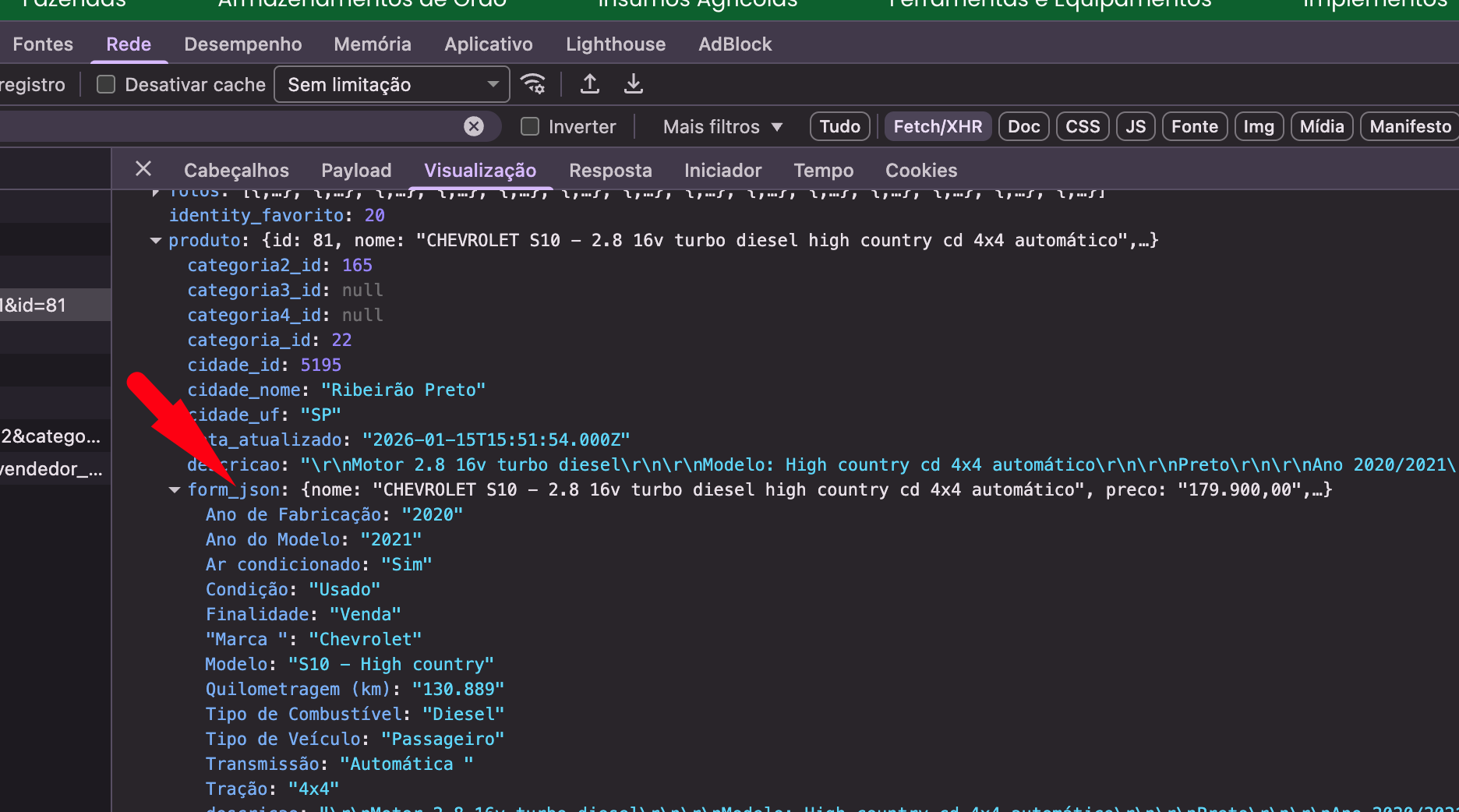
The funny thing is that in the browser’s network response view, it actually comes in alphabetical order.

This is API
https://app.irural.com.br/api/site/anuncios/detalhes/get_anuncio_by_id?id=81

The issue is that this is an object and not an array, and objects can't be sorted like this.
If you want to sort on the front end you could create your own formatter for app connect, or do something like:

<tr dmx-repeat:itens_list="get_anuncio.data.produto.form_json.keys().sort()">
  <td>{{ $value }}</td>
  <td>{{ get_anuncio.data.produto.form_json[$value] }}</td>
</tr>

Awesome, that worked perfectly! :blush:

Thanks a lot for the suggestion and for the clear example.

Using keys().sort() and then resolving the value from the original object was exactly what I needed.

Really appreciate the help! :raising_hands:

You could also create a simple formatter like:

dmx.Formatters('object', {
    sortByKey: function (obj) {
        if (!obj || typeof obj !== 'object') return [];
        
        return Object.entries(obj)
            .sort(function (a, b) {
                return a[0].localeCompare(b[0]);
            })
            .map(function (entry) {
                return { key: entry[0], value: entry[1] };
            });
        }
});

and use it like:

<tr dmx-repeat:itens_list="get_anuncio.data.produto.form_json.sortByKey()">
  <td>{{key}}</td>
  <td>{{value}}</td>
</tr>
1 Like