I have noticed a few times that if I have a Server Connect Form (Login Form) open on a page, and I rebuild the Docker project, the login form doesn't work until I refresh the page.
I can see the invalid CSRF token error in the dev console, but there's no validation or error message on the login page.
Is there a way to display that error message to users and instruct them to refresh the page for the login form to work again?
I managed to get a fail mark from AI. Here is its respomse
Here’s how to reliably detect an expired/invalid CSRF token without changing behavior for normal login failures:
What to check (NodeJS): CSRF failures throw an error with code EBADCSRFTOKEN. The message usually contains “csrf”.
In your try/catch catch block:
If $_ERROR.code == 'EBADCSRFTOKEN' OR $_ERROR.message.lowercase().contains('csrf'):
Return 403 with a clear message like “CSRF token expired. Please refresh the page and try again.”
Else:
Don’t mask other errors. Either rethrow or return the original status/message. Let bad credentials continue to return 401 from the login step.
Frontend option (no server change): Let the 403 bubble up and in the Server Connect form’s error handler, check lastError.code == 'EBADCSRFTOKEN' or lastError.message contains 'csrf', then show a “refresh page” prompt.
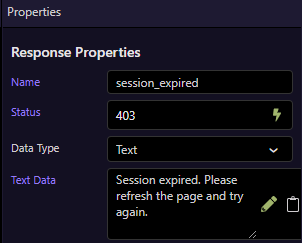
Also, your current catch always sends 403 “Session expired” for any error, which hides the real cause. Limit that response to the CSRF condition only so you can distinguish CSRF (403) vs. bad credentials (401).
Open browser developer tools, change the CSRF token to some random value, open the network tab, submit the form, see the HTTP status code of the response and then you have to add a Dynamic Event to the form to handle that status code (more or less guess)
Hi @Apple, the only problem that I see with my original method was, as was exposed by AI, all 403 errors would be classed as CSRF failures, which is not the case.
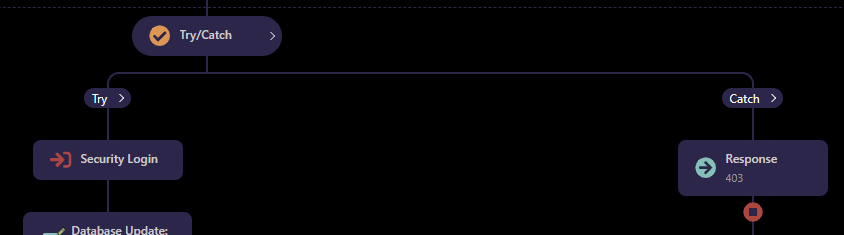
In theory, SC catches the CSRF error, like any other error. All errors can be captured by using the Try/Catch step.
I do not see any reason why this should not work, but please enlighten me.
Oh, I meant the Try/Catch part, sorry for not clarifying. Pretty sure that wouldn't even run, the script (CSRF check middleware) would stop before reaching that step. The CSRF check runs before steps are executed, so the Try/Catch wouldn't be executed in first place
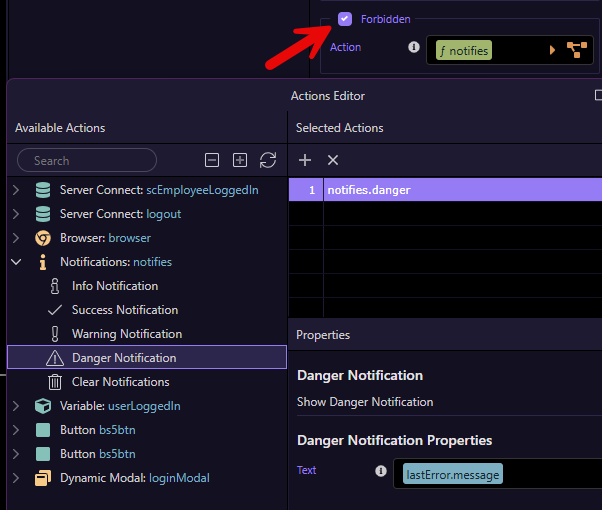
OK, I did some testing, and you are right, the error occurs before the server action is invoked. The only way to show the error message is to include it inside the <form> element as in:
dmx-on:forbidden="notifies.danger('Session ended. Please refresh the page and try again.')"
The problem still exists in that all 403 errors will be classed as CSRF errors. Maybe we should ask the Wappler Team to change the error message for CSRF tokens.
N.B. This is not to say that the Try/Catch part should be ignored for other than 403 errors.
Thank you for providing information on how I can display an error message. I’ve added the dmx-on:forbidden alert to handle cases when the CSRF token has expired.
dmx-on:forbidden="alert1.show();alert1.setType('danger');alert1.setTextContent('The CSRF token has expired. Please refresh the browser.')"
This is working as expected. But as highlighted by Ben, all 403 errors will display the same error message instead of displaying the most relevant error for that operation.
The error message for invalid CSRF tokens is "Invalid CSRF token"
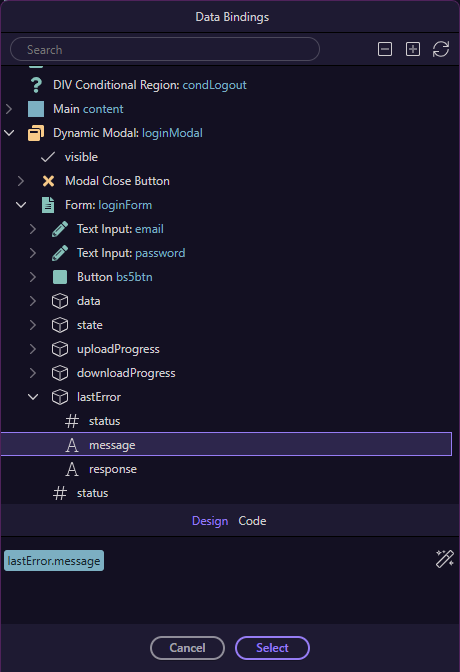
You'd have to use lastError.response instead of lastError.message
@guptast you could use an inline flow with a Condition to check the contents of lastError.response to see if it contains the string CSRF and show the appropriate message, falling back to lastError.response
Is this what you're saying about the inline flow? I have tested it for the CSRF token expiry and it's displaying the message correctly.
dmx-on:forbidden="run({condition:{outputType:'boolean',if:`lastError.response.contains(\'CSRF\', false)`,then:{steps:[{run:{outputType:'text',action:`scf_user_login_auth_sms.alert1.show()`}},{run:{outputType:'text',action:`scf_user_login_auth_sms.alert1.setType(\'danger\')`}},{run:{outputType:'text',action:`scf_user_login_auth_sms.alert1.setTextContent(\'The CSRF token has expired. Please refresh the browser.\')`}}]},else:{steps:[{run:{outputType:'text',action:`scf_user_login_auth_sms.alert1.show()`}},{run:{outputType:'text',action:`scf_user_login_auth_sms.alert1.setType(\'danger\')`}},{run:{outputType:'text',action:`scf_user_login_auth_sms.alert1.setTextContent(lastError.response)`}}]}}})"