How can you change color on the pagination list, other that ugly blue ??
Can anybody help?

Hey @steen,
Select it in your Wappler’s design view and then in the properties panel at the right you should be able to select the background color and text color.
Already did it for my paginations and it worked. 
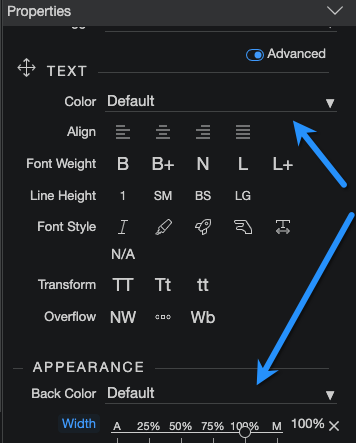
You have one solution, but it might be worth considering another approach (which you might already be well aware of, in which case it won’t be relevant).
The blue you don’t like will appear anywhere you choose to the primary colour, for any purpose - so I think it’s best to change the primary colour (and any other colours you want to change), using Theme Manager. Eg you could start by creating a preview of the default theme:
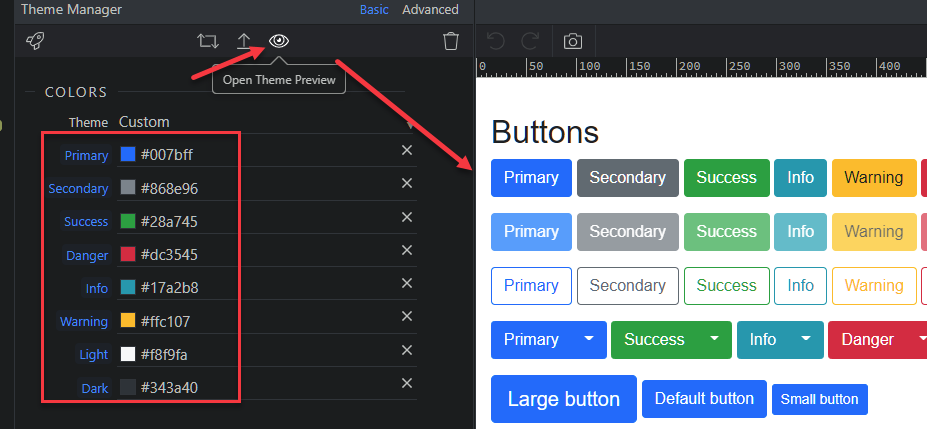
… and then perhaps choose one of the presets:

… which you can modify (or you can modify the default theme). Even if you just change the default colours, the new theme will actually contain hundreds of related changes to text, gradients, hover effects etc, potentially saving a great many trips to Design View, and many extra lines in your custom css file.
1 Like