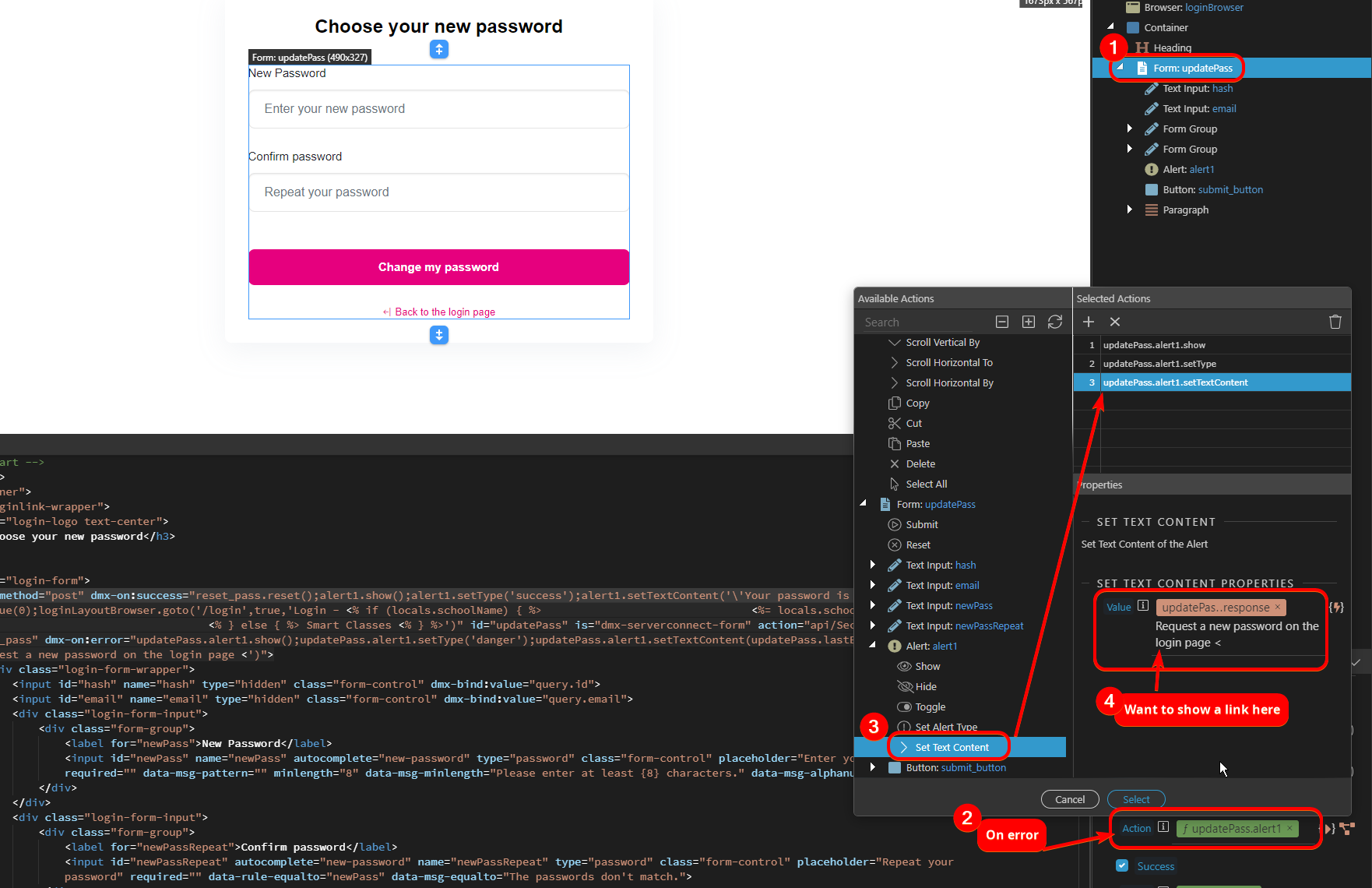
I want to add a link in an alert which is displaying an error message.
Like this, but then functioning (it just shows the plaintext now
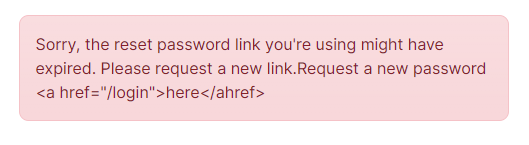
Context is to make it easy for the user to do the next step, depending on their situation.
How?
I want to add a link in an alert which is displaying an error message.
Like this, but then functioning (it just shows the plaintext now
Context is to make it easy for the user to do the next step, depending on their situation.
How?
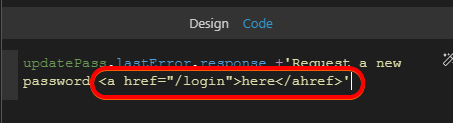
<a href="/login">here</ahref>
should be
<a href="/login">here</a>
Ah yes of course. Either way that still renders it as text 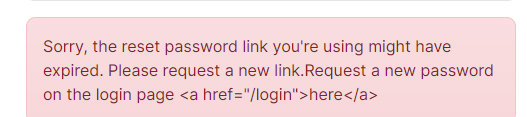
Are you assigning it to dmx-html rather than dmx-text?
(eg inner html rather than inner text)
yeah show the entire code that you are using there?
Have you tried giving the link a class of alert-link? As in
<a href="/login" class="alert-link">here</a>
Where exactly in the UI are you adding this? It’s not clear from your screenshot.
Thanks for all the replies, sorry I tried to show the bare minimum to make it easier to answer but that didn’t work.
Whole code:
<form method="post" dmx-on:success="reset_pass.reset();alert1.show();alert1.setType('success');alert1.setTextContent('\'Your password is updated🗝\'');hash.setValue(0);loginLayoutBrowser.goto('/login',true,'Login - <% if (locals.schoolName) { %> <%= locals.schoolName %> <% } else { %> Smart Classes <% } %>')" id="updatePass" is="dmx-serverconnect-form" action="api/Security/Passwords/update_pass" dmx-on:error="updatePass.alert1.show();updatePass.alert1.setType('danger');updatePass.alert1.setTextContent(updatePass.lastError.response +'Request a new password on the login page <')">
<div class="login-form-wrapper">
<input id="hash" name="hash" type="hidden" class="form-control" dmx-bind:value="query.id">
<input id="email" name="email" type="hidden" class="form-control" dmx-bind:value="query.email">
<div class="login-form-input">
<div class="form-group">
<label for="newPass">New Password</label>
<input id="newPass" name="newPass" autocomplete="new-password" type="password" class="form-control" placeholder="Enter your new password" required="" data-msg-pattern="" minlength="8" data-msg-minlength="Please enter at least {8} characters." data-msg-alphanumeric="">
</div>
</div>
<div class="login-form-input">
<div class="form-group">
<label for="newPassRepeat">Confirm password</label>
<input id="newPassRepeat" autocomplete="new-password" name="newPassRepeat" type="password" class="form-control" placeholder="Repeat your password" required="" data-rule-equalto="newPass" data-msg-equalto="The passwords don't match.">
</div>
</div>
<div class="alert mt-3" id="alert1" is="dmx-bs5-alert" role="alert">
</div>
<div class="login-form-button mt-5">
<button type="submit" id="submit_button">Change my password</button>
</div>
<div class="login-form-para">
<p><a href="/login" internal title="Login - <% if (locals.schoolName) { %>
<%= locals.schoolName %>
<% } else { %> Smart Classes <% } %>"> <i class="bi-arrow-bar-left"></i> Back to the login page </a>
</p>
</div>
</div>
</form>
And this screenshot should clarify where I’m doing it in the UI + the goal:
Ah, ok so you are using the dynamic events and set text content option. The set text content value is not parsed as HTML that’s why you see the <a href="" ... as a string.
In your case, i think it would be better to just use another alert with the content you need placed there and just show it on the dynamic event you need.
Thanks! Do I understand correctly?: