Well we asked our friend Opus to create a very complex (poor mans Elastic Search based upon result scoring) for one of our applications... Not only did it create the Server Action (with a very complex custom query) the implementation is flawless and done in one-shot despite multiple complexities like factoring in several translations (results displayed based on Users language selection accordingly). The result is truly mind blowing!
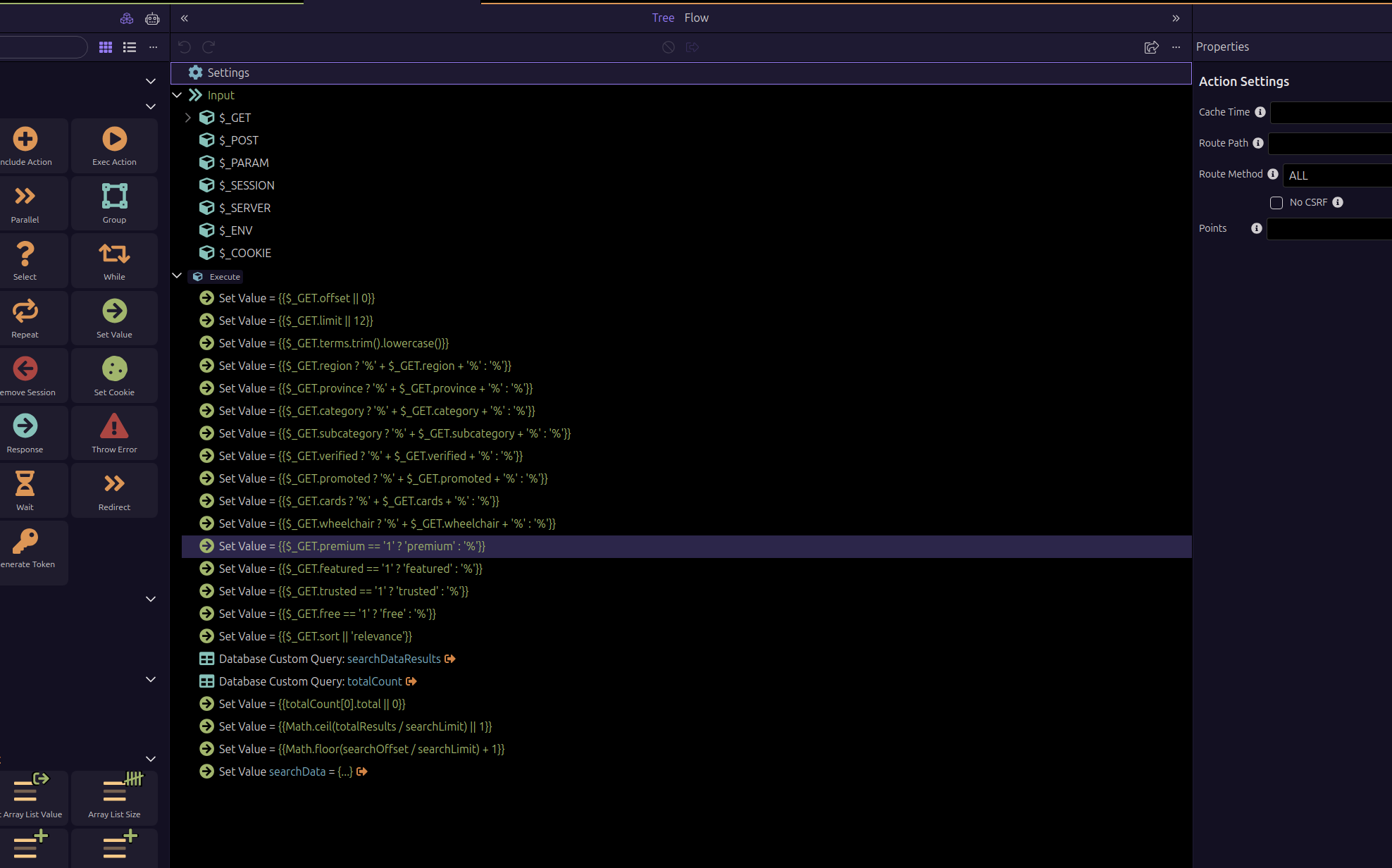
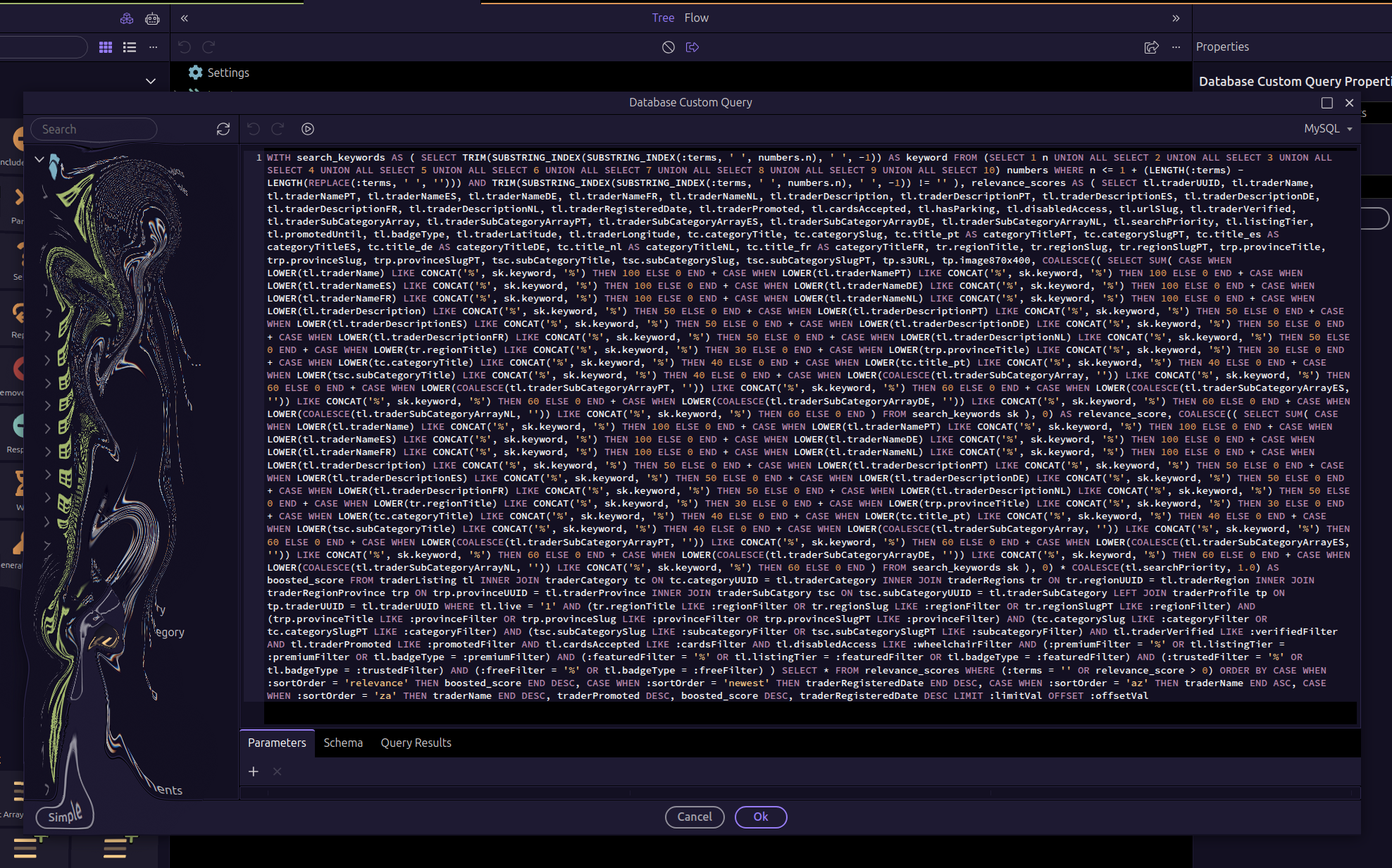
You mean you didnt write that by hand? 
1 Like
Broke my brain just thinking about it as is all score based rankings. I probably could but not in 35 seconds... These days I'd be the only User on Stack Overflow asking questions! I could end up waiting years for a response...
We actually aeriously need some enhanced search functionality in wappler, basic filters dont cut it.
I have looked at leveraging some of the available npm search modules but never really got there with a workable solution.
Not given up yet though!
Your screenshots always scare me, that bizarre effect you use to censor information, this is what looks in my mind:

1 Like
I see the resemblance hahaha.

Did you use the integrated AI in Wappler or from another IDE like VSCode or Cursor?
I used VSC for this. I'm not knocking Wapplers integration its just old habits die hard. I have VSC open all day everyday on a second monitor. The thing is Opus needs no Wappler training data as already seems to know Wappler back to front. So no need to send all those tokens if this is the case. I just tell Opus what I want to do and sometimes I provide an example if it is really complicated and from that it just cracks on and bangs it out.
That's very cool. I can tell you from extensive experience that Google AI Studio needs a lot of guidance with Wappler.
I can't praise Opus enough. We have some incredibly complex Actions making even the above one look simple. Opus has reconstructed them and made them several times more efficient but it does come at x 3 cost/usage multiplier compared to other models (if using Copilot etc, we are using the 20 x Plan on Anthropic and finding it very very hard to hit limits even pushing several agents at once).
So you're totally working outside Wappler's visual environment? I do find Wappler's ability to "split" the view between code and design so I can see the impact on design as the code changes.
A few more questions for ya, at your convenience:
- What's your work flow look like when working on front-end design? Edit code in VSC -> save file -> refresh page?
- What tasks do you use Wappler for still? (i.e., adding routes, creating API JSON files, deploying code, etc.)
- Do you use other tools/MCP's in VSC so that code changes can be tested and corrected automatically? If yes, what tools have you chosen?
No Wappler is always open. I've not really changed the way I work with regards to VSC as have used that for nearly ten years now. Before that I'd have Eclipse open or if on Windows Visual Studio. So pretty much always worked like this.
VSC on the larger screen (with Chrome and Dev Tools) most of the time in portrait orientation along with several terminals, and Wappler open and displayed on my laptop. I'll make edits in both VSC and Wappler and don't realise I'm actually flipping screens these days as is all just muscle memory and keyboard shortcuts. Will make a change hit Shift/Cntrl/R for a hard refresh in Chrome and view my changes.
We have to give crazy recognition to Server Connect and App Connect. Those two libraries are essential to our applications. Wappler is still a huge part of my tool set. I'd say aside from using AI more these days not much has changed really. I'll add all my Frameworks of course, create Projects, I do deploy from Wappler (although sometimes I'll deploy from VSC too as have shortcuts and scripts all set-up for that as I have always had). We still create API's in Wappler and usually they don't need any AI attention. On the AI side we do now use it more than ever in improving our Actions as it really is eye opening and have learned a lot just experimenting to see how far we can push these Actions. Opus really does love Wappler. They play like two kids with a ball and enjoy each-others company  API Connector and Security Provider are both abused by me constantly for all types of things. Use Wappler for a multitude of reasons still. Like I said above not a lot has changed in that regard for the most part.
We created our own MCP's initially that were training aids for our local AI purposes but have since moved away from MCP after writing our own test bench scripts and applications. We have backup applications and scripts that monitor the activity in our Project code base and save the initial version of the file prior to beginning work, and then upon save it adds new copies time and date stamped (yes we could use Git but we don't and our own provisioning for this is entirely automated so if I forget anything the scripts don't). We have our comment tool which will also review a code base and comment the functions within it, and tools like the DB tools I mentioned recently (however I posted details of that in the Ambassador area). These tools are all Electron based and carry out tasks such as multi-translation of column data and DB management (created a nice visual view creator) and maintenance for insuring all our indexing and everything is updated when we add new tables etc. On top we have a multitude of things we have created that are just throw-away (man the luxury of even saying that is crazy).
Hope that all makes some sense?
I'll end by saying Wappler is still mission critical and won't be going anywhere nor being replaced by AI any time soon though!
Will add that being a long-term Linux User you get used to using scripts to do a lot of things so they are a natural fall back long before AI was available. AI just accelerates their creation and complexity and rather than taking hours and days to write some of them we can bang them out in minutes these days.
2 Likes
Feedback on AI Integration in Wappler.
Hello,
I’ve been a Wappler user for a few months now, and I’d like to share some feedback that I believe is important regarding the platform’s potential and future.
Would it be possible to support AI integrations through subscription/token-based plans, not only through API access? For example, I have a Claude MAX plan, but I can’t use it directly inside Wappler. As a result, I have to work in a separate terminal alongside Wappler, which isn’t very convenient.
It would also be extremely helpful to provide a Skill specifically designed for Wappler. Currently, AI tools don’t follow Wappler’s standards properly and often generate code that’s difficult to use within the Wappler environment. This significantly reduces the practical value of AI integration. In my opinion, to stay competitive, it will soon be essential to integrate AI in a more native and optimized way within development tools.
As an example, my son recently built a very clean website in just three days using Claude Code in VS Code, and the quality of the result was impressive:
I would love to achieve the same level of efficiency directly within Wappler. Subscription-based AI integration, along with a well-designed Skill that helps AI understand Wappler’s logic and structure, would be a major step forward.
I’ve already started working on a Skill that I’d be happy to share if helpful, but my knowledge of Wappler’s internal standards is still limited, which makes it difficult to make it fully effective.
Best regards,
Stephane Craffe
1 Like
I have been running GitHub Copilot AI (Claude Sonnet 4) for about 9 months and have found that it understands Wappler at an ever-increasing rate.
This is a first glance at using AI
And this is what I do to help me start a project
I hope that this is what you are looking for
I just switched from google AI studio to Claude Code last week (Opus 4.5 was still the current version). I gave it small tasks initially, mostly UI changes. As my confidence grew, I gave it more responsibility. It can create endpoints (API's) on its own, it knows to scan the db.json file to learn about schema, and it mostly does very well writing App Connect code. I'm about to create another post on how to get Claude Code up and running with Wappler...
BTW in the latest updates the AI integration in Wappler was improved quite a lot. You can check the AI manager with Claude as well, it should perform very good, especially after last week's and today's updates.