I have a custom query that JOINs various tables of data and outputs between 1500 and 3000 lines. In a very simplified example, this is what the query outputs…
┌──────┬───────┬───────────────────────┬─────────────────┐
│ line │ co_id │        co_name        │     contact     │
├──────┼───────┼───────────────────────┼─────────────────┤
│    1 │     1 │ A.B.C Repairs         │ John Stevens    │
│    2 │     1 │ A.B.C Repairs         │ Fred Truss      │
│    3 │     2 │ Grove Bodyworks       │ James Archibald │
│    4 │     2 │ Grove Bodyworks       │ Jean Bryers     │
│    5 │     2 │ Grove Bodyworks       │ Tony Flynn      │
│    6 │     3 │ High Street Car Paint │ Peter Ahmed     │
│    7 │     3 │ High Street Car Paint │ Kash Ahmed      │
│    8 │     4 │ London Repair Shop    │ Peter Jones     │
│    9 │     4 │ London Repair Shop    │ Robert Jones    │
│   10 │     4 │ London Repair Shop    │ Heath Probert   │
│   11 │     5 │ Newport ARC           │ Steve Abraham   │
└──────┴───────┴───────────────────────┴─────────────────┘
My problem, and I am sure there is a very simple answer, is that I want the result to be printed to screen like this…
A.B.C Repairs
	John Stevens
	Fred Truss
Grove Bodyworks
	James Archibald
	Jean Bryers
	Tony Flynn
High Street Car Paint
	Peter Ahmed
	Kash Ahmed
London Repair Shop
	Peter Jones
	Robert Jones
	Heath Probert
Newport ARC
	Steve Abraham
So the Company Name is like a Category and the Contacts are like Products. I just can’t get my head around how to set-up the Server Connect and the Repeat properties to get this result, can you throw some light on it?
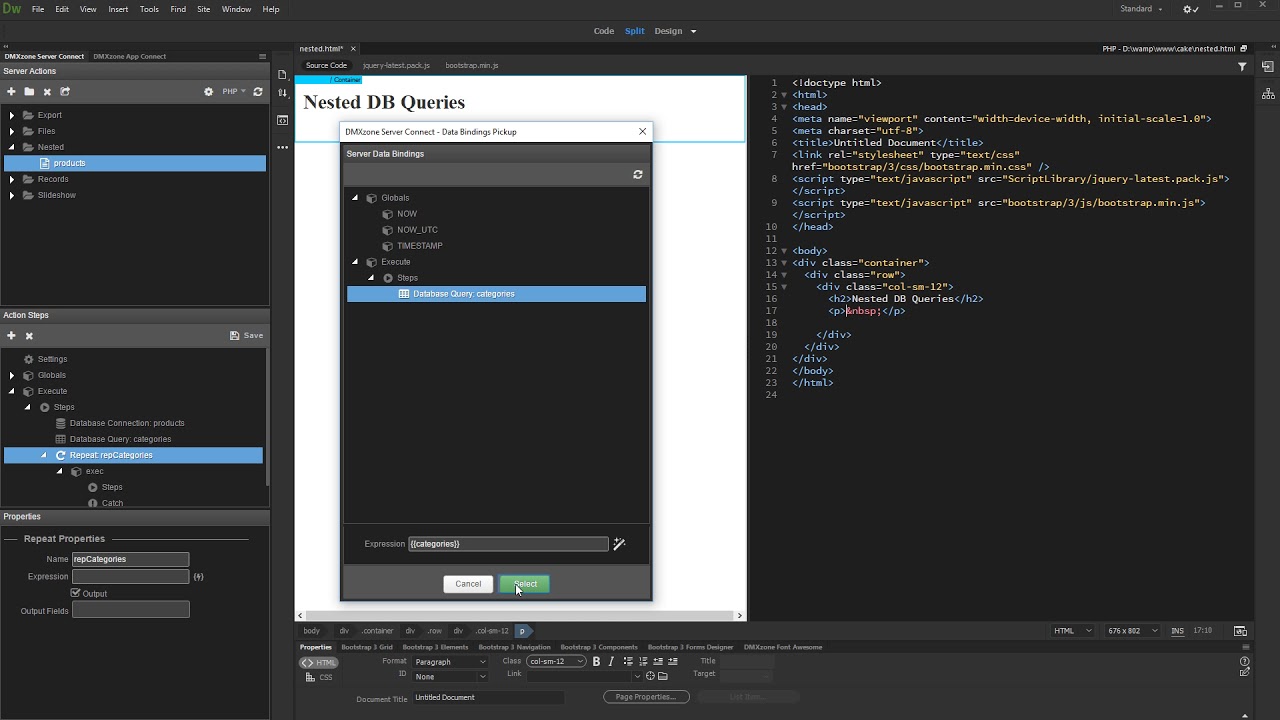
Using repeat and nested query that Ben suggests in the shared video is inefficient as you will have to hit the sql server multiple time to get the data which you currently have from a single query.
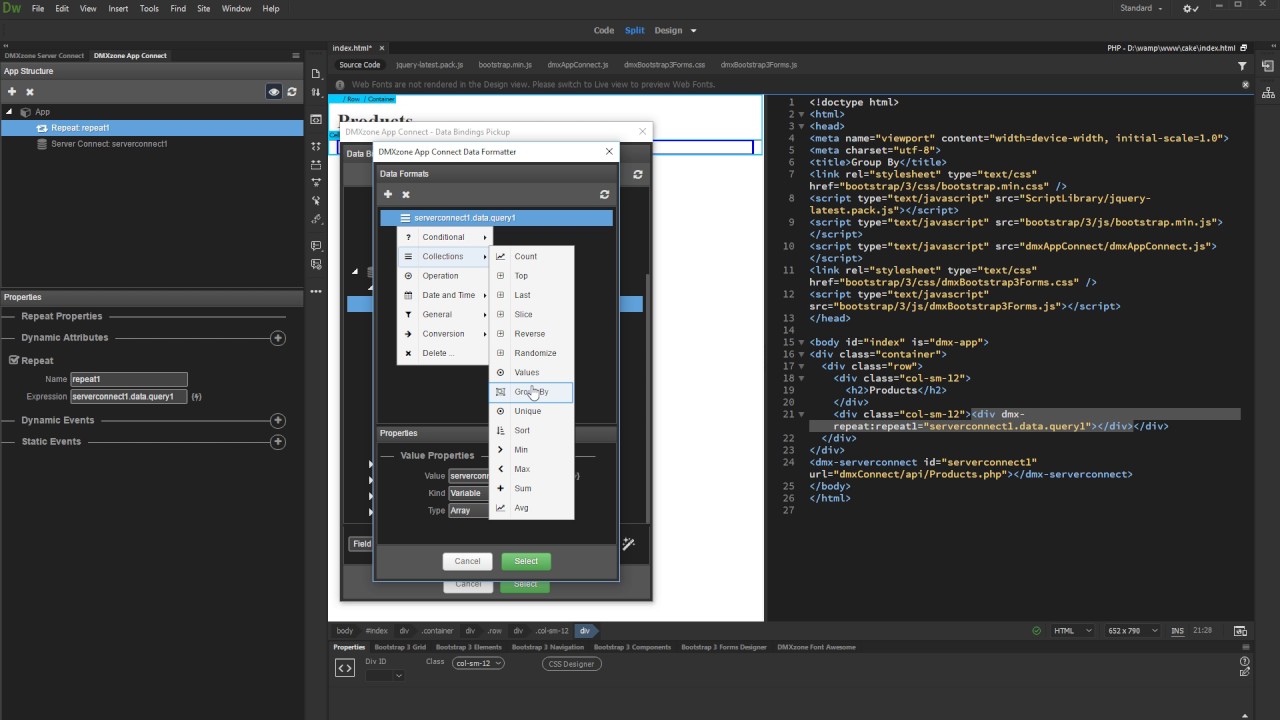
Using group by on repeat binding expression (client side) on co_name, the datastructure you will get is an array with keys as co_name and value as array of each row which has that co_name.
You can bind the child items like $value.contact etc. And you can get the company name via $key.
Another method, using just one query, is to use a show condition - only show the company name if it’s not the same as the previous one. It’s probably the simplest method. I don’t know how it compares performance-wise (but it seems pretty quick when I’ve tried it). Eg:
which is exactly what I was looking for. Not sure if this is how you intended for it to be done.
Thanks @ben, this is what I had before, it worked fine apart from the fact it took about 8 seconds to complete which felt like forever and the client was not happy On my quick test, for the same result, I am down to less than 1 second (still working on it).
Cheers @TomD, always good to have an alternative view on things
Please correct me if I’m wrong but in my example the main query may be performed once but the three nested queries will hit each time there is a record, so for example 500 records will hit the server 1501 times. Sorry, but my knowledge of how these things actually work is almost non-existent so apologies if this is a dumb statement. Feel free to explain
As I said, there is one request to the server which returns all of the records according to the query. App Connect Data Traversal then takes over, manipulating the data within the browser. This method is far more efficient than manipulating the data on the server. One drawback, the efficiency disappears when a huge number of records are retrieved. Hence my statement that there should be no more than about 3,000 records.
My whole day is one big senior moment! That, along with my 2 hour afternoon power-nap, just proves to me that I should give up and be put out to pasture. If only I could afford to do that! [He dreams!]

 On my quick test, for the same result, I am down to less than 1 second (still working on it).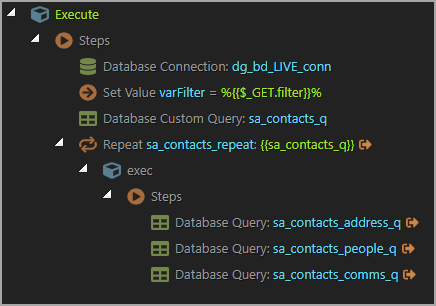



 My whole day is one big senior moment! That, along with my 2 hour afternoon power-nap, just proves to me that I should give up and be put out to pasture. If only I could afford to do that! [He dreams!]