Antony
1
I have a client who wants to have a chat function accessible on the booking form of my app.
If there is a database field script_html which contains the text:
<script id="xyz" async="true" src="abc"></script>
How am I best to take that text from a server action field like get_activity.data.script_html and have it actually execute on the page?
Here's a node solution.
In my layout:
Use Server Side Data to query the database for the scripts:
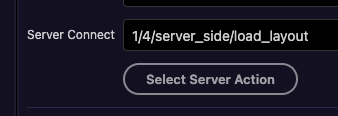
Where I want the scripts inserted (snippets.head_start is simply the output from the load_layout api)
<%-_('snippets.head_start')%>
Note the use of unescaped output ( <%- ) as provided by ejs templating:
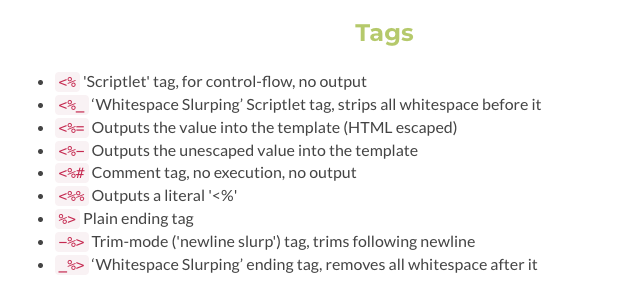
2 Likes
Antony
3
Thanks Ken... but I'm PHP... 
Apple
4
You'll need to run a Page Flow or something with the Run JavaScript step. There you will call a JavaScript function like "runEval":
<script>
function runEval(str) {
    eval(str);
}
</script>
Somehow you have to pass the string to it. I don't know if the above function works, but you get the idea
Edit: eval won't work for your particular example, ask ChatGPT how to inject an HTML code (coming from a variable) into the document body
Antony
5
@Teodor ...
Does Wappler support dmx-bind for a script tag?
<script id="xyz" async="true" dmx-bind:src="sc.data.html_script"></script>
Teodor
6
Is this the same you needed some time ago?
1 Like
Antony
7
Thanks @teodor... you have a way better memory than me! 