GreatRange Picker - Date Range Picker Extension (for Node JS)

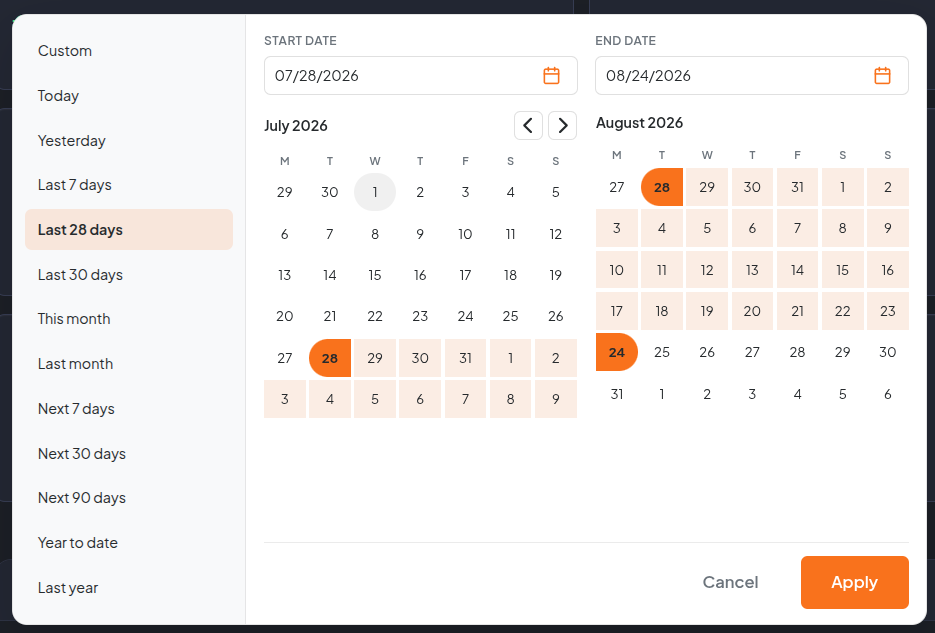
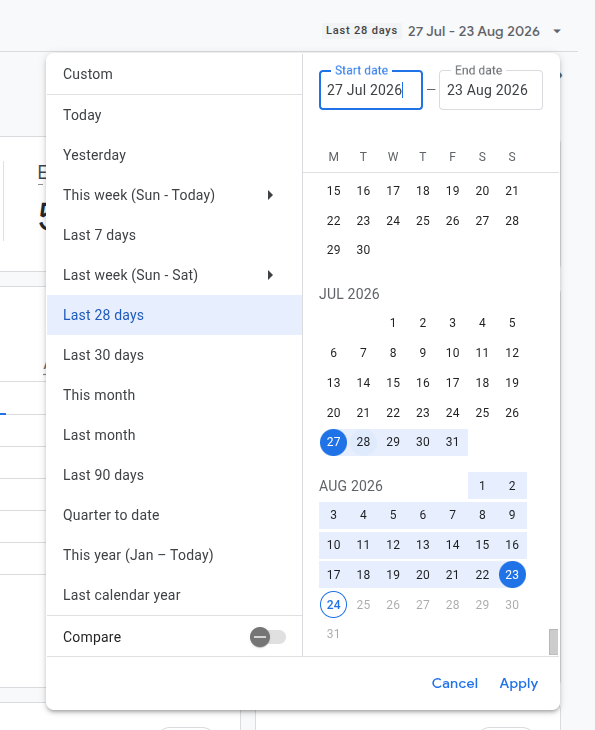
Been a bit quiet on the Extension front recently so here is a goody for you Node JS Users. Date range picker based off of the Google Analytics type range picker (but including future ranges not just the past). Dark and Light modes (or auto), easy configuration with selectable default start range.

Google Analytics example:

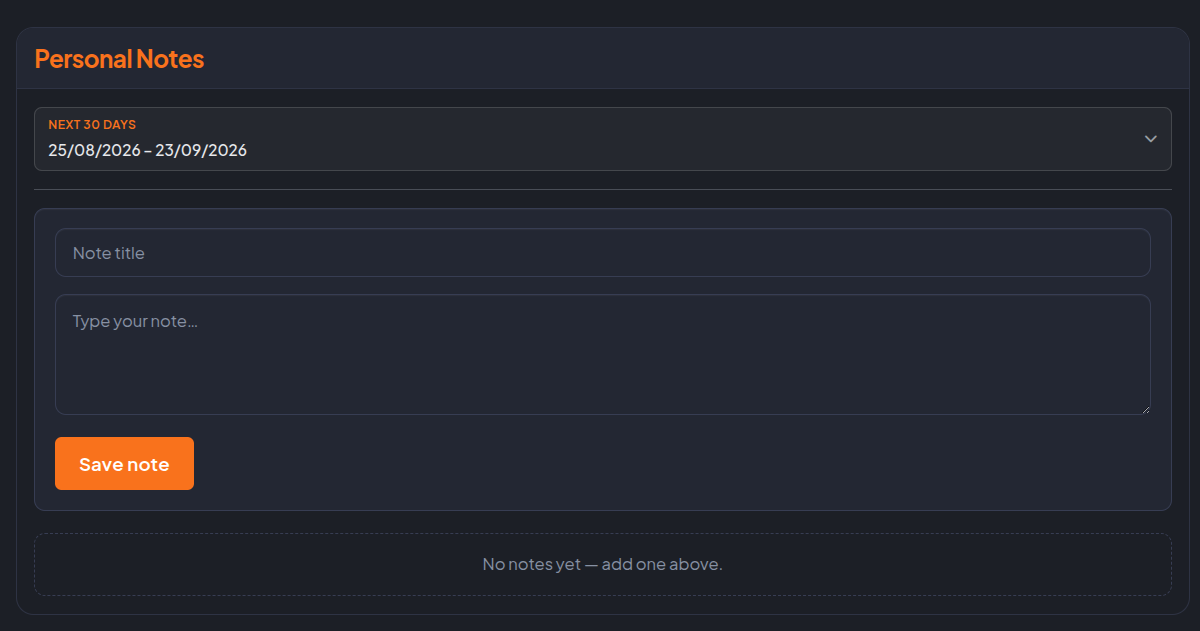
GreatRange dark mode:

GreatRange light mode:

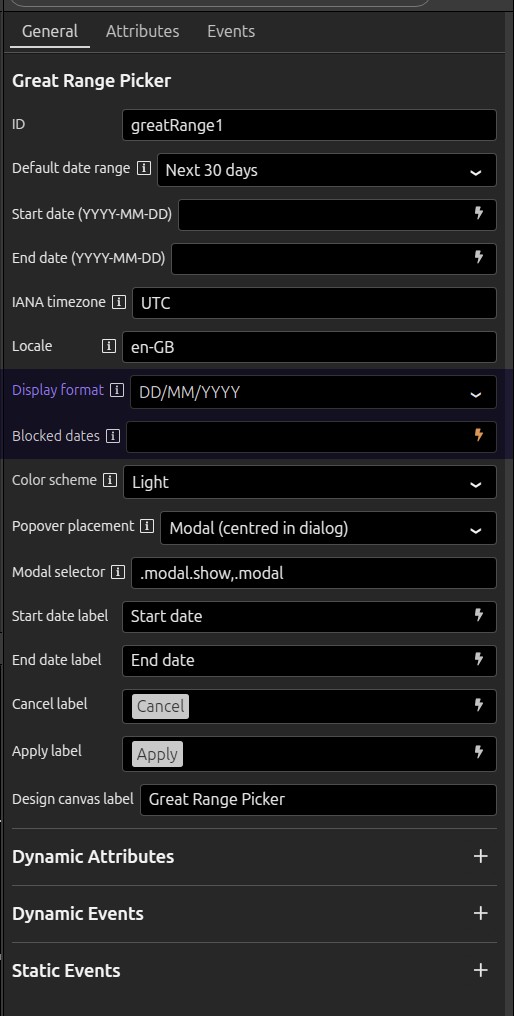
GreatRange configuration:

Github Repo:

NPM:

https://www.npmjs.com/package/wappler-great-range-picker

Hope you find it useful and if you do and have some spare change feel free to buy me a coffee if you can...

FEEDBACK IS VALUABLE so if you do implement it PLEASE offer your thoughts and be sure to let me know if you have any issues. Thank you.

7 Likes

Hi Cheese,

This custom extension will be very useful. The user interface is beautifully designed and I am grateful for sharing it with the Wappler community.

I just have one question. Can I display the selected date range in DD/MM/YYYY or DD-MM-YYYY format?

I will integrate this extension into my current project and will update the thread with my feedback.

Thank you again for your immense help to the community :slight_smile:

2 Likes

I'll make some changes to allow for date formatting and I'll also implement a disabled/blocked date source so it could be used as a reservation calendar etc.

Bare with me a moment and I'll update it. Feel free to suggest any other ideas you may have @guptast

Thank you. Its part of our internal framework style. Maybe one day I'll release the full system as it replaces multiple input types, validation states, and many other improvements with regards to accessibility and responsiveness etc (even items like FullCalendar are updated to incorporate the styles). I'll keep you posted on that side.

2 Likes

Right a compromise so it doesn't get silly complex (with validation, accessibility etc) for something that should remain simple. The trigger can be formatted (the Trigger is the UI element displayed that instigates the display of the date picker modal):

As we use native <input type="date"> controls the browser decides how they look. I've documented it as a caveat in the readme @guptast

With regards to blocked dates:

  • Blocked dates property (blocked-dates, bindable): comma-separated or JSON array of YYYY-MM-DD
  • Blocked days are disabled in the calendar (struck-through styling)
  • Apply is blocked with an inline message if the range includes an unavailable day.

Obviously it relies on you using a custom date range rather than a defined range as if that contains blocked dates it won't apply the range (you can still use a range but if it included blocked dates it will alert you). That side is pretty self explanatory but the feature is now included if you need it.

New options:

Updates pushed to Git repo and the NPM package.

2 Likes

Thanks, Cheese! I’ll include the custom extension in the project and share my thoughts with you. :slight_smile:

1 Like

You're very welcome and any feedback is really valuable. I'm happy to make changes and add functionality. Just felt we all needed a nice modern date picker. Google's works great for us but just felt a little dated (pardon the pun) so just added a little update to it to bring it up to scratch. I'll consider a PHP version as no special needs for this. Pretty straight forward all in all.

2 Likes

This looks really nice :ok_hand: just wondering is it date only or can it date and time?

Hey @jmartland22 currently date only but I will sit down later and see how I can add an option for a time picker.

2 Likes

@jmartland22

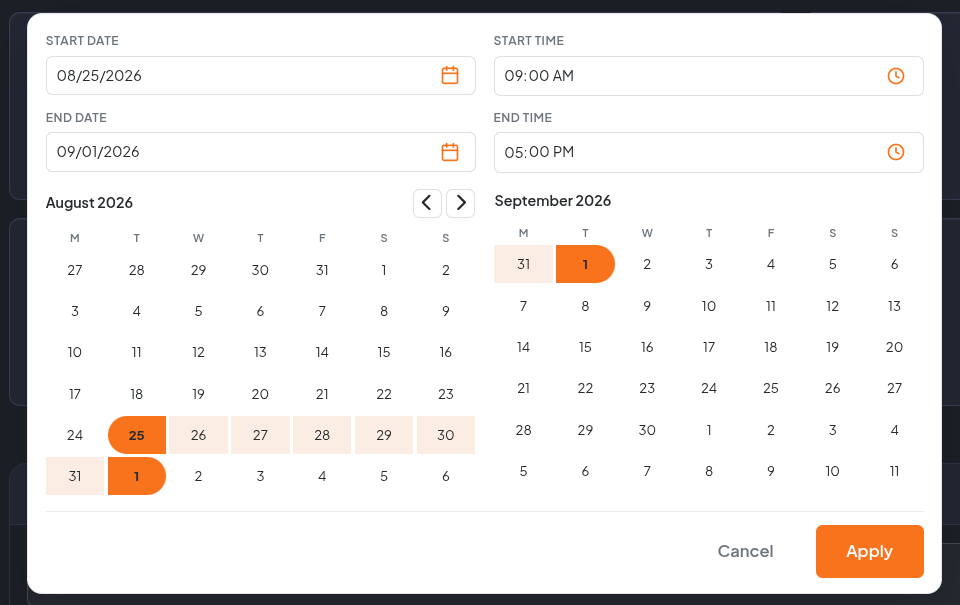
Rather than keep adding to the Extension I went ahead and forked a version specifically for date and time. It is still a range picker but without the pre-defined ranges as that would make it a little difficult to manage and would require quite a bit of validation. However I will release/push/commit an extended/enhanced version once I have time to test. I'll probably do this a little later on as on a mission right now.
Git repo:

NPM package:

https://www.npmjs.com/package/wappler-great-range-time-picker

3 Likes

Thanks @Cheese this looks awesome :slight_smile: Will install and have a play.

1 Like

Hi Cheese,

I set up the extension today. I've a couple of queries regarding the IANA time zone and Locale.

  1. How do I bind an IANA time zone to a value from the database? For example, I’d like to connect two different values depending on the user’s local time zone - Australia/Melbourne and Australia/Perth.
  2. Could I also bind Locale to a dynamic value?

I store the time zone and time offset values for each tenant when they sign up, and then I use these to convert the UTC values to each user’s time zone.

I'll make a couple of changes so you can bind dynamic values and publish the update shortly @guptast

1 Like

Updates pushed for dynamic pickers @guptast:

Great Range Picker v1.2.0 and Great Range Time Picker v0.2.0:


  1. Wappler property panel — Timezone and Locale now have data binding enabled (like Blocked dates).
  2. Runtime — reads bound values from the component property or dmx-bind, validates IANA zones/locales, and refreshes when they change.
  3. Fallback — invalid timezone → UTC; invalid locale → en-GB.

Database values — store IANA zones as plain strings, e.g. Australia/Melbourne or Australia/Perth. Return the correct one per user from your query; bind that field to Timezone.

Locale examples — en-AU, en-GB, pt-PT, etc.


Available on their respective repos on Git and NPM. Let me know if everything works OK for you and if you have any other requirements besides? Thank you for the suggestion and feedback too!

:smiling_face_with_three_hearts:

1 Like