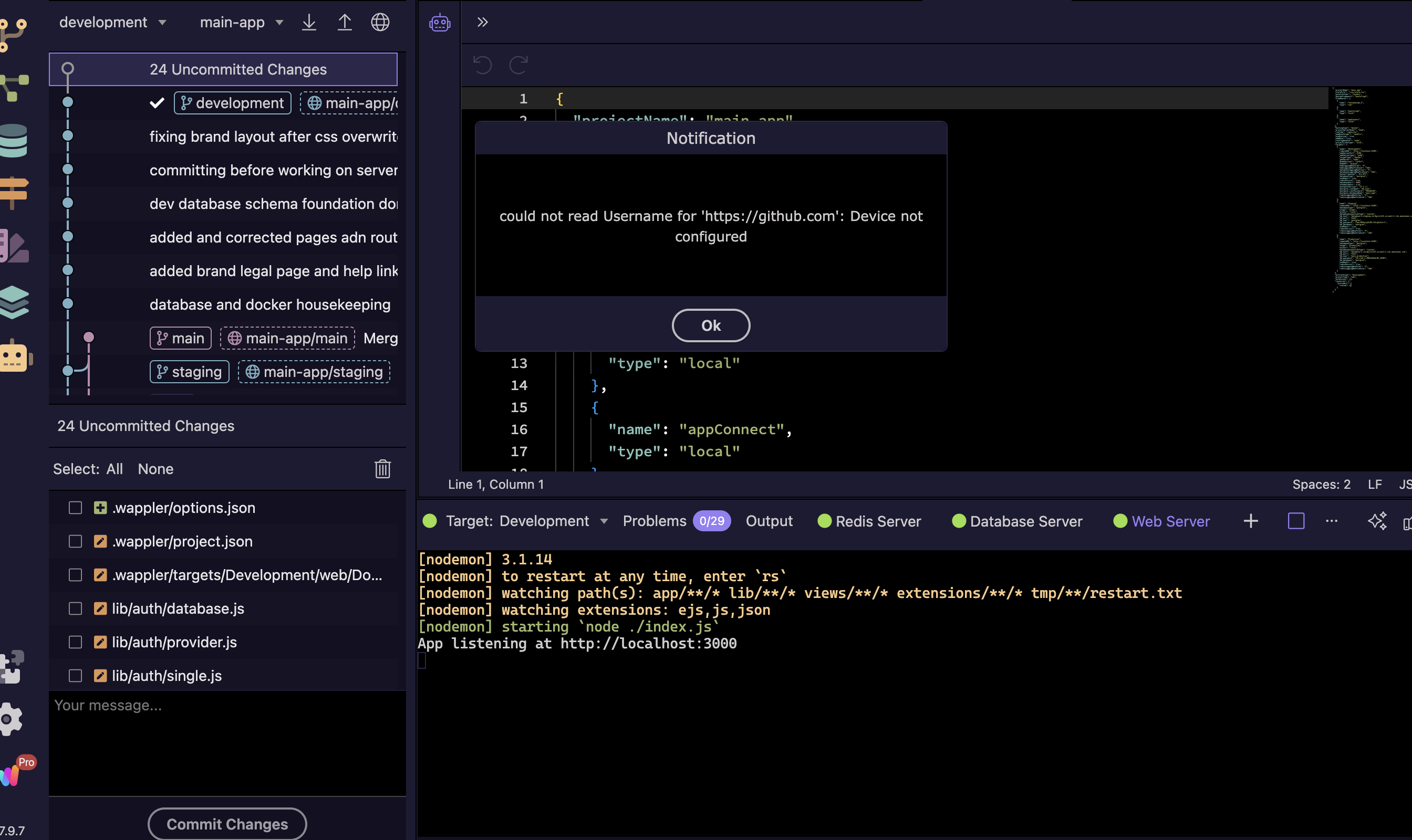
I got a new laptop and installed Wappler, but Git isn’t working. I’ve connected the repository but if I try to pull from the repository, I get this error:
“could not read Username for ‘https"://github.com’ : Device not configured”
I forgot to add that I’m using the latest version of Wappler, 7.9.7 and I’m on a macbook pro. it works fine on my mac studio. I’m using github desktop in the meantime until there is a fix.
Hi, i did the oauth in the git panel and i added a personal access token in the global settings. it works on my mac studio without the personal access token but doesn’t work on my laptop at all