Form Validation Issues

Form Validation Issues

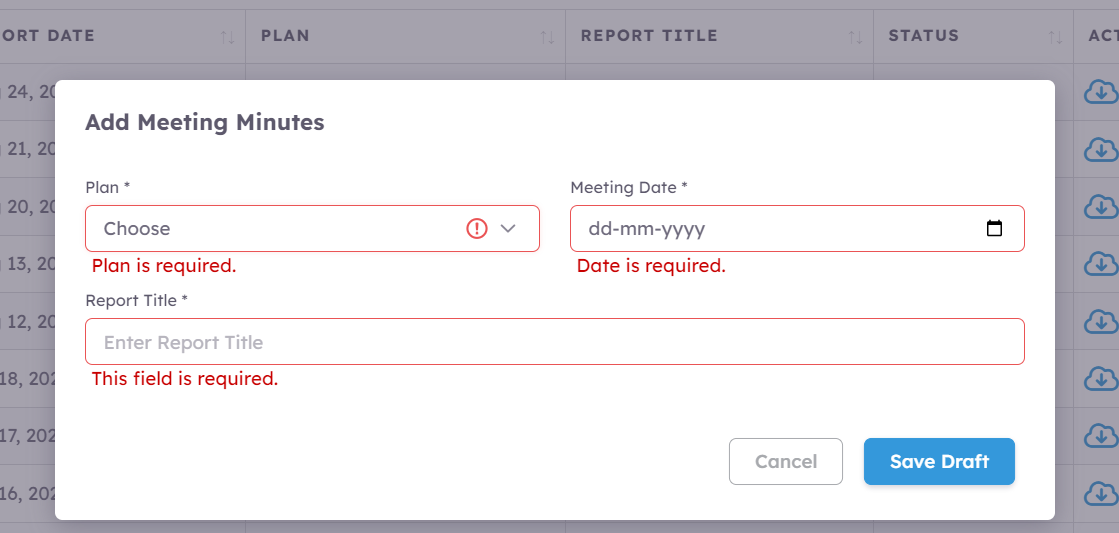
  1. When the submit button is clicked, required field validation errors are displayed for all empty fields.
  2. After closing the modal and resetting the form, the modal fields still display required field validation errors when reopened.
  3. When entering text into an input field, the required field validation error should be removed immediately. However, it is currently still showing.

FYI. @sid @nshkrsh

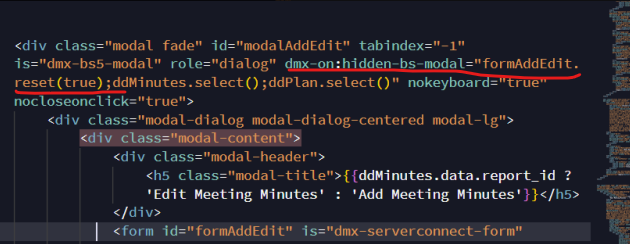
I would highly recommend to double check that You reset a proper form on a proper modal close event.

Yes doing it right.
image

Try dmx-on:hide-bs-modal instead

I tried this also, didnt worked.

How about on success of the form, reset the form and then close the modal?

Hey @slashash.sanjay I was having a similar issue and that’s what lead me to here. Simply resetting the form didn’t work in my situation so I ended up writing a custom jQuery script. (Could do the same with vanilla javascript). Then I call it wherever I need it using the run javascript action.

function resetFormValidation(formClassSelector) {
	jQuery('.' + formClassSelector).find('.invalid-feedback').remove();
	jQuery('.' + formClassSelector).removeClass('was-validated').remove('is-invalid');
}
Cheers,

Twitch