The sort option of a form repeat is great, but it could be enhanced by supporting the events that sortable provides, such as onEnd which triggers an event every time the user finishes dragging an element to a new position. I deal with this today, by simply turning off the sort option, and manually setting it up in js, but having in the UI would obviously be much better.
The use case is that when adding a new item into a form repeat, I need to prefill values on the inputs, so I use a data store as the source for the form repeat and add new entries as needed -- works great. But if the items are re-ordered, and then a new item is added, it will naturally revert to the original sort. So if I use an onEnd event to keep all of that in order.
@mebeingken, do you have an example of js code you used to grab the onEnd event? I’ve tried to using the sortableJs docs but nothing I’ve tried has worked.
I have used this method on a variety of pages and find it works really well.
Do you or anyone else know if it would be possible to not have the need for the 'Sort' button, I'm thinking the form would get updated on the release of the mouse from the sorter button?
Thanks once again for all your great ideas and videos!
I really don't understand why we don't have this yet in Wappler, we've been asking for something like drag and drop for years now, why is it so complicated?
Why do we still have to do something as useful as this manually?
I really wish the team would put a bit more love into extensions.
Something like this should be very easy to extend with custom extensions, especially now we have AI to do most of the coding for us.
Case in point: it took me 5 minutes with Claude to implement this feature request (excluding the UI)
I asked Claude Opus 4 to extend the existing dmxFormRepeat.js
I just copied the OP from Ken
I replaced the code
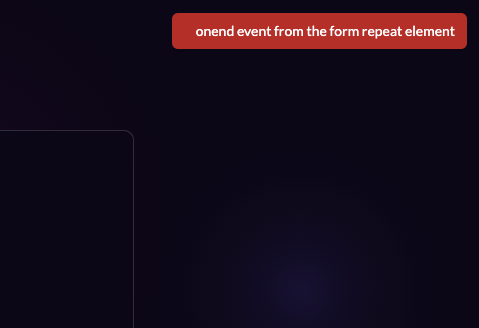
It works:
by adding: dmx-on:end="layoutNotifications.danger('onend event from the form repeat element')" to the formrepeat element.
Now where it becomes more work is to make this into a proper custom extension.
@George If we have easy access to the .hjson files of the existing components and improve the process a bit of making a custom appconnect extenion it would literally take me 15 minutes now to release a custom extension that fixes this feature request.
Then all the feature requests around extending existing components can basically be ignored as it's trivial to extend it ourselves. And you can focus on the stuff we can't implement.
The Sortable plugin already triggers the events in the DOM and dmx-on:end will work without needing to modify the extension.
The code you posted added a new attribute onend which is not the same as an actual event handler and it doesn't trigger the dmx-on:end. It will however overwrite the default onend attribute which would normally be the event handler for vanilla JavaScript. With your AI generated code you would add it like onend="layoutNotifications.danger('onend event from the form repeat element')".
I've created an update that adds the following custom events: added, moved, removed and duplicated. They trigger after a user interaction like dragging or when one of the methods is called but not when data bindings are updated.
You can add them like dmx-on:moved="expression" for dynamic expressions or like onmoved="javascript" when using vanilla javascript.
Boilerplate for extending App Connect components is:
dmx.Component('form-repeat-ext', {
  extends: 'form-repeat',

  // extended properties and methods here
});
The above will create a new component named form-repeat-ext and will extend all properties/methods from form-repeat. With the above code it is simply a clone of form-repeat since no properties are extended.
With the new component events will become available in the UI. We will not add the end event or any of the other Sortable events to the UI, but they can be used when you add the event handler manually.