Flows: How to Hide a button while flow running?

I’d like to be able to hide a button on my page while a flow is executing.

I want to be able to click on a button to run a flow and hide button while flow is running. Even disabling the button would work. Trying to prevent double clicking.

Tried the same way you would while a form is executing but it doesn’t seem to be available for flows.

Hi Brad, you can use:

dmx-bind:disabled="flow1.running"

where flow1 is the name of your flow.

Worked like a charm. Would be nice to have that available in the UI.

Thanks a ton!!! :beers:

1 Like

Ah, isn’t it available in the UI? I thought it was…
@George will check this.

1 Like

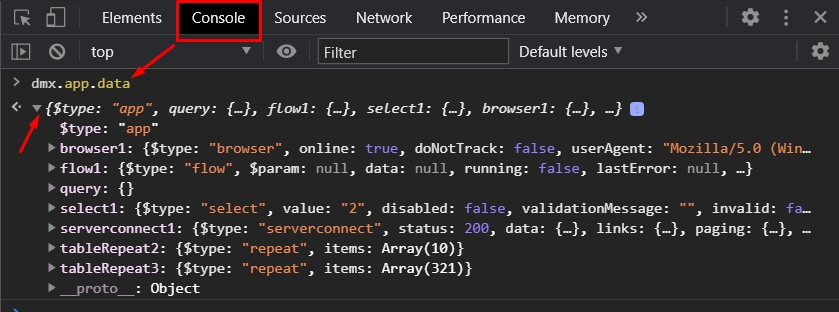
Btw you can always use dmx.app.data to inspect the components on your page and their options.

It’s really simple and sometimes useful (if you are not sure about the options missing in the UI) - just load the page in your browser and type dmx.app.data then hit enter. Expand the collapsed contenet:

And you see all the App Connect components on your page.
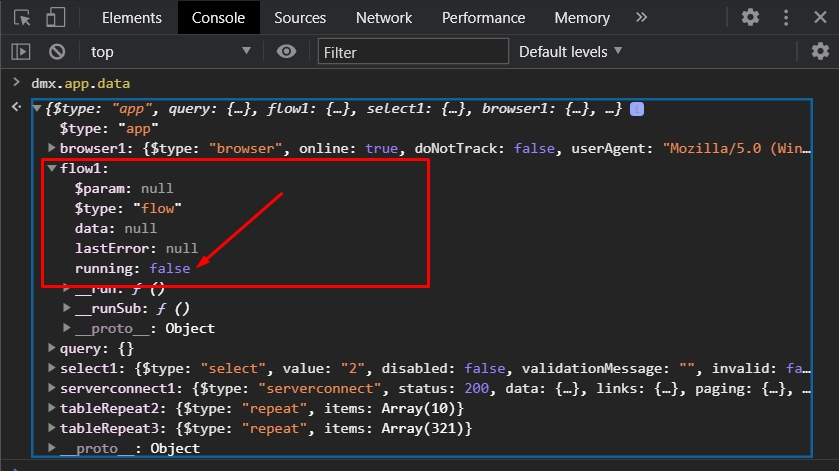
Expanding a component shows its options/properties. For example flow1:

And you can see the running option there :slight_smile: Which means you can use flow1.running to check if it returns true or false :slight_smile: Explore this, it’s really useful.

3 Likes

Thank you! I did not know this. I have bookmarked it for future use!

1 Like

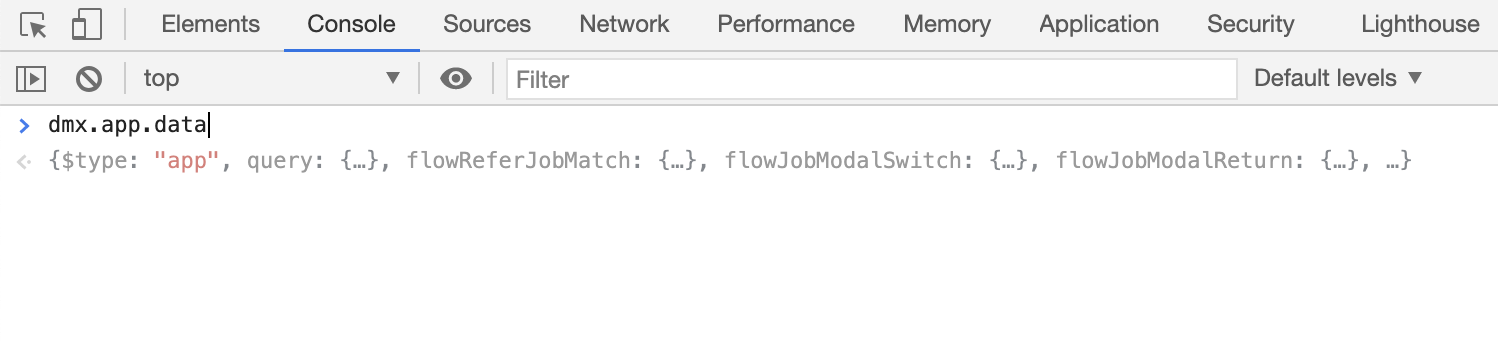
What does that mean when I can’t expand the dmx.app.data results? It’s just greyed out. Using Chrome browser.

the grayed texts are just a preview of the results you will see. So you can think like it's a shortcut to find what you want to see. You can access a lot of details using the console this way. :+1: @brad

Press enter :slight_smile:

2 Likes

I use this quite a lot and find it really useful.

It’s very useful to know this @Teodor, thank you!

You can use it just for the specific item you want too… e.g.

> dmx.app.data.flow_add_contact
1 Like