Hello.
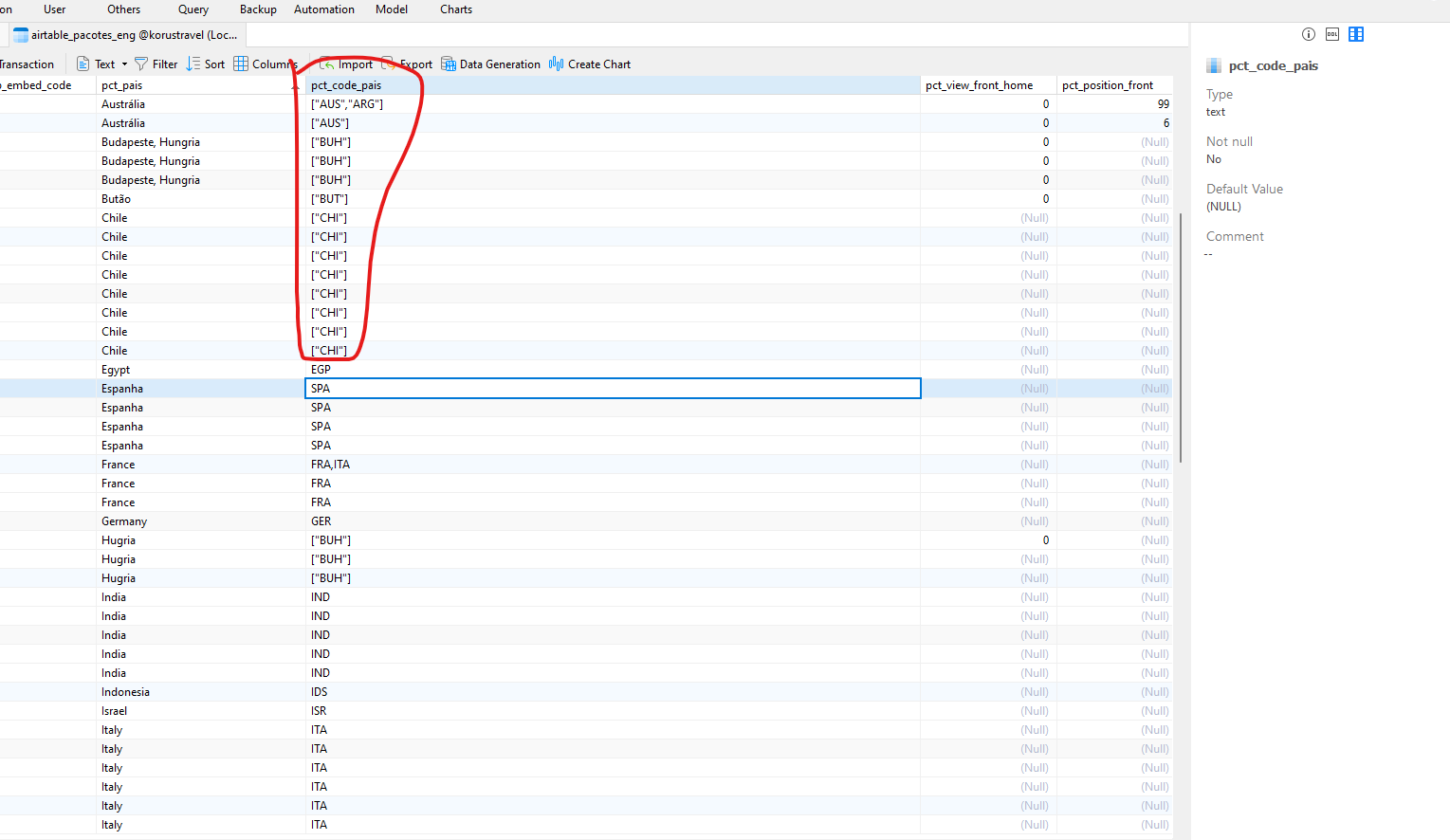
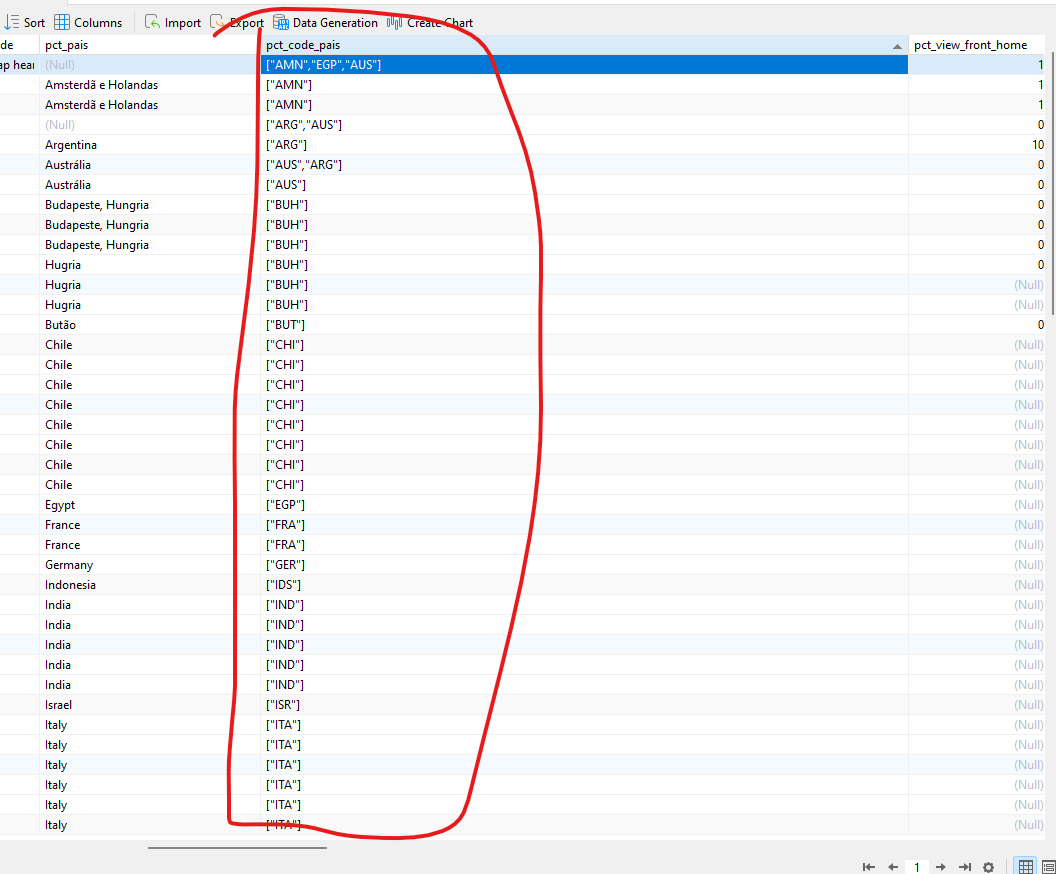
Yes. It’s recording on the bank exactly as you instructed me. This part of recording multiple country codes on a product is working. In the pct_code_pais field it is recorded like this: [“AMN”,“EGP”,“AUS”].
Now I need to filter the products on the front end.
Example: when I click on the country FRANCE, all tourist packages that have the country FRANCE will appear. This already works through select.
But what I want is to load tourist packages that have the countries FRANCE and ITALY for example. Or more countries.
The select I have carries the country code in the URL: journeys-teste?country=TUR and only shows products that have the country TUR but I need to show all products that have TUR,FRA,ITA for example
I’m not sure if you will need to or if this is irrelevant but if you want to share the URL it will not function using anything other than the URL parameters. Absolutely fine if it is just internal usage and each User is independent. But if you do plan on passing a URL on to another User… If not just ignore this insight. Just throwing it out there.
1 Like
Hello.
Hello.
This URL only has select that works well with one country. Note that when you select a country, the url changes.
Sorry - I’m really confused. Is this video not what you’re trying to achieve?
Recording #11
1 Like
Yes Yes Yes.
That’s exactly what I need.
Oh my god.
Is the select you use to filter the same as the other post?
What do I need to do to filter exactly like your video?
How is server connect?
How does the select look on the search page?
That’s what I need: products that have the countries included in the select.
If you follow the instructions from the other post that’s exactly what I’m showing on the test page at https://dashboard.triptakers.travel/Testing
1 Like
@Heather_Mann forgive me but I cannot understand your workaround…
In this view_tripbits.country:
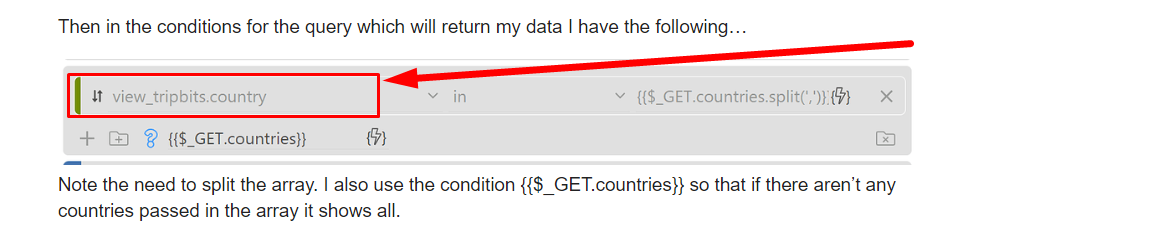
view_tripbits is a table name?
If yes, is this a simple column type (string/numeric) or a JSON array?
1 Like
No worries. That’s a MySQL view (created outside Wappler). You can just use a table there. And it’s just a simple column type.
Give me a couple minutes and I’ll work up a super simple one. I was just doing a quick example so used my existing rather complicated server connect.
1 Like
OK, thank you.
But I think that what Marcos is looking for is the way to compare an array of values with an array of values… (a JSON array with a tagify value)
If that country column in view_tripbits was a JSON array would that work?
At least that is what I’m interest in finding… An easy way to check if an array of values contains ANY of the values of another array…
1 Like
Hello.
Sorry, @Heather_Mann but I’m almost there.
See how it turned out. Now it doesn’t filter.
<div class="col-12">
    <div class="form-group">
        <label for="inp_pct_pais"><b><span class="text-danger">*</span> Country</b></label>
        <input is="dmx-tagify" id="tagify1" name="pct_code_pais" tag-text="country_title" dmx-bind:data="sc_sel_paises.data.query" dmx-bind:value="sc_pacote_details.data.query.pct_code_pais" min-chars="0" tag-value="country_code">
    </div>
</div>

<div class="col-12" is="dmx-repeat" id="repeat1" dmx-bind:repeat="sc_listar_pacotes.data.queryListarPacotes" key="pct_id">
    <p>{{pct_id}} / {{pct_titulo}}</p>
</div>
2024-02-16_v2
SERVER CONNECT:
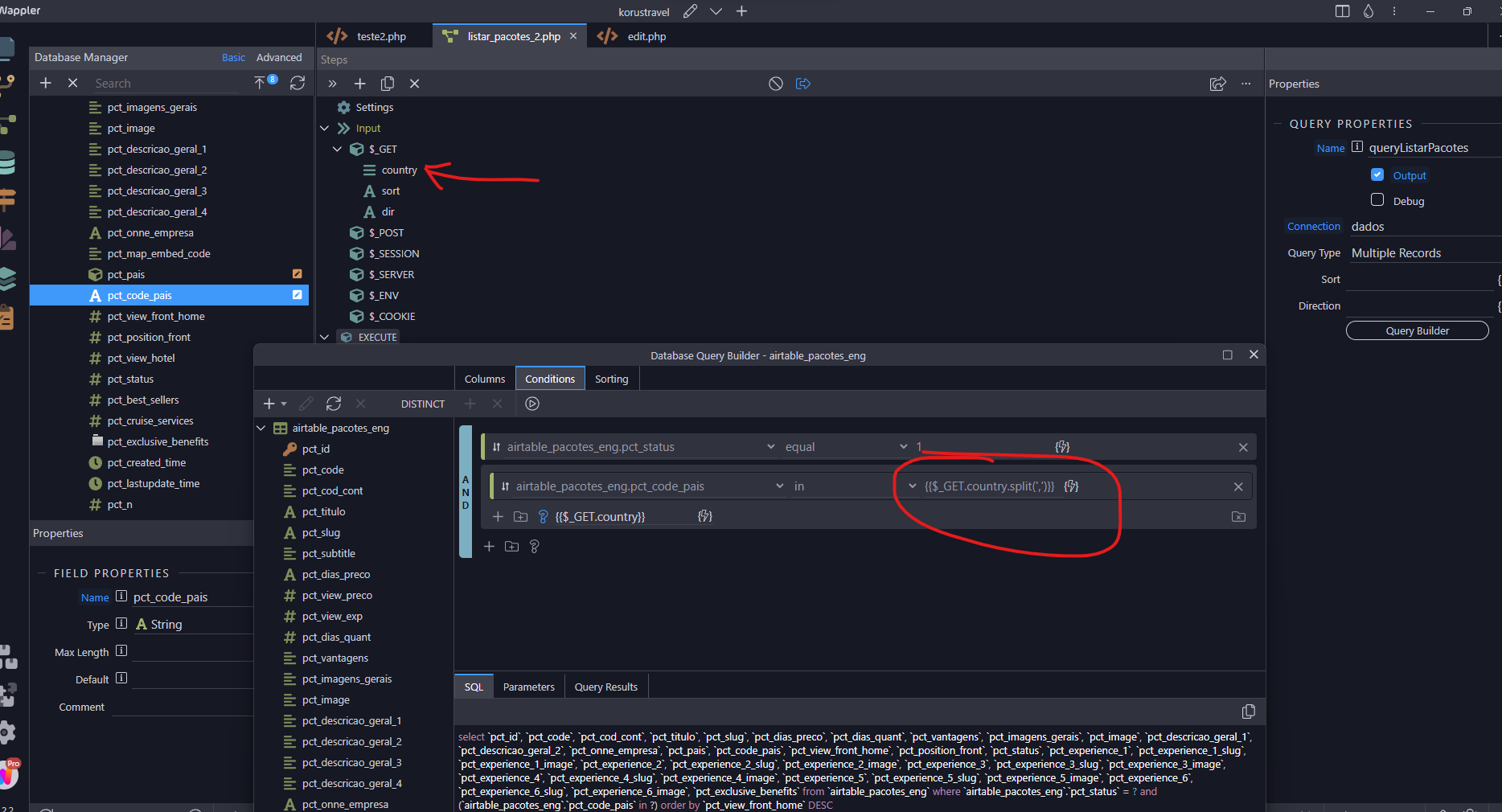
That’s exactly what my code already does. It’s comparing all of the countries passed in the countries array with all the values in country column of the view_tripbits table. Did you look at the example at https://dashboard.triptakers.travel/Testing ?
1 Like
Yes. I saw the video you made and followed the tips in the previous post to do tagify. But there is some detail either in the server connect or in the front code that if you put a country in the select they all disappear and the country that is in the select does not appear.
AND FRONT:
<div class="col-12">
    <div class="form-group">
        <label for="inp_pct_pais"><b><span class="text-danger">*</span> Country</b></label>
        <input is="dmx-tagify" id="tagify1" name="pct_code_pais" tag-text="country_title" dmx-bind:data="sc_sel_paises.data.query" dmx-bind:value="sc_pacote_details.data.query.pct_code_pais" min-chars="0" tag-value="country_code">
    </div>
</div>

<div class="col-12" is="dmx-repeat" id="repeat1" dmx-bind:repeat="sc_listar_pacotes.data.queryListarPacotes" key="pct_id">
    <p>{{pct_id}} / {{pct_titulo}}</p>
</div>I really feel stupid… I didn’t know that database query condition IN handles this case!
Just out of curiocity… if you output a random record of view_tripbits.country what it would look like?

Well, I thought that was it but everyone has status = 1 and I also removed this field and nothing changed.
Should the field type in the pct_code_pais database be STRING or json?
view_tripbits outputs a bunch of fields, including country. Here’s a few lines…
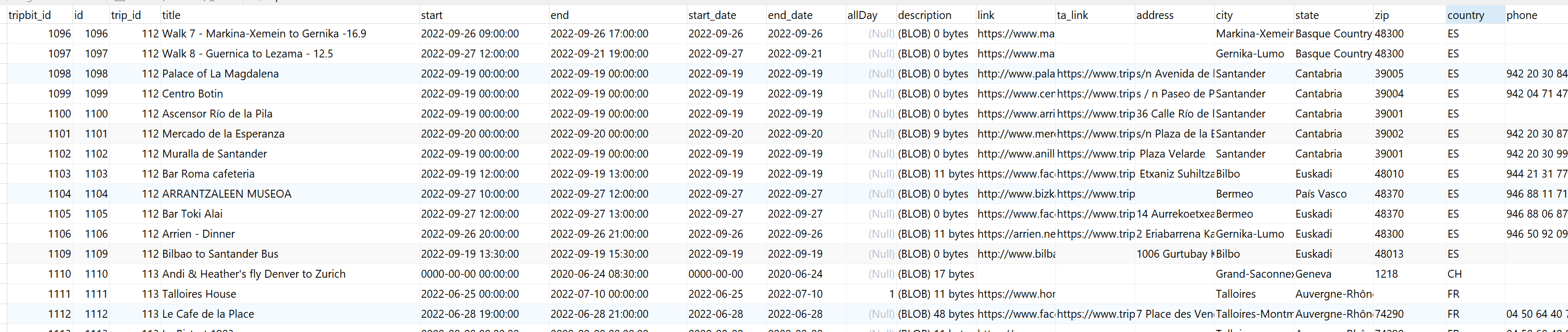
I actually think I’m going to change that to use the country_id from my countries table as I’d rather show the full country name on the front end, but that’s a whole other story. LOL!
1 Like
string
FYI I was replying to @famousmag. You can see that on the top of the post.

Ahh…
I think I got it.
The view is creating multiples records of the same trip_id and each record has a different/unique value for the trip_country!
So this way you are checking if a any single value of the trip_country is IN the tagify array.
NICE!!!
Thank you!!