Wappler Version:
7.2.0
Operating System:
Windows 11
Expected behavior
After adding a condition to the dmx-show dynamic attribute, I should be able to click on the condition again and see the expression values clearly in the Expression Builder for review or editing.
Actual behavior
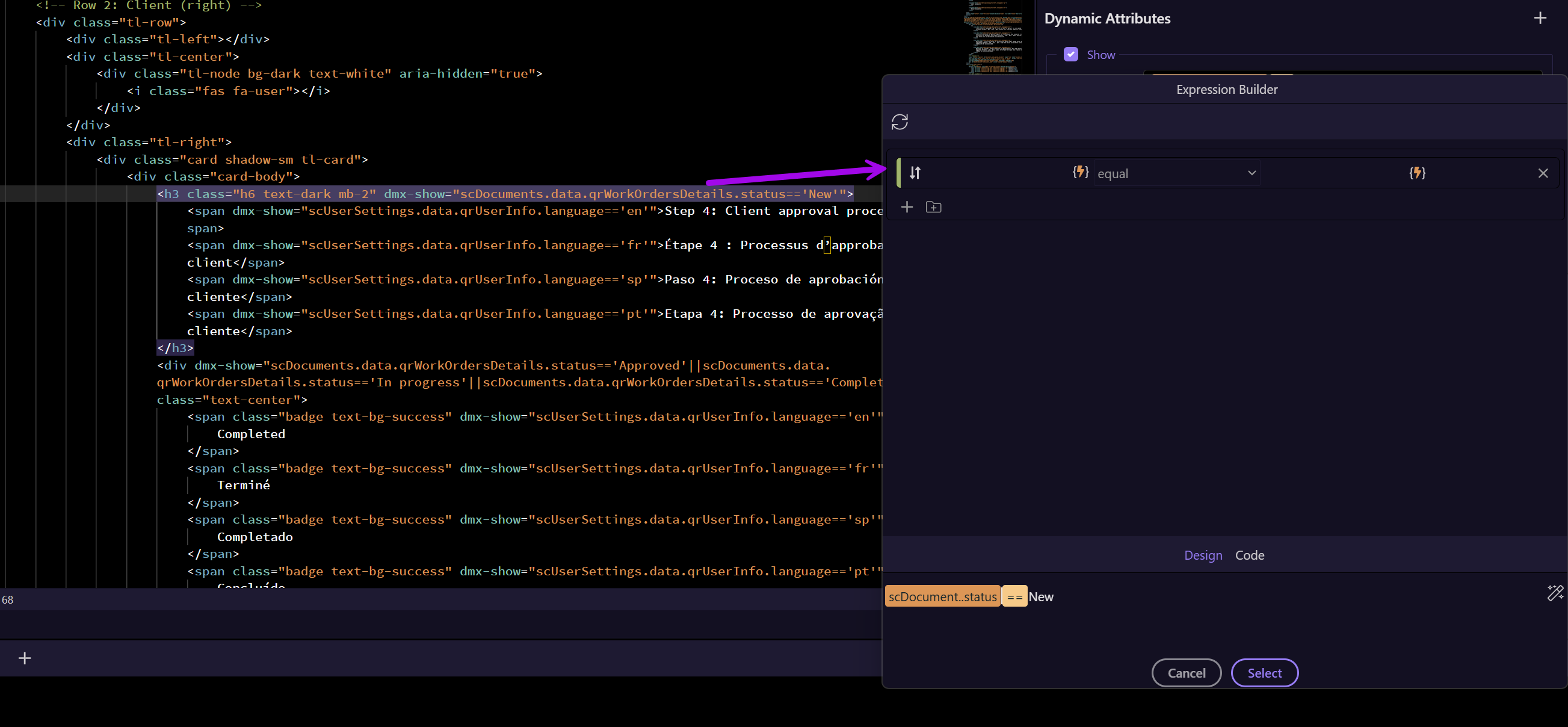
Once a condition is added, clicking back into the Expression Builder shows an empty field. The expression is still present in the code, but the builder interface no longer displays it, which prevents any further edits or validation.
How to reproduce
- Update to Wappler version 7.2
- Create a dynamic
dmx-showbinding on an element - Add a condition using the Expression Builder (for example:
scDocument.status == 'New') - Save the condition
- Attempt to click back into the Expression Builder to edit the condition
- The expression area appears empty, even though the condition remains in the code
A screenshot showing this issue is attached to this post.