Error when trying to record a new record in Posgress.
Hello everyone.
I have a problem trying to create a new record in Posgress. The error log returns:
message:
“SQLSTATE[22P02]: Invalid text representation: 7 ERROR: invalid input syntax for type integer: “”\nCONTEXT: unnamed portal parameter $1 = ‘’”
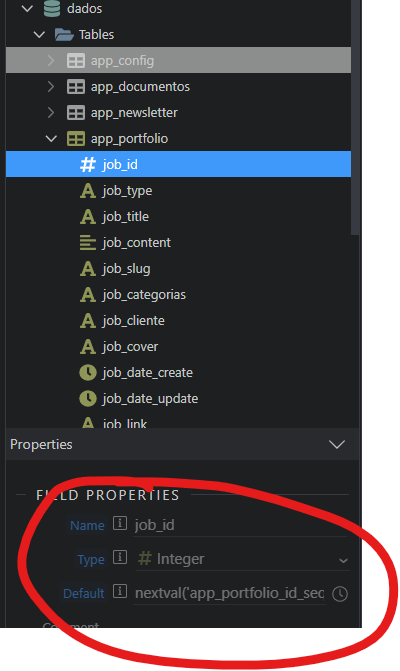
Configuration of the job_id field (auto increment):
Type: int4
Length: 32
Default: nextval(‘app_portfolio_id_seq’::regclass)
key: primary
I’ve recreated this table a few times, both in Wappler and NavCat (Windows). To edit the data it works without problems but to insert a new record it always gives the same error.
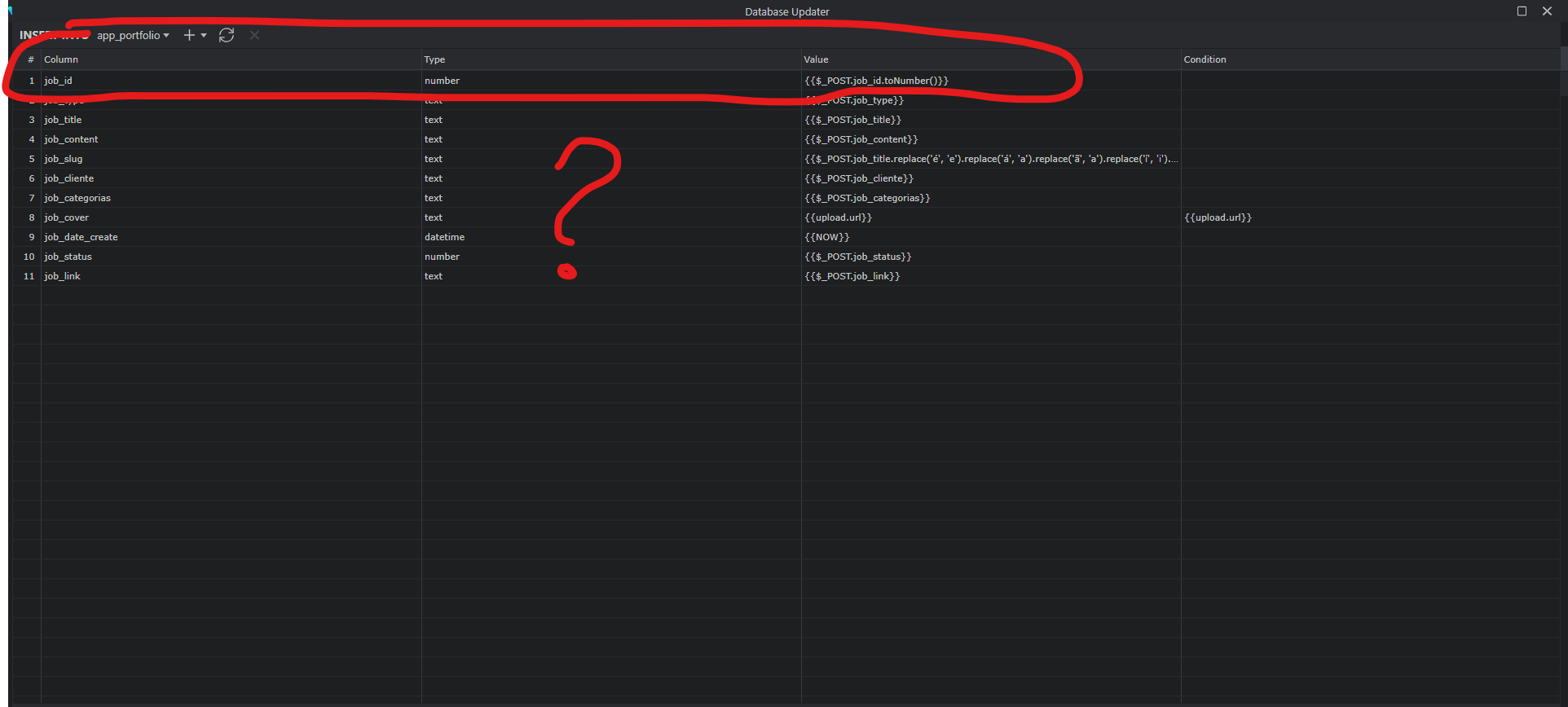
The value your input sends to insert record step is always a string. The client-side formatter won’t change this - on the server side this is still a string. If you want to convert the value to number this must happen in the insert record step. You need to apply the To Number formatter to the $_POST variable, selected as a value.
If you’re sometimes feeding the insert from a DB query and other times $_POST , you can multiply by 1 to make sure it’s a number (toNumber throws an error if it is already a number, which it will be from a DB query) - I find this useful for Library actions in particular
But this behavior is strange since I always do it the same way when I create a table. The other tables of the bank the autoincrement primary key is called ID and in the app_portfolio table I gave the name of job_id. This is the only difference.
But your screenshot is of an insert step so $_POST.job_id will be empty - just remove that line from the insert. It will be added by the auto increment
Hey guys.
I solved the problem.
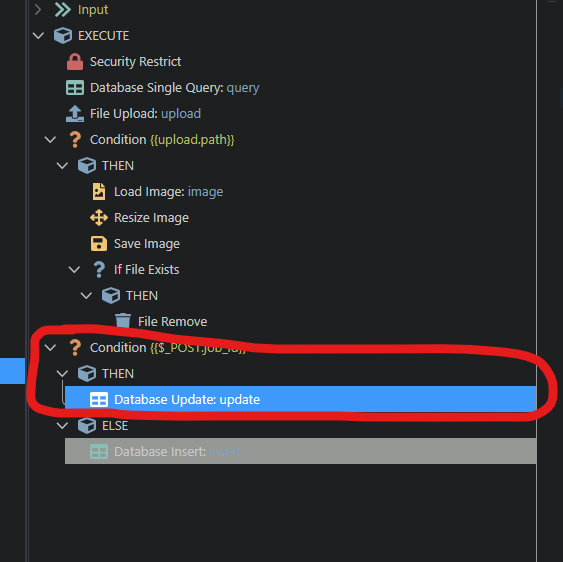
I created a file and an API to create and another one to update the record. This way it worked. But I’m still intrigued because the other forms I have on the page are the same for inserting and updating and only this one, app_portfolio, which gave this problem. But it’s already resolved.
Thanks to everyone who helped me.