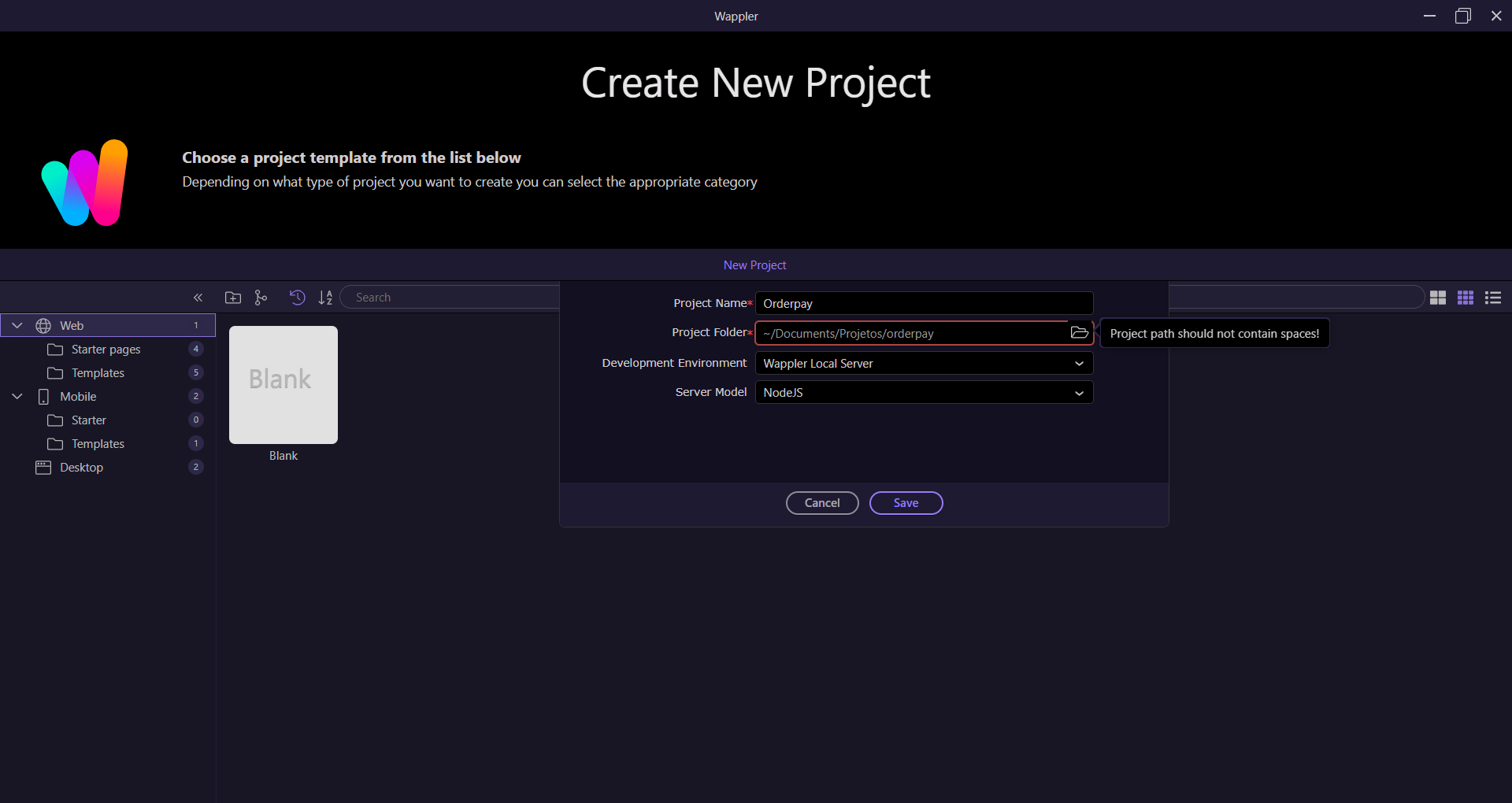
When trying to create a new project in Wappler, I receive the error message “Project path should not contain spaces!”, even though the specified directory does not contain any spaces.
Details:
-
Project name:
Orderpay -
Project folder path:
~/Documents/Projetos/orderpay -
Development environment: Wappler Local Server
-
Server model: NodeJS
-
Template: Blank (Web)
As shown in the attached image, the Project Folder field is marked as invalid, although there are no spaces in any of the folder names (Documents, Projetos, orderpay).
What I have already checked:
-
There are no visible spaces in the path.
-
The directory was typed manually and also selected using the file browser.
-
The issue persists regardless of the project name used.
Possible cause:
This may be related to:
-
An incorrect path validation in Wappler
-
Hidden characters, encoding issues, or incorrect handling of the
~(home directory) -
A platform-specific path parsing issue (Windows/macOS/Linux)
Request:
I would appreciate guidance on:
-
How to resolve this validation error
-
The correct path format expected by Wappler
-
Whether this is a known issue in the current Wappler version
Looking forward to your support.
Kind regards