Error connecting in database manager

Wappler Version : 7.2.1
Operating System : MacOS
Server Model: NodeJS
Database Type: Postgres
Hosting Type: Heroku

Expected behavior

When in Target: Production Changes and Seeds directory should be accessible to apply database changes.

Actual behavior

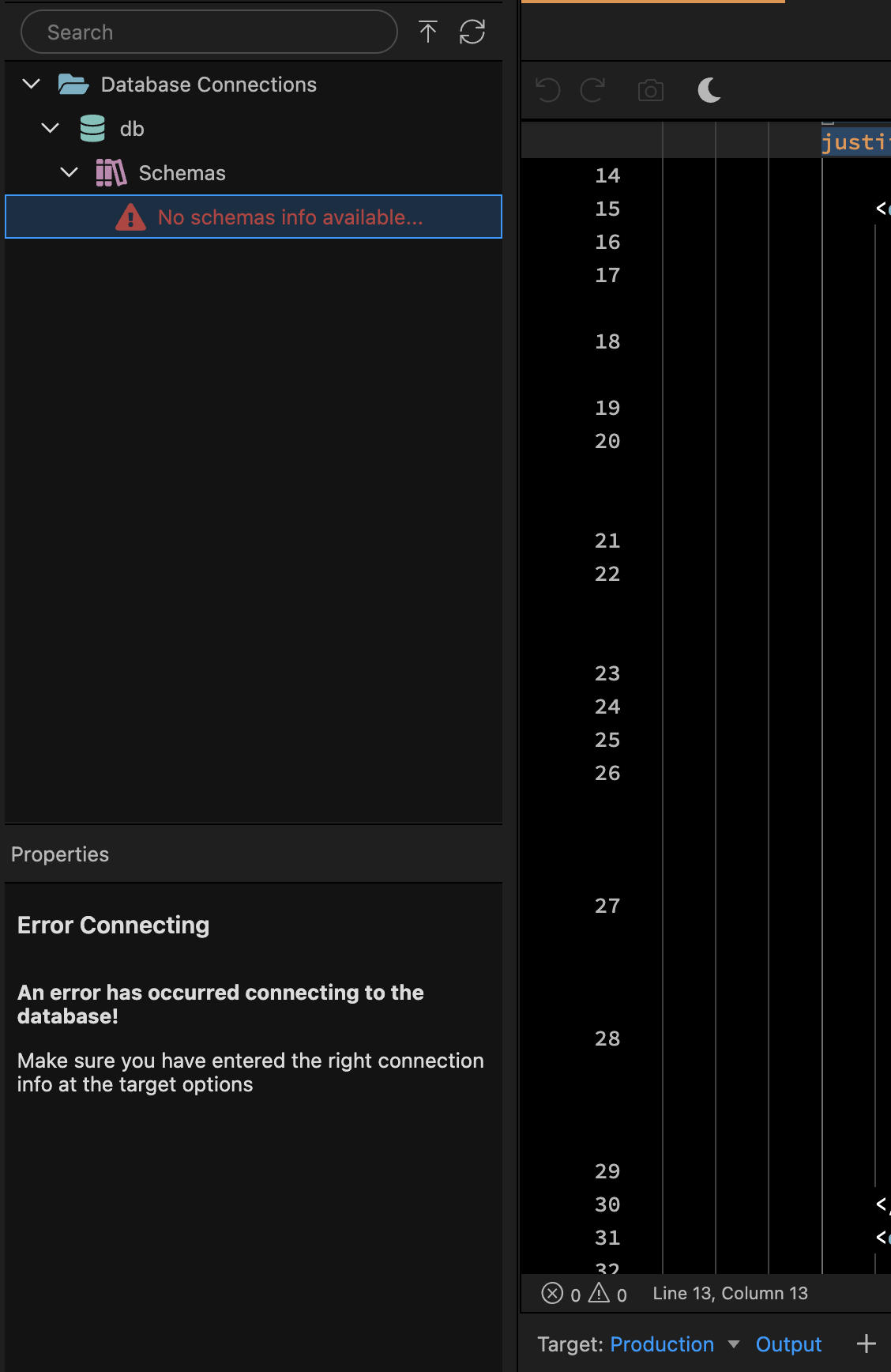
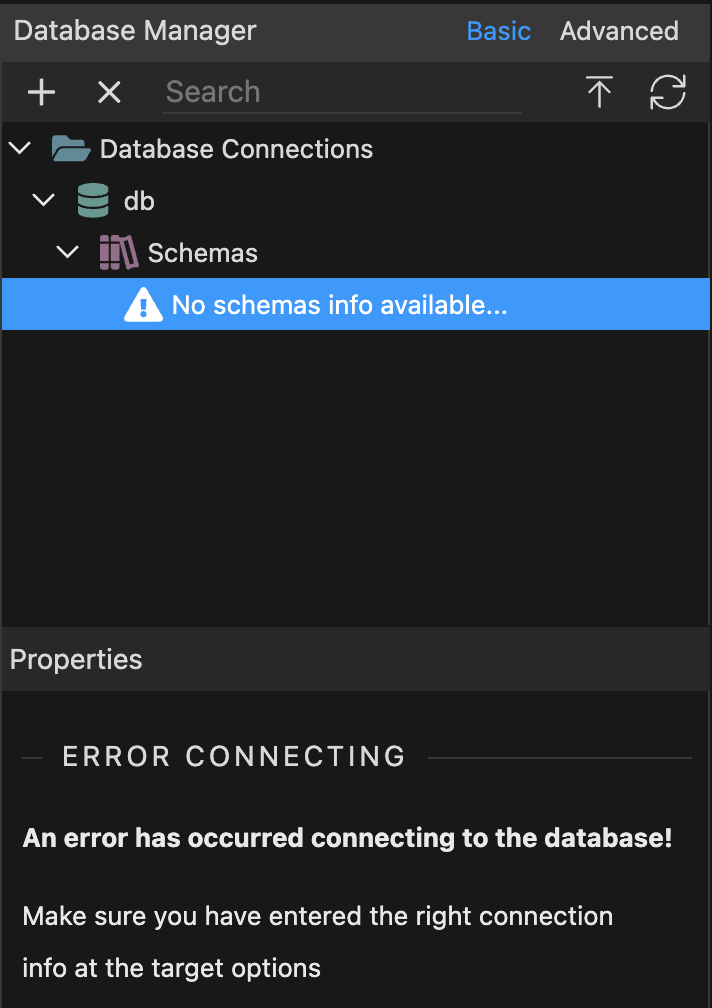
When in Target: Production neither folder is visible. The Schemas has a warning “No schemas info available…” When clicking it this shows in the properties bin

Database credentials are verified and correct. There are no issues connection to the database outside wappler.

How to reproduce

  1. Create a new wappler project with heroku according to this documentation page.
    Wappler Documentation - Deploying your Web Sites/Apps to Heroku
  2. Then attach a postgres db in heroku.
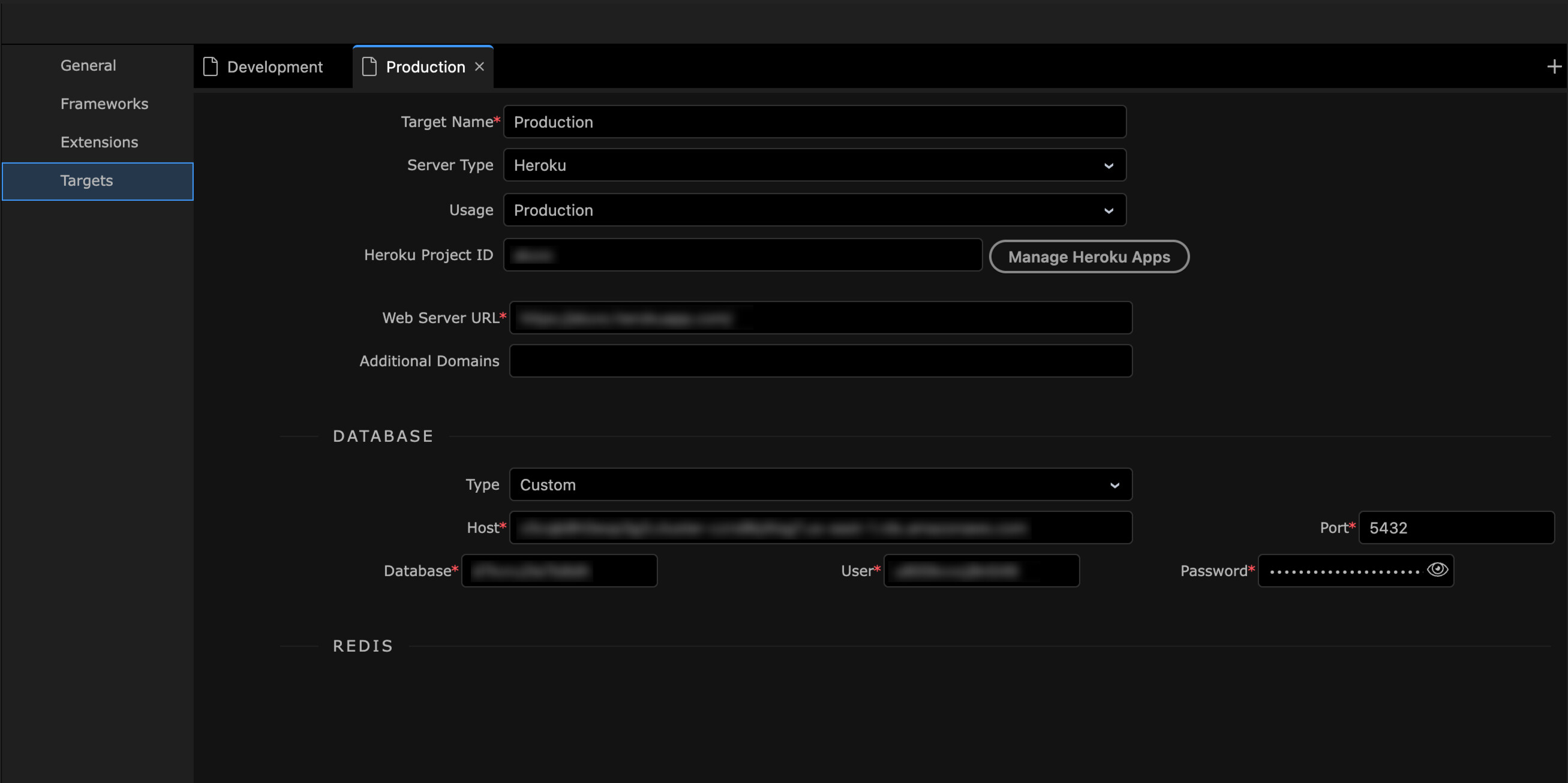
  3. Back in wappler. Add the database information under the (wappler created) production target.
  4. Confirm under globals database connections.
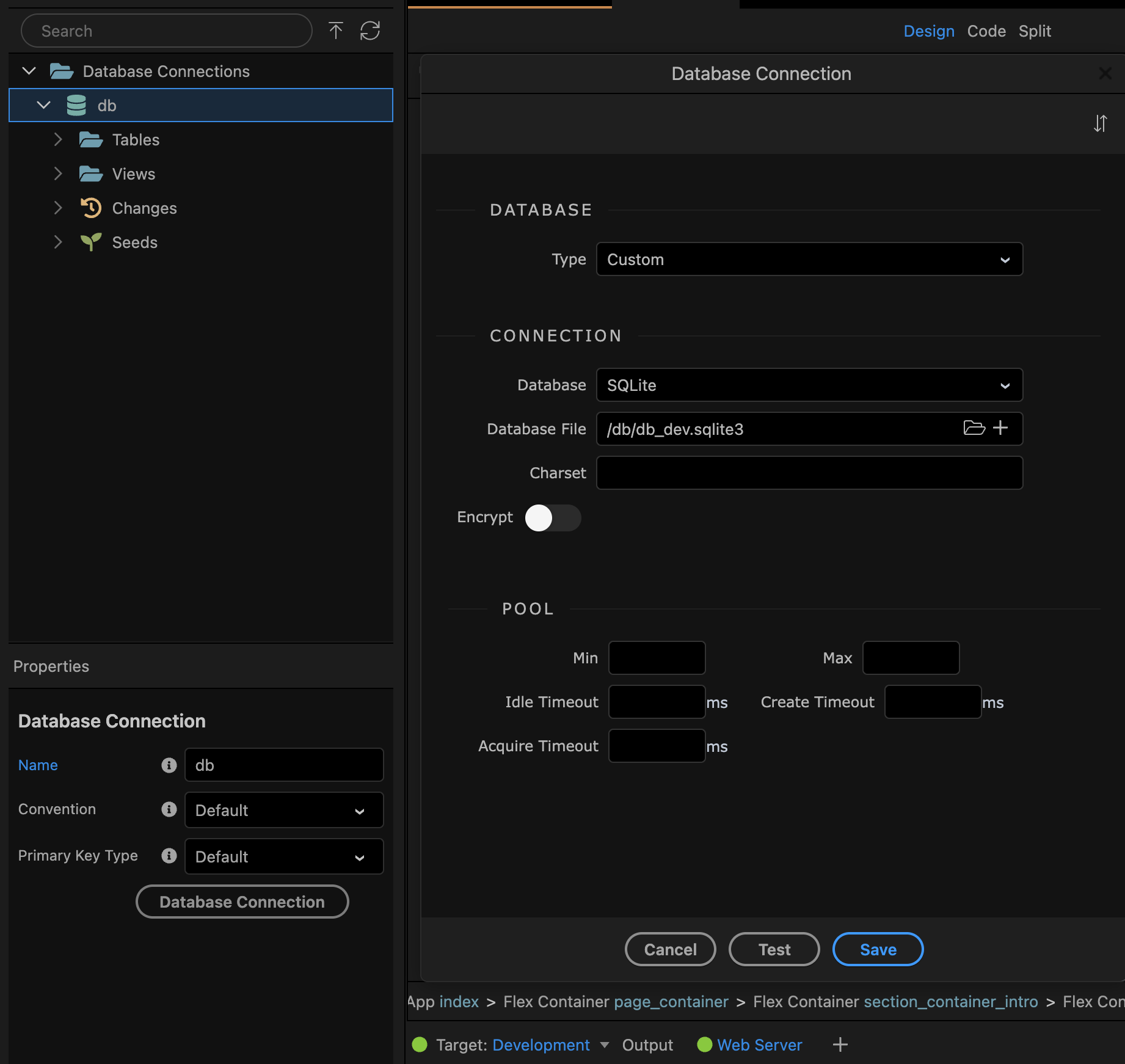
    When in Target: Development the database connection db shows credentials for local sqlite db.
    When changing to Production it shows credentials for the Heroku postgres db.
  5. Create a table in target: development database. Click “Apply database changes”
  6. Deploy app again to Heroku.
  7. Change to Production target and navigate to database manager. There are no Changes or Seeds folders available. Instead it shows as the screenshot above.

Have you enteren the same database settings in the project options for each target?

Hi @George

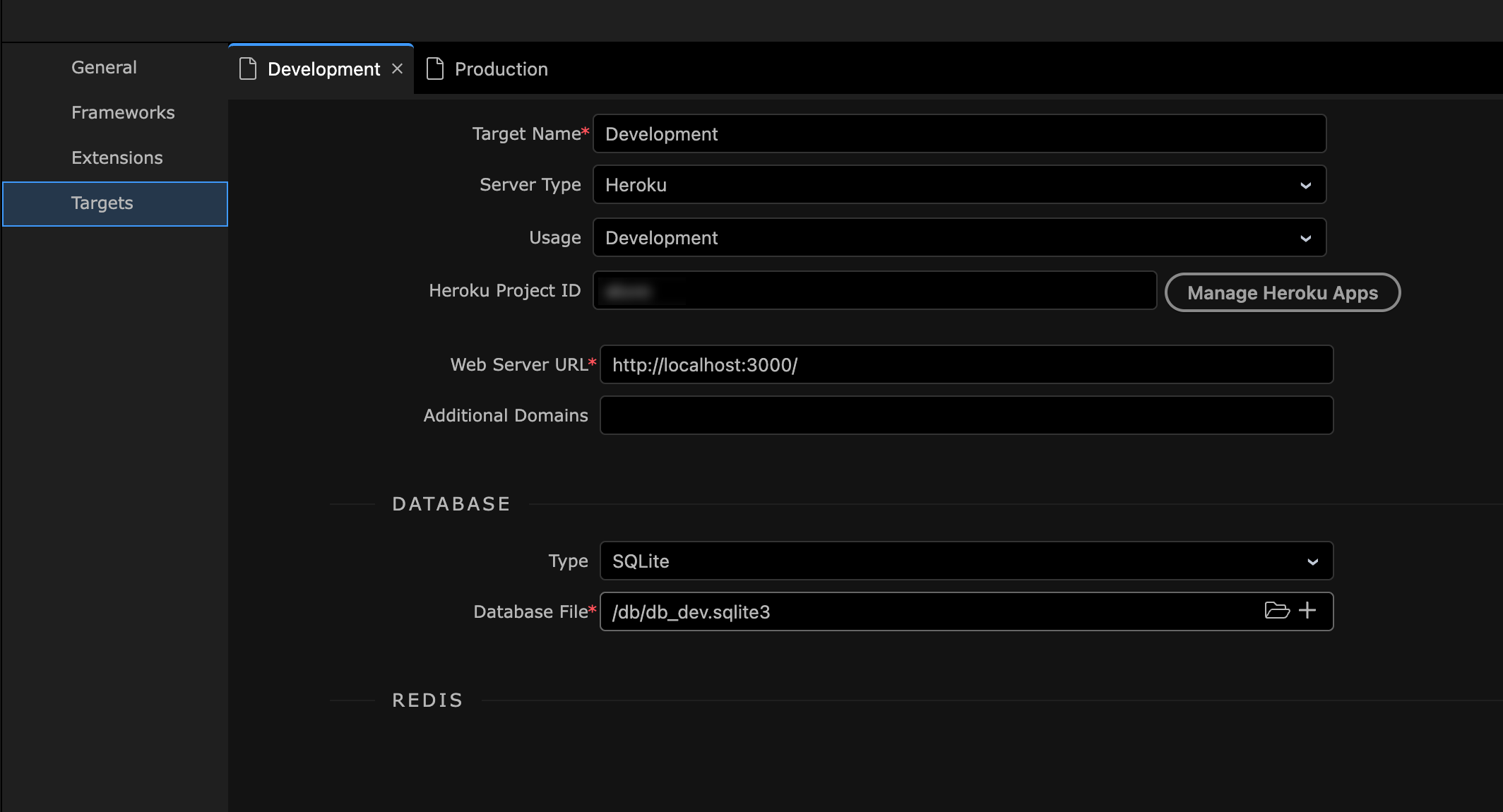
My project_options targets are set up like this

Development

Production

I believe that’s the correct way?

Did you verify the database connection settings in the database manager for each target?

This is where it’s get a bit fussy for me @George

In the database manager I get this

Development. Hitting test here says connection is OK.

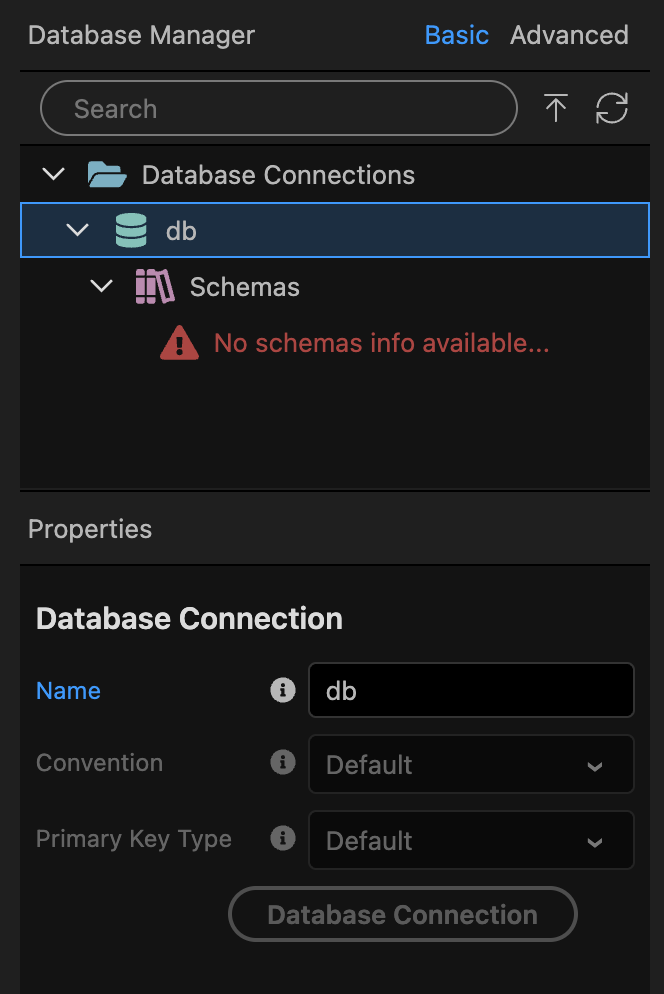
Production. The same Database connection button is greyed out, so I don’t know how to verify it or test it?

I had the same issue with 7.2.1. so I deinstalled and went back to 7.1.2. After that everything was OK again.

the database connection button should be enabled indeed. So this is a bug.

It should be disabled only by docker targets

Will check it out

Great! Thank you @George

Very difficult to answer at this point I would assume. But do you think there might be a way to temporarily solve it on my end for the time being? Trying to gauge whether I should start a new project in 6.8 and see if that works or if I can salvage work already done.

@web-works Did you create a new app in 7.1.2? I tried open this app up in 6.8 and it was giving me the same issue, with a slightly different wording. I’m wondering if when this projected was created (by setting it up as heroku environment in the create new app dialogue) somewhere something was saved in a project file and it doesn’t matter if I move it between wappler versions.

Just a thought, the button is disabled for production, try changing the target usage to development temporarily, this may fool wappler into enabling it

Well you can check if the connection settings are well store in the source file itself. It is in:

.wappler/targets/<target-name>/databases/db.json

So check the code there and verify the settings are stored well per target as entered in the project options.

Note that .wappler folder is hidden so choose from the context menu to show hidden files first.

1 Like

I remembered you mentioning that in an old video so that was my first go to, but unfortunately it is still greyed out after doing that.

1 Like

Oh good catch @George . The production target db.json didn't have the connection block at all. Only;

{
  "schema": {}
}

So I manually added the connection block

{
  "type": "postgres",
  "connection": {
    "host": "HOSTNAME",
    "port": 5432,
    "user": "USERNAME",
    "password": "PASSWORD",
    "database": "DATABASE",
    "ssl": {
      "rejectUnauthorized": false
    }
  },
  "schema": {},
  "direct": true
}

Restarted Wappler and the connection worked, button is no longer greyed out and Wappler went ahead and automatically added the below to the db.json and I'm now able to apply changes to the production target.

"schema": {
    "schemas": [
      "public",
      "_heroku"
    ],
    "tables": {},
    "views": {
      "pg_stat_statements_info": {
        "db": {
          "schema": "public"
        }
      },
      "pg_stat_statements": {
        "db": {
          "schema": "public"
        }
      }
    }

So out of curiosity, I fired up a brand new application using the wappler + heroku workflow outlined in the repro steps above. And again I was met with the "blank" Production target db.json. Is it perhaps an issue where it fails to generate the db.json properly in this particular workflow?

Also, you're amazing! thank you for catching that so quickly. :clinking_beer_mugs:

Thanks for the confirmation seems like it is a bug when saving Heroku db info from the project settings.

Will make sure it is fixed.

eventually it turned our that the custom database settings for heroku were missing the database engine type and that is why weren't generating.

Will be fixed in the next update.

Ah! Great find and thank you for the update. I've marked my post as solution for now so should anyone stumble on this thread having the same issue they can hopefully solve it the same way in the meantime.
Fixed in Wappler 7.2.2

1 Like

This topic was automatically closed 2 days after the last reply. New replies are no longer allowed.