Error 403 when trying to deploy new Heroku project (maybe because git connection is absent)

Wappler Version : 3.9.9
Operating System : Windows 10
Server Model: NodeJS
Database Type: none
Hosting Type: Heroku hosting

Hi everyone!
I have some strange issue.

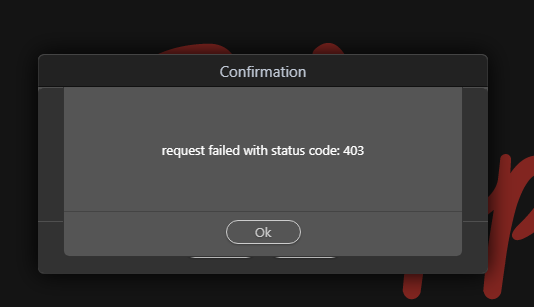
When creating new heroku hosting project, first appears modal “Your new heroku project is ready. Would you like to deploy it now?” and instantly after that appears another modal with “request failed with status code 403”.
image
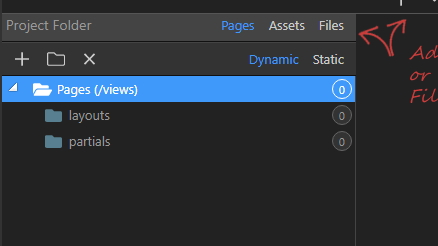
Then I close this modals and turns out, that git connection for heroku is not created automatically.


Also, there is no dynamic start page. (only static)
image
So, after I create heroku git connection manually and add first page, deploy is working as it should.

Also, on Development there is a error with some module. It happens sometimes. Usually, I fix it by updating node modules. Maybe these both errors are connected.
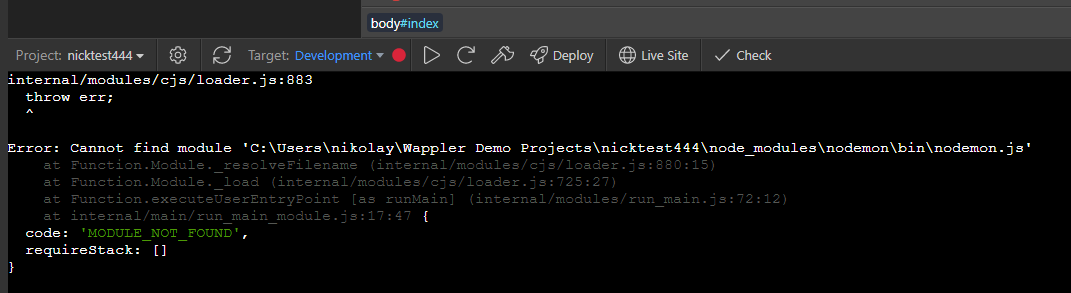

Also, there is this text in console after the error

You should really create a new project and choose the Heroku hosting. It seems to me you are try one of the demo projects.

George, hello! Thank you for reply.
No, I am creating new project from blank. It just my folder for projects called “Wappler Demo Projects”.
Also, I’ve tried reinstall Wappler and tried Beta too — problem is the same. And I tried disconnect and reconnect to Heroku — it seems doesn’t help.
And I’ve turn off all antivirus software.

So, I have reinstalled my OS and created new Heroku account, but still get the same error when creating new project.
I don’t have any more clues. Maybe it is something with my Wappler account?