Very frustrating morning and I can’t seem to solve this. What I am doing is as follows:
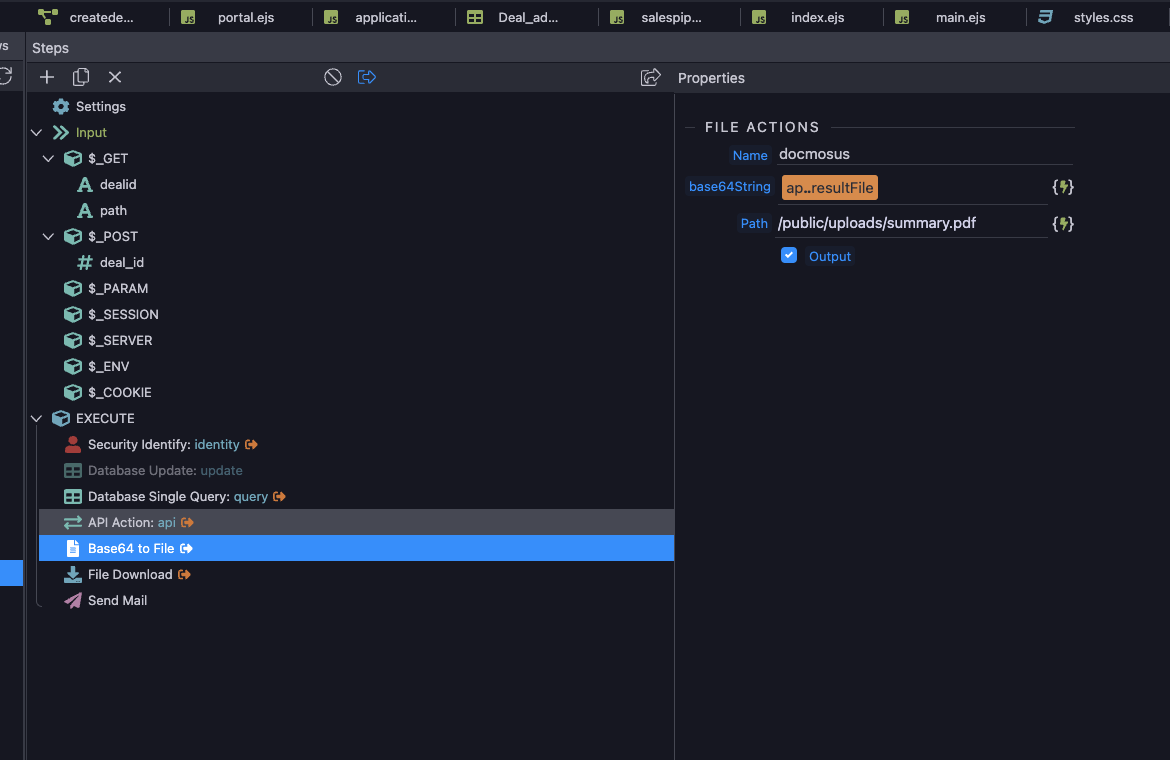
API call to convert a base64 encoded string to a PDF file, which is working great.
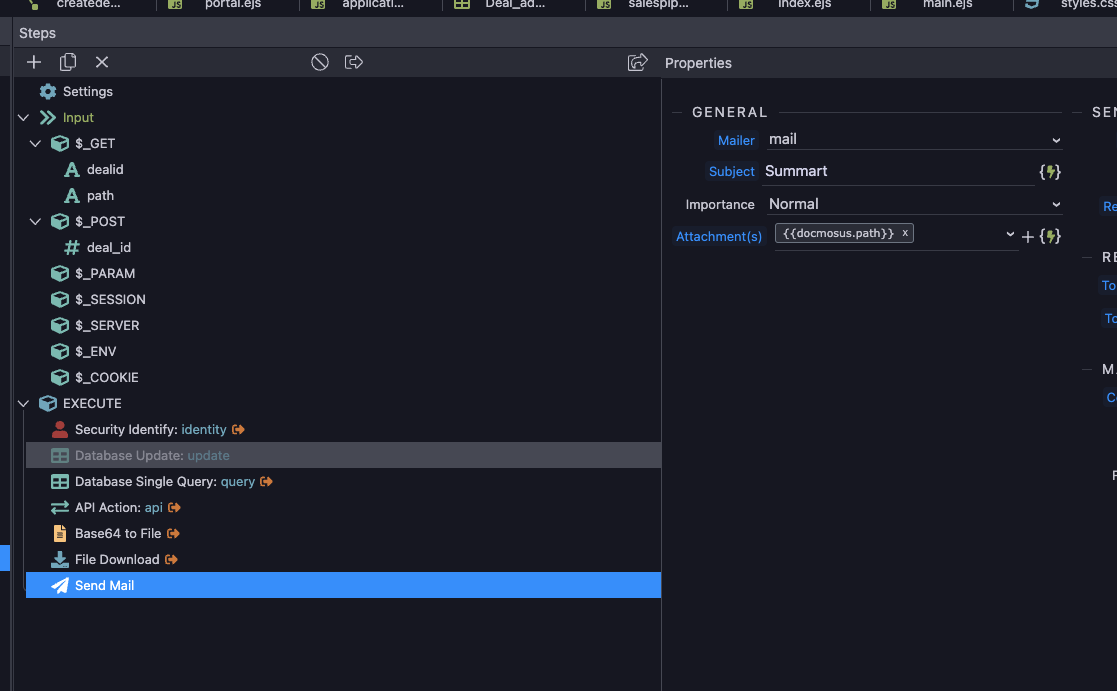
Email the file from above - this is where I am having issues.
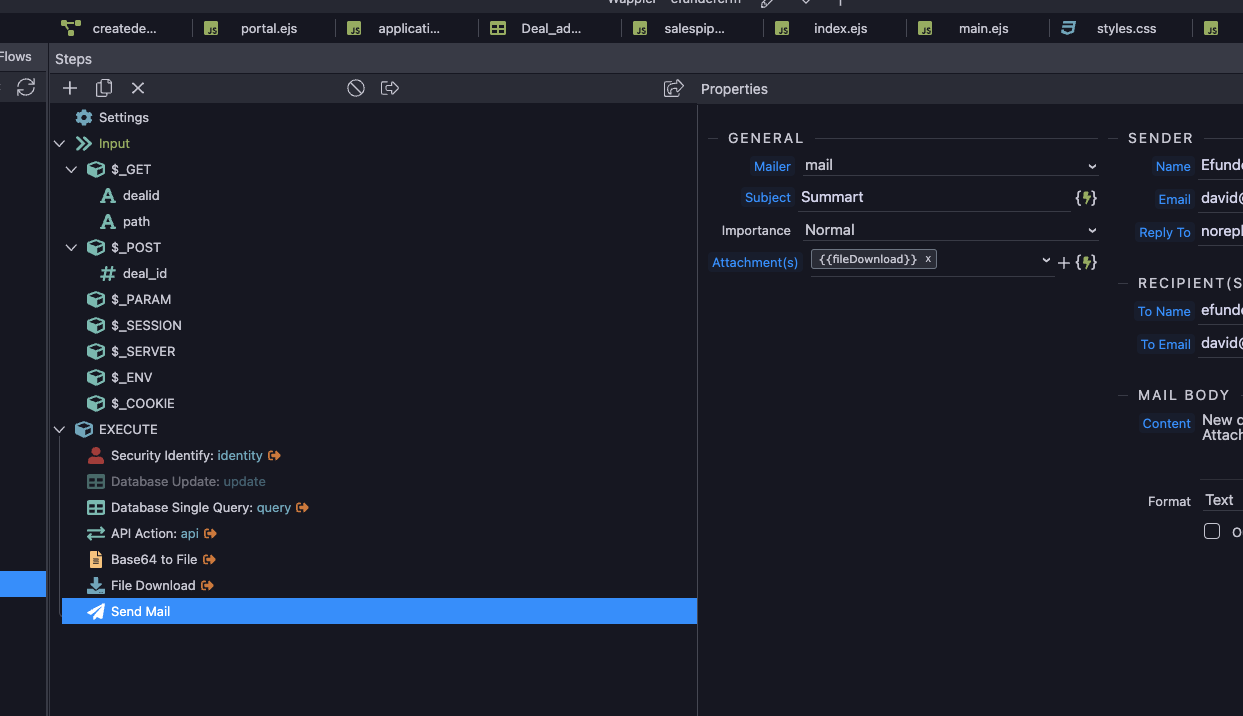
Screenshots of my steps below. As you can see, in the attachment field in the mail sender I put in the path from the Base64 to file step. I have tried a number of different ways to do this and so far nothing is working. The email simply wont send the attachment. The only time it will send the attachment is if I click the + button and add the file itself to the attachment field. But as soon as I bind data to this attachment field it does not work.
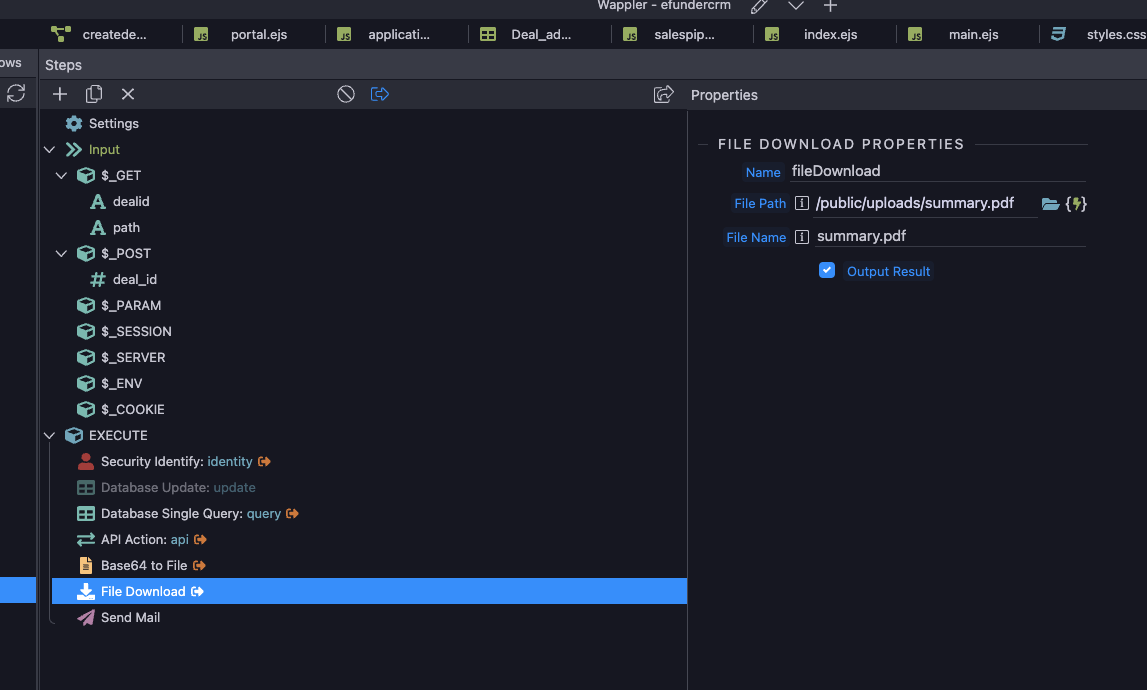
The file is downloading perfectly during the “File Download” step. I even tried adding the File Download output to the attachment and that still doesn’t work.
Hi. Try moving send mail above file download.
Because file download is a “response” type of step, the steps after it run unreliably as SA execution is complete once file start to download.
I have seen steps working after file download in some cases, but best to keep file download as the last step.
Email attachment value cannot be set to file download step’s binding. From what I see, you file download step is using direct path for downloading, but attachment is using binding from the base64 to file extension step. Maybe the path returned in this step’s binding is incorrect as well?
Thanks Sid. In Bubble you can generate / upload / retrieve a file in a workflow step, and then “use that steps file” in the next step to do something with it. I guess I am trying to do the same thing here - retrieve the file from an API, decode it from base64 into pdf, then email that file as an attachment.
Hi,
The File Download component is using when a file is being download from a Browser, it actually download the file in the client side. So, I think this is an unnecessary step.
If the step “Base64 to File” store the file into public folder correctly and even you can download the file in Browser testing opening the API in browser I guess that problem comes from the wait time.
I mean, I not sure but look like the “Send Mail” component is sending wihout waiting to the “Base64 to File” end constructing the file.
Test using a Wait component before send mail, or a Condicion to make sure that the step above really finish the proccess to follow the next step.
Then the download file step is not needed. The base64 step save the file in the given local path. You can just set the same path in attachment input in email as well.
@Alexander_Paladines All steps in server action are sequential. They only run one-after-another.
Unless the base64 step is configured incorrectly (i.e. without async/await), email step will run only after file has been saved locally.
Using Wait becomes inevitable in very complex use cases - and from my experience, only on client side. Using it otherwise is usually just bad programming.
Because server action steps are sequential, only reason to use Wait would be if you actually need to wait before moving forward. A use-case for that could be calling a 3rd party API inside a repeat, which is rate-limited.