Dynamic value of checkbox in Repeat table for a GET query.... Checkbox group?

Hi All,

As title suggests, i am trying to achieve the following using a form group checkbox in a repeat table:

  • checkbox in a column in a repeat table
  • user checks the box to select the week number (dynamic variable) to be used as a filter in another query
  • The other table to the right should dynamically update/filter based on the checkbox selected.

So basically in this mock example, a user clicks on the week of data they want to see in the table next to it to see the daily level data.

I have tried to do everything correct as per documents and forum posts.

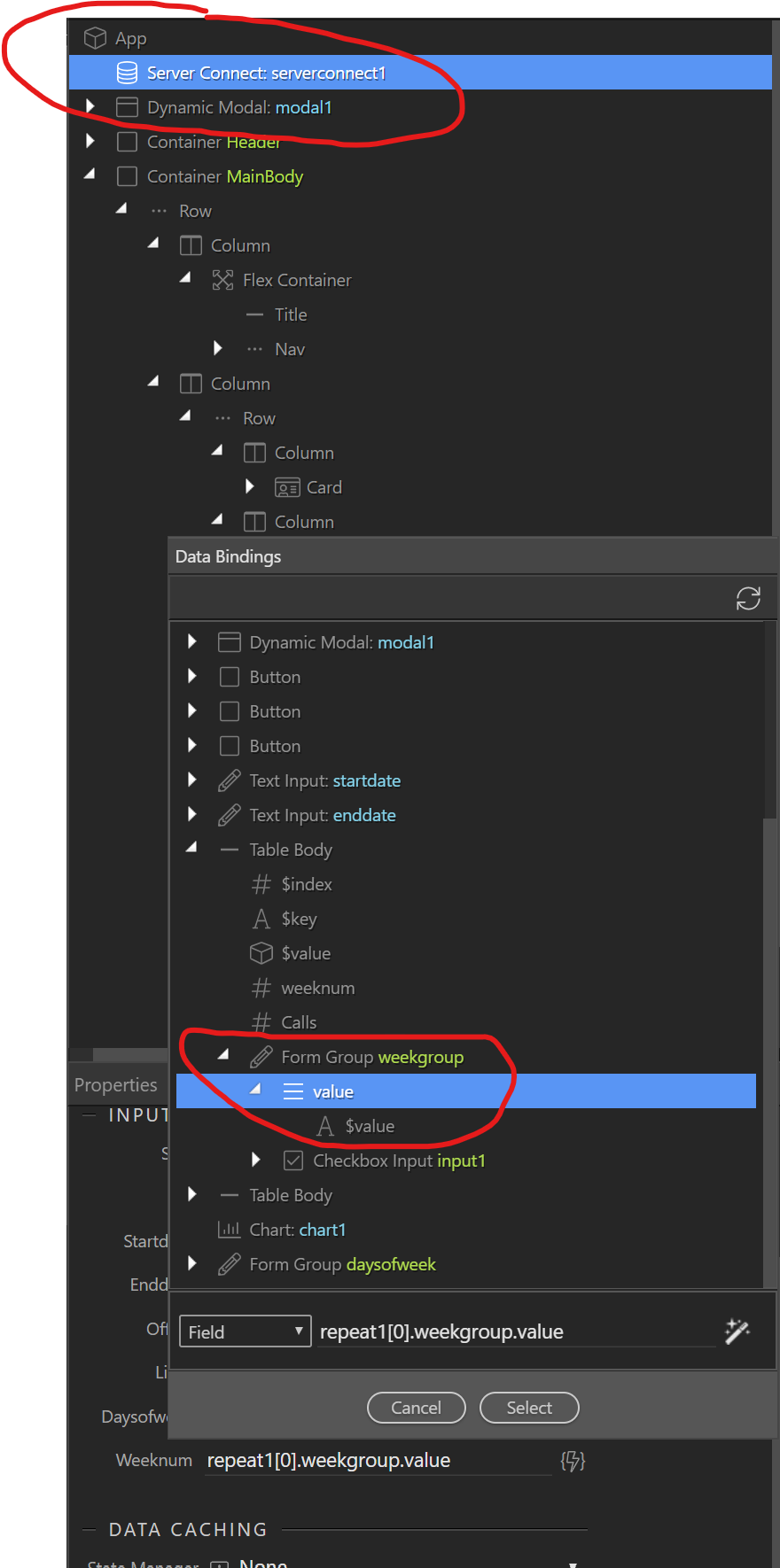
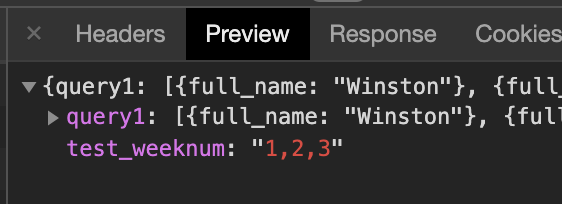
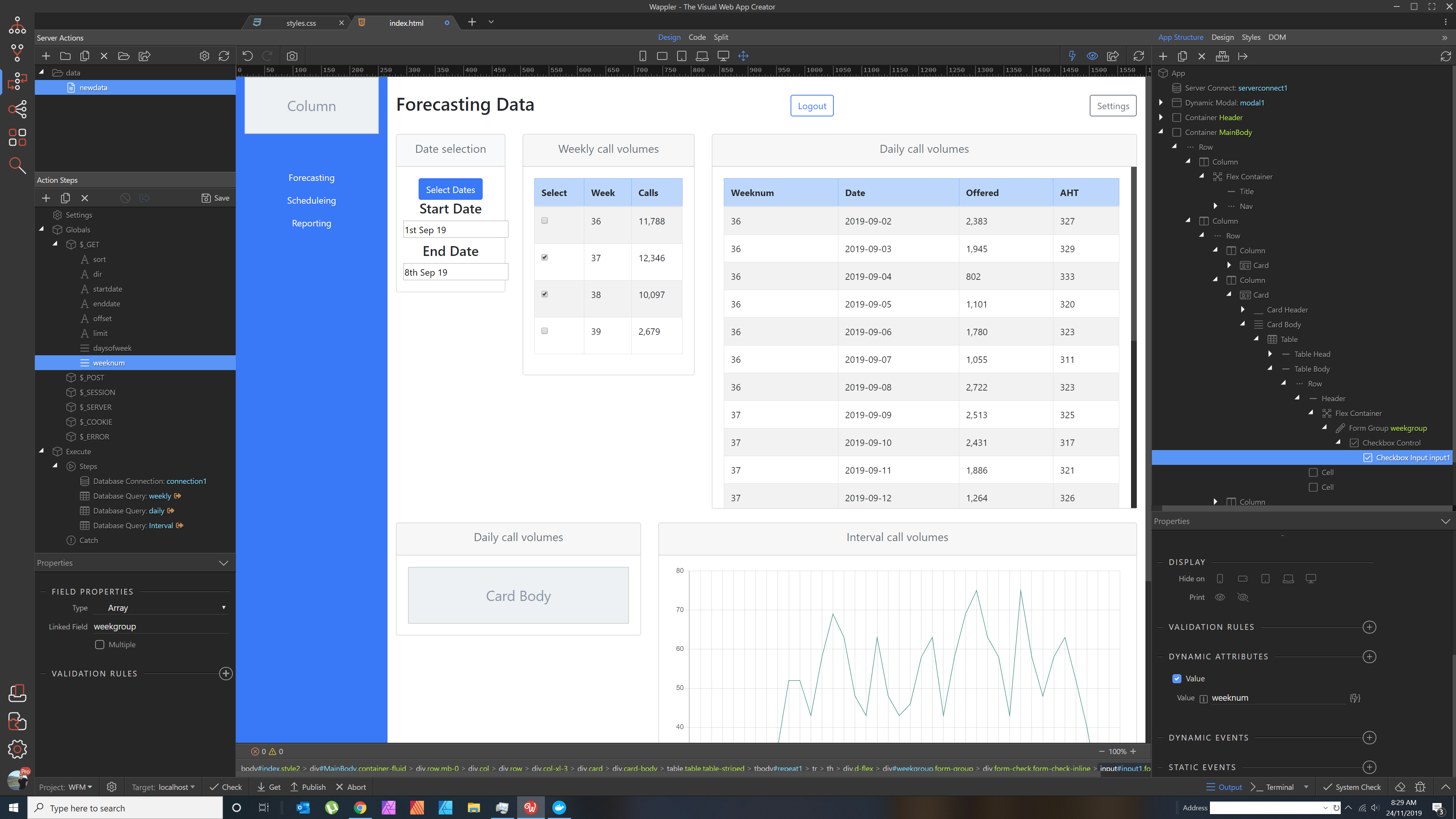
here is a shot with most info:

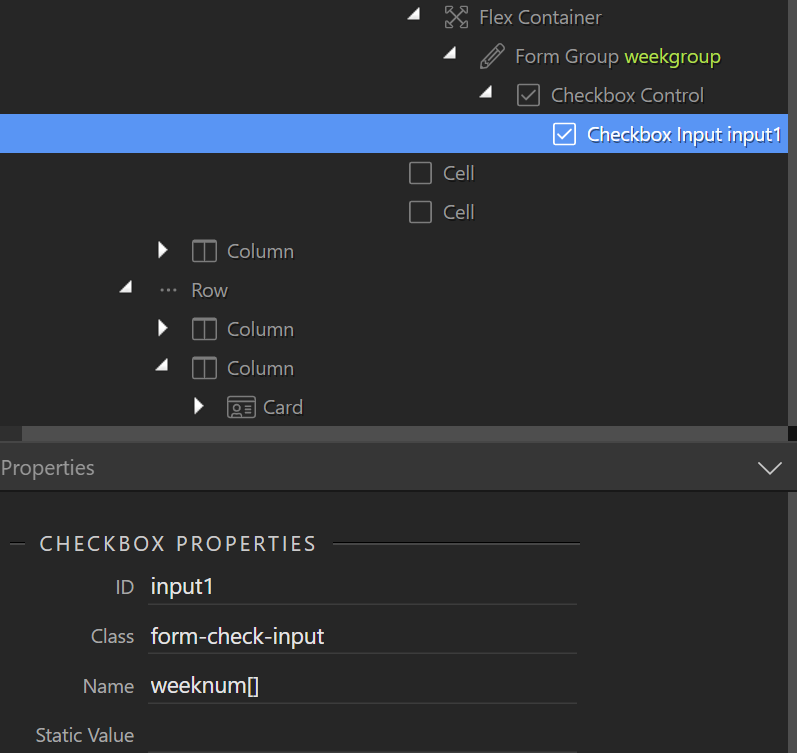
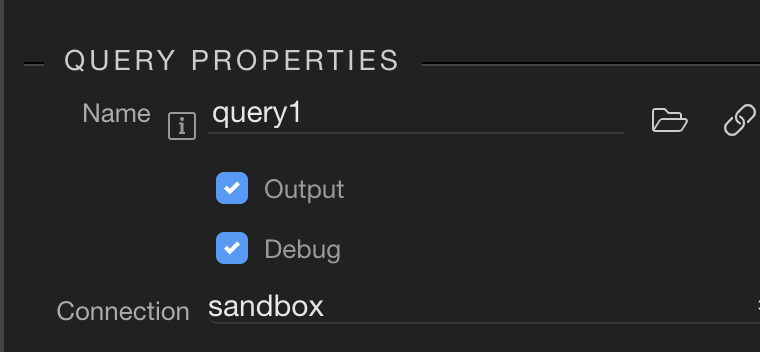
Formgroup properties are set to match the checkbox input (although i have tried this to match the ‘weeknum’ data query)

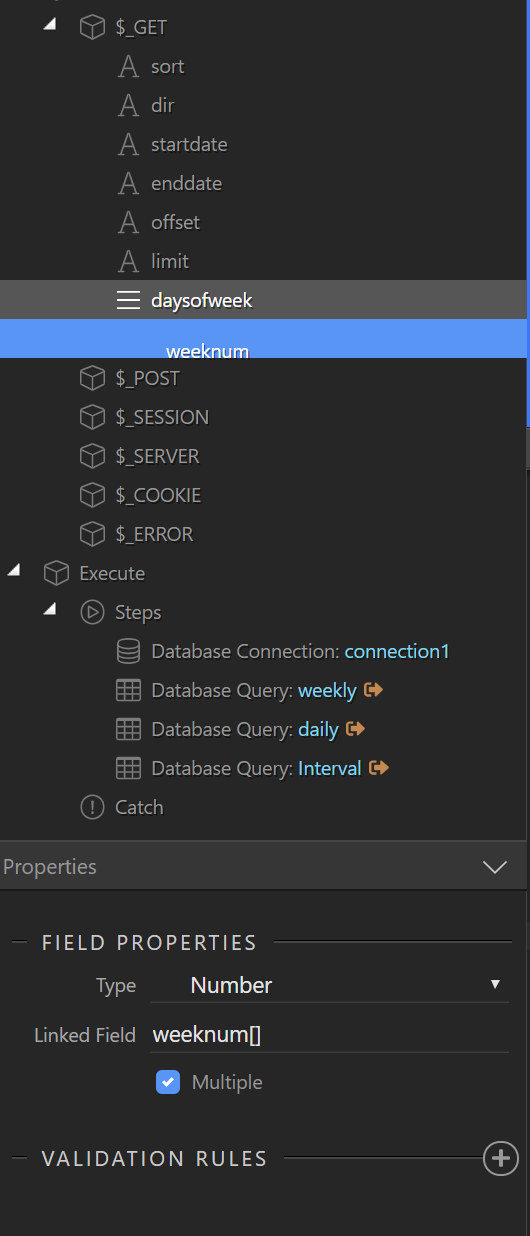
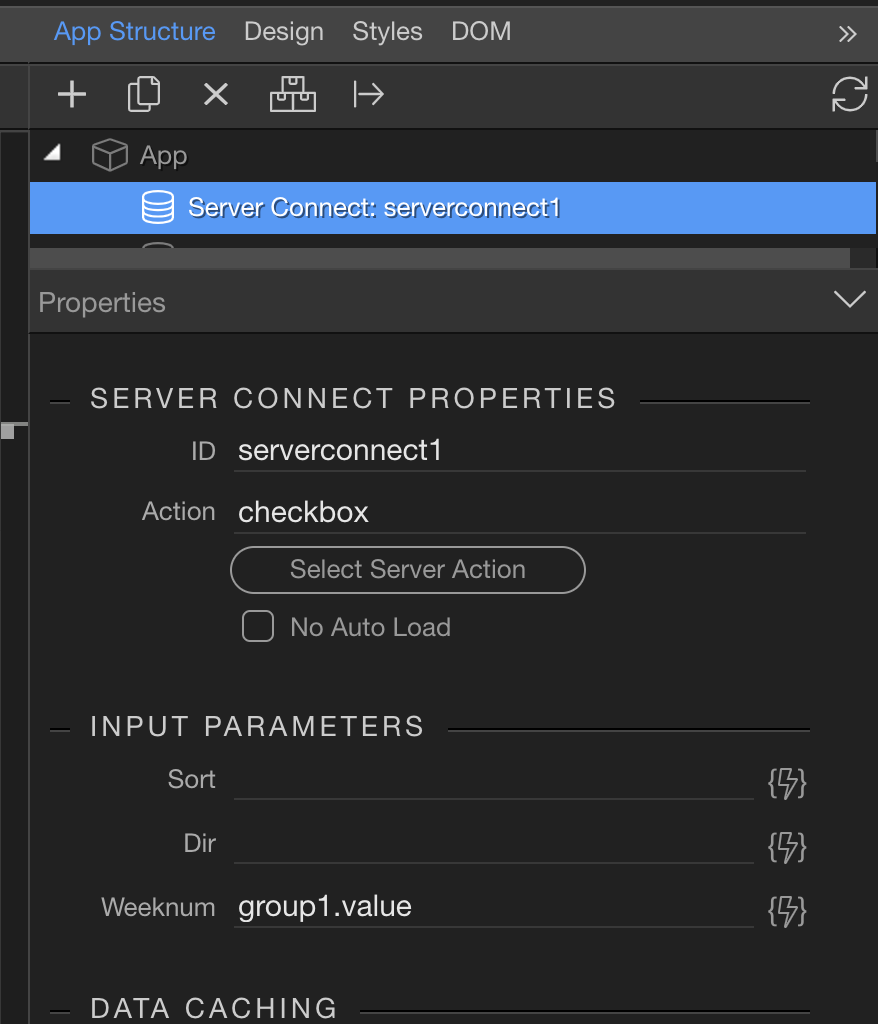
The data binding for Server Connect is set to the VALUE of the form group which i believe is correct:

And lastly here is the actual condition in the query:

Please help… what am I doing wrong?

I do have another multi-checkbox working fine, but that has static values and is not actually part of a repeating table, rather it sits in the footer below a chart…

scratching my head here!

Cheers,
Phil

1 Like

Hey Phil,

Let’s see if this helps you. I mocked up a quick sample of a dynamic repeat within a checkbox group, that feeds another server connect as a GET parameter (list).

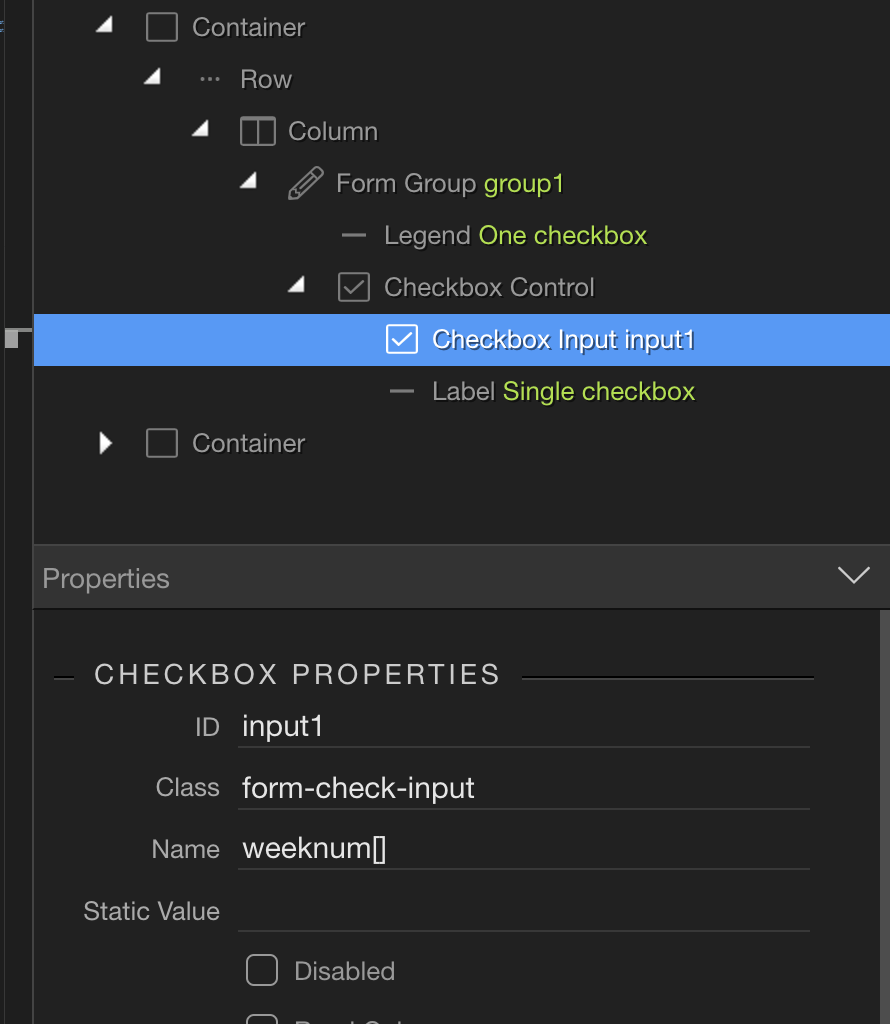
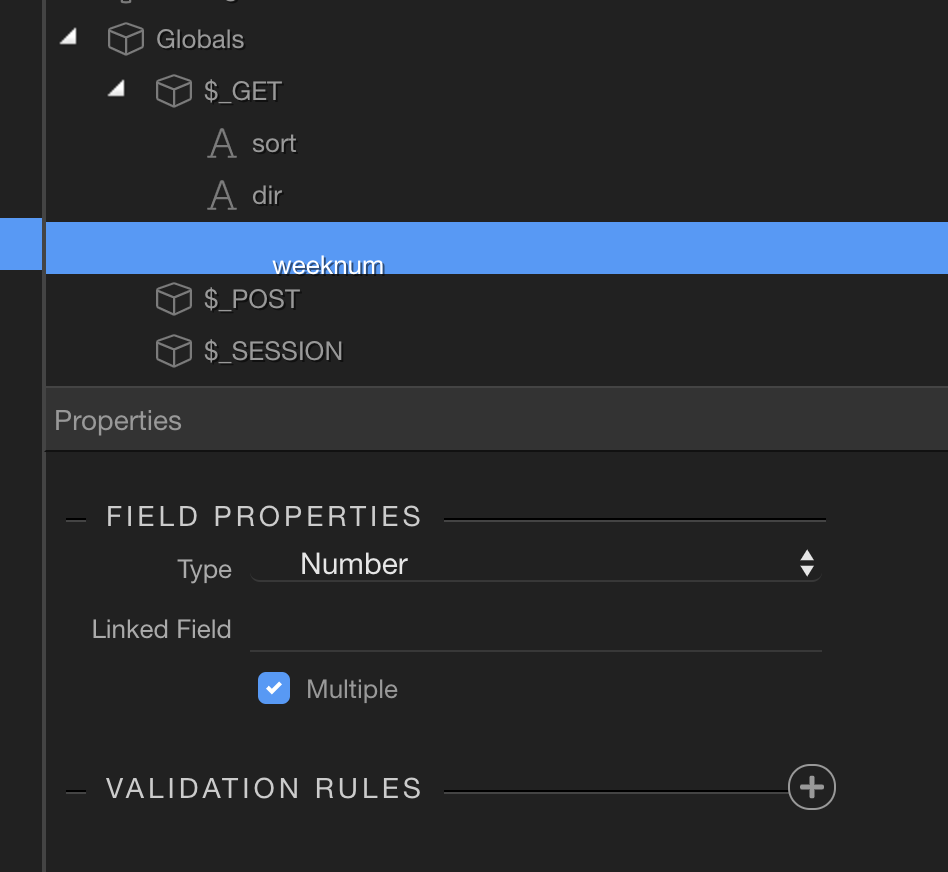
Make sure the checkbox input is setup to be an array by placing a left square bracket, then a right square bracket (looks like a vertical rectangle below:

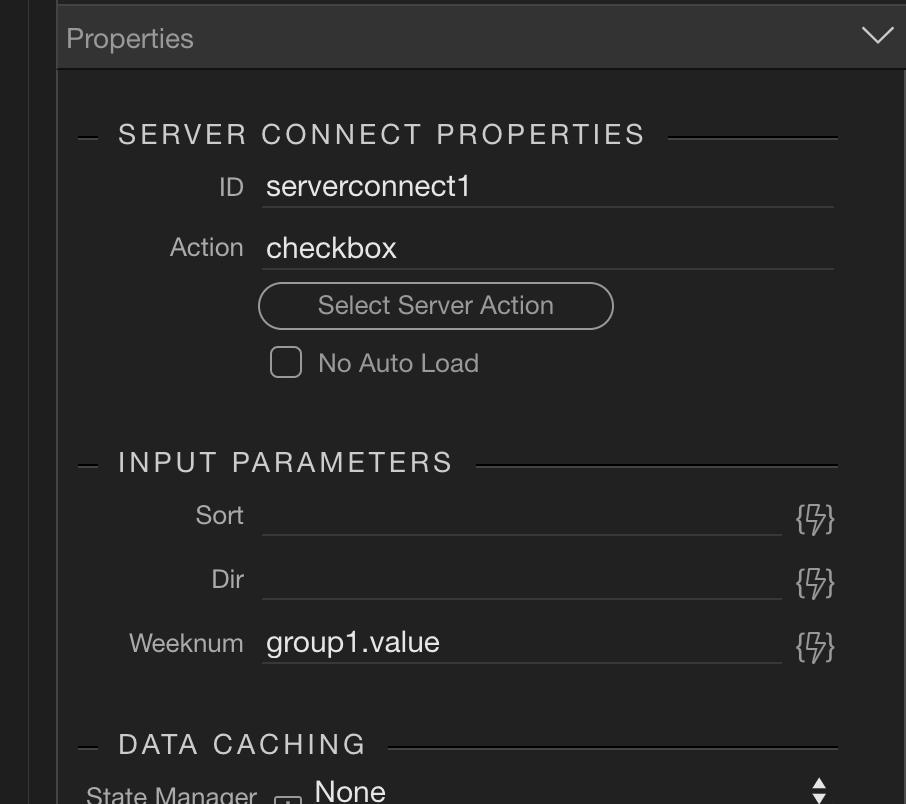
The server connect to be filtered points back to the form group value:

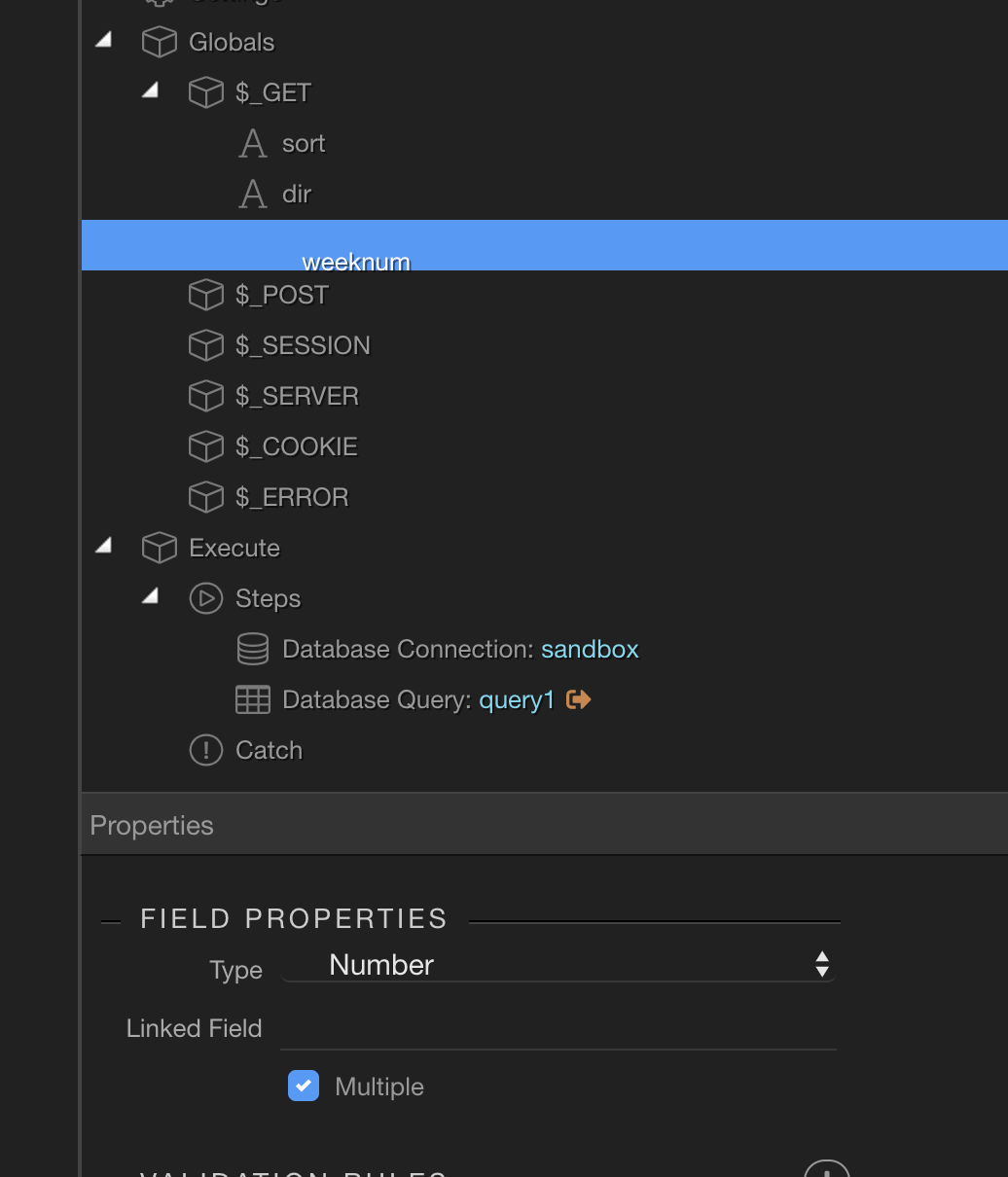
The server connect query is used by referencing the name of the input box and mark as multiple:

And the query splits by comma:

{{$_GET.weeknum.split(",")}}

I think that’s it…it looks like you are close, but maybe a detail from above will help.

–Ken

Hey @mebeingken, thanks for taking the time (on your weekend) for helping out. I haven’t been able to fix it yet using the info you provided though :frowning:

It looked like my condition was fine, same as yours.

I changed the name field (not the ID) in the CHECKBOX input to be “weeknum

And linked to that in the field properties of the $_GET. I also noted that you had the %_GET value as a Number not an Array so changed that also.

Any other thoughts?

DO you think it might not work because it is IN a table…the same table that its pulling the data from?

What about the fact that it is part of a Header rather than a CELL?

I know the dynamic attribute works as i placed a dynamic attribute on the checkbox of TEXT and it returned the right value…

Perplexed.

CHeers,
Phil

You global var still looks wrong to me. Create a new var, name it weeknum, and click multiple. To be precise the data type should match your db column data type, but text or num might actually work. I don’t believe the other things you mentioned are impacting results.

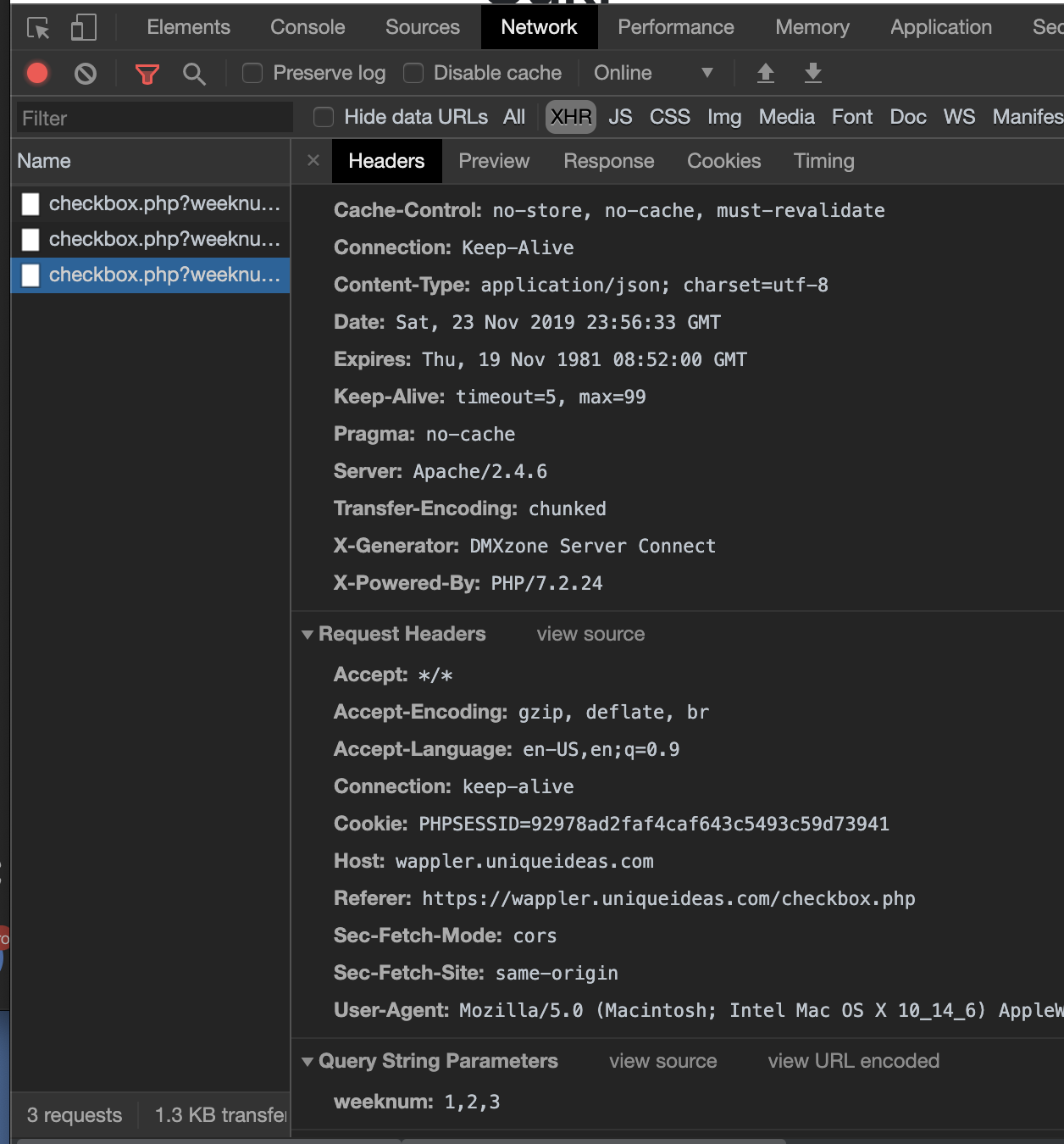
To troubleshoot first make sure the correct values are being past to the server. You can do this by checking in the dev console. For example, mine looks like this when three items are ticked (see Query String Params at the very bottom):

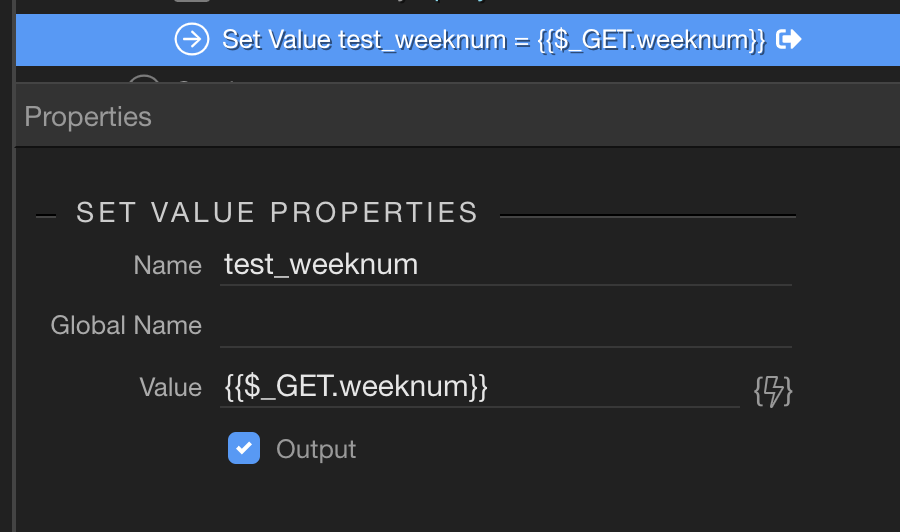
Once you have the proper comma separated list being sent, you can move to the server side and just set a value of the $_GET param and make sure it matches.


31%20PM

And lastly you can debug your query to see how it is being applied:

1 Like

Ok, this has given me some extra tools to look into…will take a bit to get my head around.

2 things i have noticed:

1 - the value is definitely being correctly assigned as i can see in the elements tree of the dev console that each checkbox has the correct value

2 - Nothing is actually happening in the network log when i press any of the checkboxes (this is likely a major issue).

When I use other things (i.e. date picker or my other text based checkbox filter) they are showing up in network activity.

Any direction to point as to why the checkboxes aren’t actually fetching any data?

Cheers,
Phil

Your original server connect value for weeknum is wrong. Have you changed that yet?

I see, you have these within a repeating table…let me take a look at that and come back.

Thanks Ben. And yes, I did do what you suggested with the GET query

Hey Phil,

Sorry to have ditched you last night – back at it today!

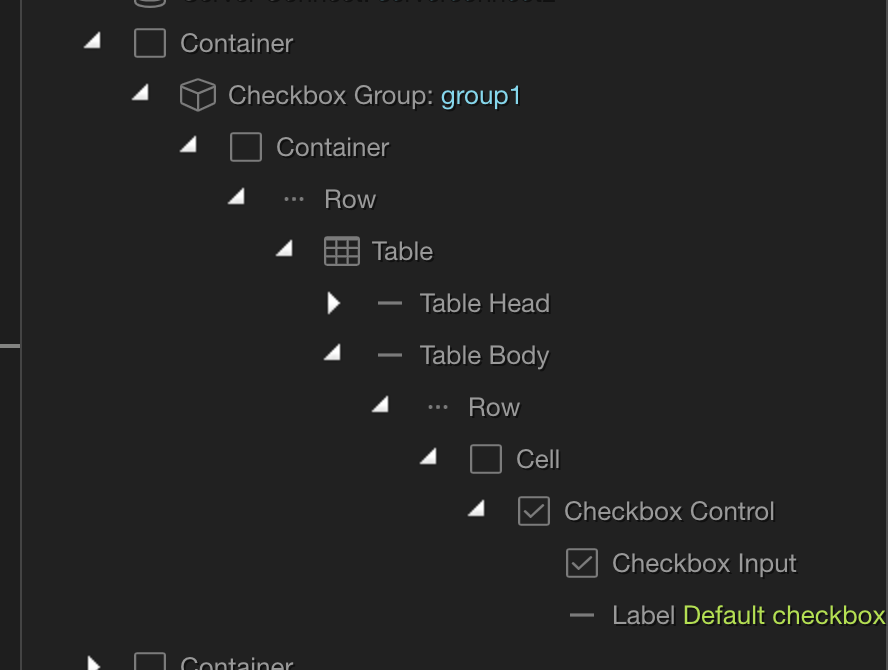
What you are attempting to attain is getting your checkbox input elements to be within a checkbox group. And then the checkbox group will contain the array of values for your server connect.

Looks like this:

I had to do this inside the code, as the UI doesn’t allow for anything other than a checkbox to be added to the group, so here is that code:

<div class="container">
		<div is="dmx-checkbox-group" id="group1" class="checkbox-group">
			<div class="container">
				<div class="row">
					<table class="table table-striped">
						<thead>
							<tr>
								<th>Weeknum</th>
							</tr>
						</thead>
						<tbody is="dmx-repeat" dmx-generator="bs4table" dmx-bind:repeat="serverconnect2.data.repeat1" id="tableRepeat1">
							<tr>
								<td>

									<div class="form-check">
										<input class="form-check-input" type="checkbox" value="" dmx-bind:id="input1" name="input1" dmx-bind:value="weeknum">
										<label class="form-check-label" for="input1">Default checkbox</label>
									</div>
								</td>
							</tr>
						</tbody>
					</table>
				</div>

			</div>
		</div>
	</div>

And the server side has this:

You may have to play with the Type of the POST variable depending on your db.

This is working for me where every click on a checkbox triggers a new network call updating the results.

–Ken

1 Like

@George any reason the UI prohibits the addition of other elements within an input group?

1 Like

Could you provide a use case for other elements in input group?

How about the one above?

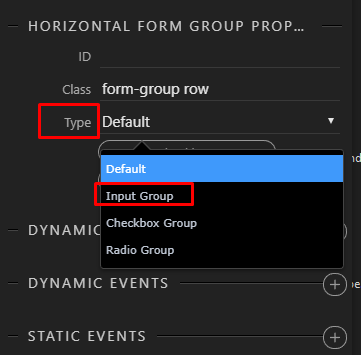
Just recalled that in Bootstrap 4 settings - you shouldn’t use the App Connect Input Group directly, but instead change the type of the Bootstrap Form Group to be of the type input group:

image

This way you can keep the Bootstrap 4 nesting structure.

2 Likes

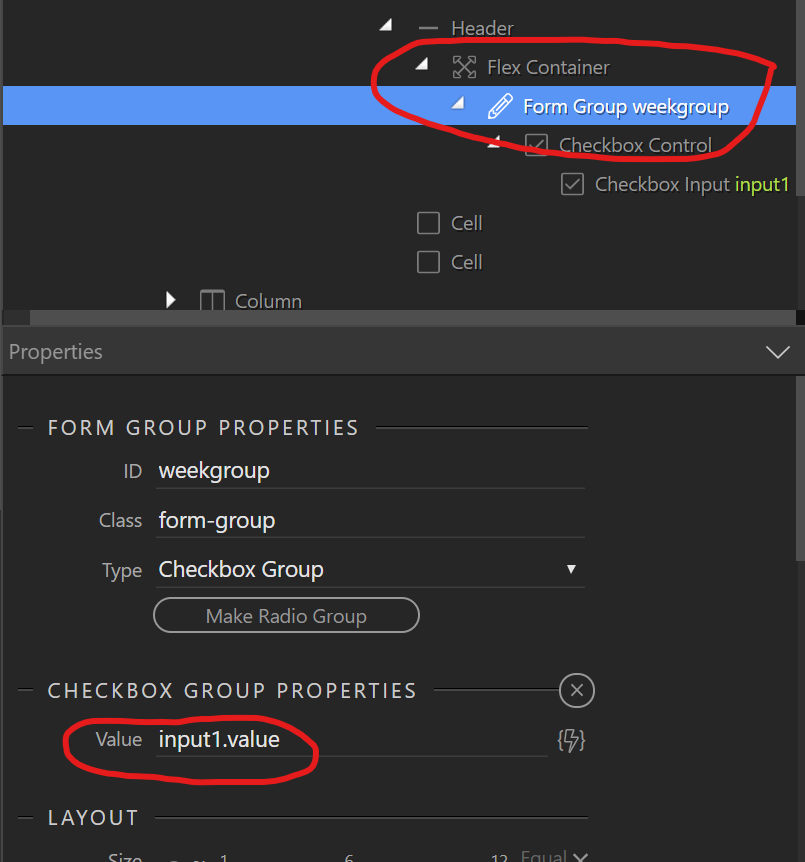
Ahh. Yes, you’re correct. Using a horizontal form group set to be a checkbox group makes this all doable within the UI. Just confirmed for Phil the example above works. Thanks George.
1 Like

Great thanks George and Ken…I’ll read through this properly when I’m on the computer and see if I can get it working.

Thanks again @mebeingken and @George this has now worked as per your recommendations.

It seems the key was to nest the table in the Form Group from the start. Thanks again and enjoy your Monday!

Cheers,
Phil

2 Likes