Has anyone found the correct definitive way of populating these new card collapse elements, when inside a repeat region. I can not get the parent and its relative child to have the same ID.
Either I have them all open when any are clicked or I cant get them to open at all when attempting to add a $index from the repeat to make them unique IDs.
It almost seems as though the dmx-bind:id attribute only works on displayed elements.
Thank you so much, I am going to try this out as soon as I get home and let you know how it goes, but giving the code snippet you have takes all the guess work out, thank you, I’m sure it will work as expected.
Out of interest did you try this with the standard Wappler added bs4 card collapse component first and have to adjust to this method
<table>
	<tbody id="proj_orders" class="accordion" is="dmx-repeat">
		<tr>
			<td>
				<!-- trigger collapse -->
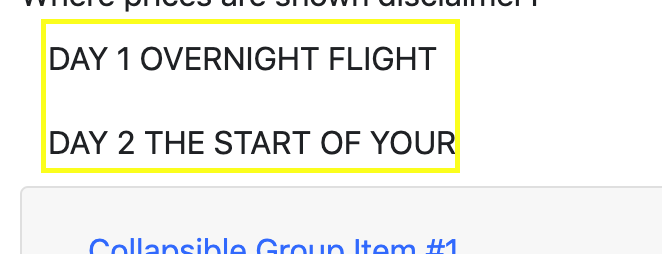
				<button class="btn" data-toggle="collapse" is="dmx-button" value="" type="button" data-target="#collapse0">DAY 1 OVERNIGHT FLIGHT</button>
			</td>
		</tr>
		<tr class="wrap">
			<td>
				<div class="collapse" dmx-bind:id="collapse{{$index}}" is="dmx-bs4-collapse" data-parent="#proj_orders">
					<!-- Inside collapse -->
					Here is a whole bunch of content
				</div>
			</td>
		</tr>
		<tr>
			<td>
				<!-- trigger collapse -->
				<button class="btn" data-toggle="collapse" is="dmx-button" value="" type="button" data-target="#collapse1">DAY 2 THE START OF YOUR</button>
			</td>
		</tr>
		<tr class="wrap">
			<td>
				<div class="collapse" dmx-bind:id="collapse{{$index}}" is="dmx-bs4-collapse" data-parent="#proj_orders">
					<!-- Inside collapse -->
					Day 2 content goes in here
				</div>
			</td>
		</tr>
	</tbody>
</table>
My assumption as to why it is not working is due to the remaining dmx-bind:id="collapse{{$index}}" inside both the div.collapse elements because the button is trying to trigger an ID of #collapse0 or #collapse1 and only finding collapse{{$index}} which has also remained as a dmx-bind parameter instead of creating a real id, so it is really finding no mention of an ID even let alone an ID with the matching name.
It is unfortunately on a fake domain Teodor, so unless you are prepared to adjust your hosts file you will not see it.
If you like I can PM you the details.
But basically its pretty simple.
In the app structure add a container > row > column > accordion cards component all from the standard Wappler components.
Now have any server action that returns a few rows of records
Make the accordion into a repeat in Wappler, to try make it work like a standard accordion such as
EDIT: I would be oh so grateful if you can show me what I am doing wrong, as to why this will not work for me, seems so easy. But I must be doing something silly.
Well I got this working, but im not sure what bad repucussions if any will come from how.
I used Kens code which was not working for me, then i removed the is="dmx-bs4-collapse" because I had noticed console warnings of unknown component found! bs4-modal and bs4-collapse
After removing that the dmx-bind:id="collapse{{$index}}" actually renders in the browser correctly as id="collapse0"
I also tried this same method with the standard Wappler accordion cards component
Container > Row > Column > Accordion Cards and removed the is="dmx-bs4-collapse" from the collapse and it now works perfectly.
If anyone knows what problems I have possibly just caused by removing the parameter, please let me know.
You are quite correct, although I did indeed add them through the UI, in fact i have done so multiple times on this document and have not had them added to the head.
I just did it on a brand new document, adding an accordion adds no head script however adding a modal adds <script src="/dmxAppConnect/dmxBootstrap4Modal/dmxBootstrap4Modal.js" defer=""></script>
So am I still missing a head script relative to Accordions?
EDIT: I added a Dynamic Collapse element in the UI and my head got <script src="/dmxAppConnect/dmxBootstrap4Collapse/dmxBootstrap4Collapse.js" defer=""></script>
Now I have returned my is="dmx-bs4-collapse" and all is well, no console warnings and both Kens and the standard Wappler Accordions both work as expected.