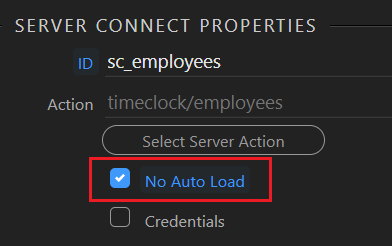
I think I can answer this, at least this is one way. You need to check No Auto Load on your server connect:
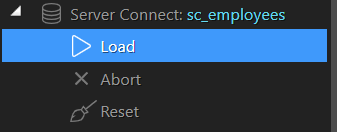
Then, under Dynamic Events for the checkbox group, use an event to load the data. Might be Select or Changed under Input or maybe Value Changed under Data. Once you have the event included, go into the dynamic data picker and select your server action and select the “load” option:
Thanks, but this would result in no data loading, where as I want only those that fall under the array not to load intially unless ticked instead of all the data.
Sorry, I guess I misunderstood your question. I thought you wanted no data initially.
It sounds like you have more data in your table then what you have checkboxes for. Is that correct? If so, you could define the query to return the filtered values OR anything else.
Something like: WHERE CategoryId = :CategoryId OR (CategoryId <> 1 OR CategoryId <> 2 OR CategoryId <> 3)
Correct. So essentially right now an entry in the database can have several statues. All of the entries are fetched, but I want certain statues to only display if the checkbox is ticked. Using the guide previously linked in works to the extent if you click the checkboxes only the relevant entries with the statues are shown, but I want these to be excluded from the default data if that makes sense.
For example, I have the following statues from each entry:
Status 1
Status 2
Status 3 (Only shown when the Status 3 checkbox is selected)
Only Status 1 and 2 should show by default unless you click the checkbox for status 3.
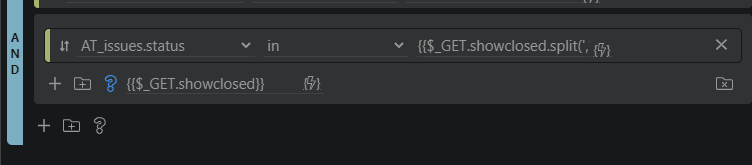
The query conditions currently look like this so that the checkboxes work. I’m just not exactly sure what I need to modify here so anything in this array is not shown by default.
Then you could add 1 to the array or do something like add a extra condition to your query making sure its not in the same group as you’ve shown here with issues_status been equal 1 (you would need to check the array has no values here)
I think we are thinking differently here maybe this is more what you are trying
you have 3 filters 1 2 3
you want
1 to show by default?
then 2 and 3 to show if selected
does 1 still show when 2 or 3 is selected?
Here is a gif. I have removed the additional checkboxes to simplify the explanation.
You can see that in the default state, where the checkbox is not clicked all results show. But when clicking the checkbox, only the items with the status “Closed” show.
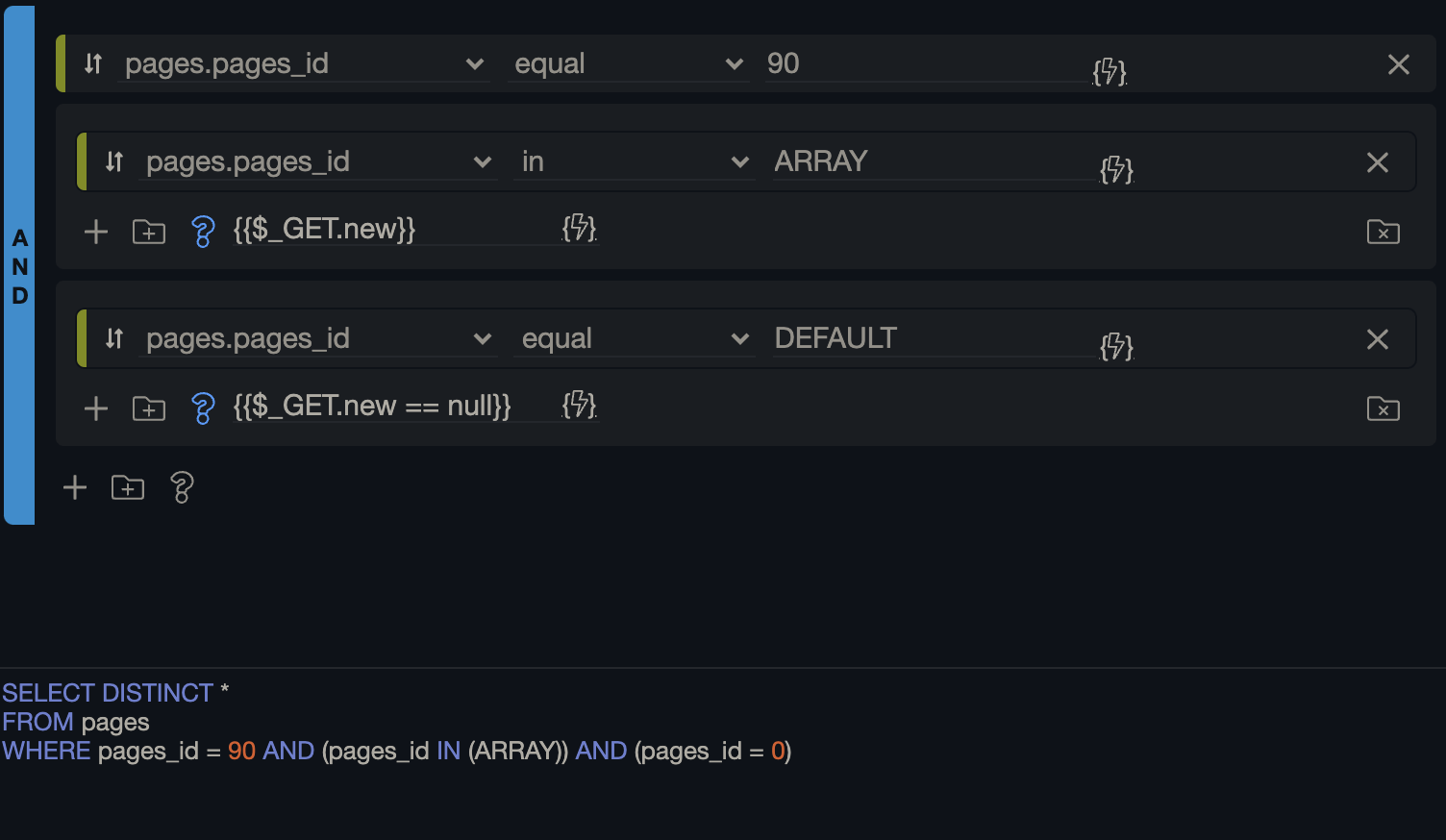
This is one way this might work I haven’t tested this yet thought
new is my array name the top one is when a box is checked as the array has values
the Bottom should only trigger when the array has nothing in so before any boxes are checked (here you would add and filters for the initial load)
Aha, this was it, thank you! I had been stuck on this for days. I had tried so many different conditions but what I was missing was the “== null” on the condition.
hello, im having a similar problem, i have a simple databse query of first _name the problem is i dont want the details to be shown initially until filtered through a text input,
ive set up the filter and text input it works, but when theres no input the first name on the database shows up, i only want the details to show when i start filtering them, how can it be done?
thanks i resolved it, i hid all query results if when the filter has no value. quick issue i set a validitor to check if email already exists when i click to submit a hidden form it works and i get message from there the button no longer returns the message but nothing as expected is being inserted…i want to validate and display error message every time button clicked