Can someone please explain why none of the Stripe components work within Wappler? I have made countless community posts and cannot get an answer. I am just about at my whits end and am getting ready to cancel my Wappler subscription.
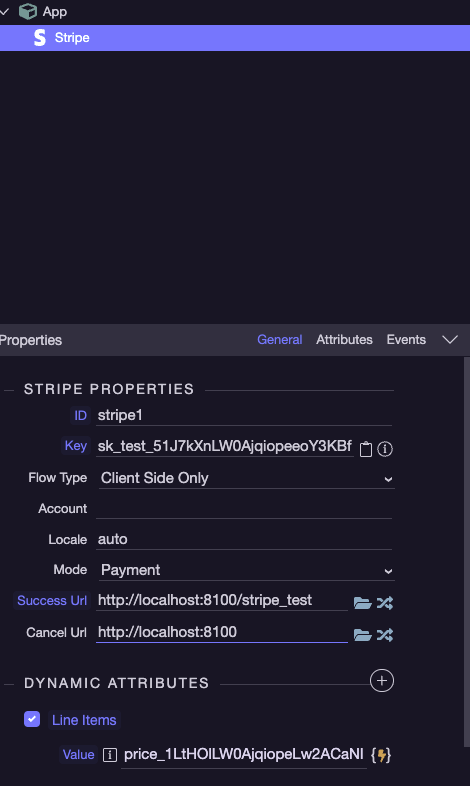
The basic Stripe component (client side) - Does absolutely nothing.
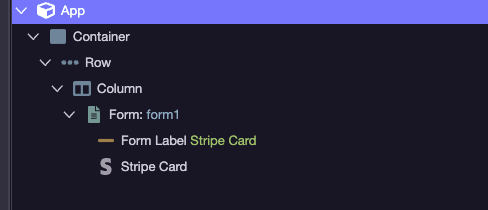
Stripe Card Component (client side) cannot get it to appear on the page
Create Checkout Session (server side) - does nothing
Create Setup Intent (server side) - requires a payment method
Wappler advertises full Stripe integration within Wappler yet simple actions such as collecting a payment, creating a payment method, etc are impossible.
Hello, Wappler offers what the Stripe API offers - the actions you see are the actions available from the Stripe API.
I see you posted 3 topics in the last hour, which say nothing but “this doesn’t work”.
When reporting a problem please be more detailed, adding detailed explanation, examples and screenshots of what you have done, any errors that you see, the server model you use - the things you see in the bug report post template. This way we will be able to help you identify why “it doesn’t work”
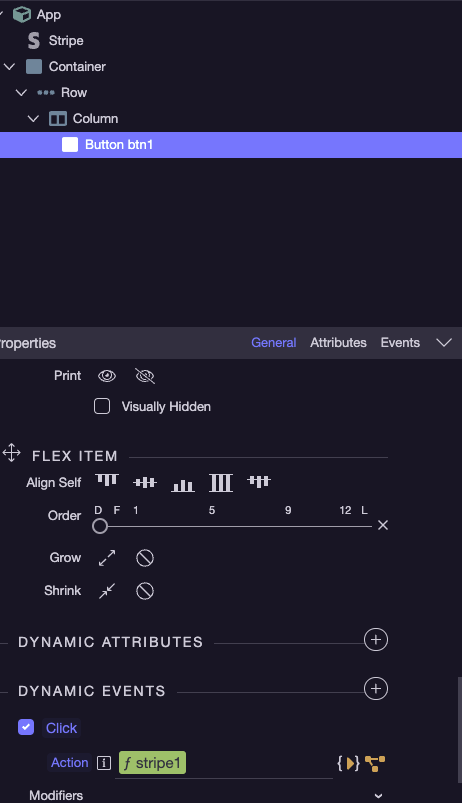
Also, I believe this should also open a Stripe checkout. However, I have no way of knowing because there is no documentation on Wappler’s Stripe components.
Unfortunately I haven’t used Stripe yet so I can be of no help on this particular issue, was just seeing if you meant you couldn’t find any docs at all on Stripe or docs on specific stripe components.
These docs do not address use of any of the multitude of Wappler’s Stripe components. This issue I am having is that they aren’t working. Actions like “Create Checkout Session” and “Create Billing Portal Session” among many others don’t do anything.
Ive been at this for days and have made zero headway. At this point I’ve just given up and am feeling rather bitter that Ive been paying 40 bucks a month for this.
I have used Stripe successfully in Wappler on many projects. Things like the Create Checkout Session is an action that is part of the Stripe payment flow. The user guides do work but getting your head around things that prepare and return urls and tokens required for later in the checkout process but don’t have any visible effect on the client side until the rest of the flow is completed can be unsettling. Also Stripe, for understandable security reasons must be served over SSL for registered domains or use test keys on localhost. Console outputs are very much your friend when troubleshooting
To be able to help you, could you please explain what you are trying to achieve. This is because there are many ways to implement the Stripe Payment gateway. It all depends on the project.
In my case, I have used Stripe for a single payment. The ordered items are all totalled up and the grand total is presented to Stripe. Is this what you want to do?
To give you an idea what my server side checkout looks like:
Here, for example, you just need to follow the docs: Wappler Documentation - Stripe Custom Checkout Forms as from what i see on your screenshots you have not added the stripe component on the page. Without adding it (as shown in the docs) your stripe card element won’t work and won’t be displayed on the page.