I am going to start with discussing node as it is where we need to be.
With node extensions, we can, via the project manager create a new extension folder with package.json easily from the click of a button.
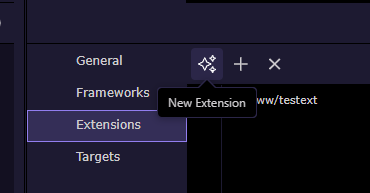
We add the .js and .hjson file and Wappler can publish directly to npm with a single command in the terminal window.
npm publish ./ --access=public
it is slick, self contained and effective
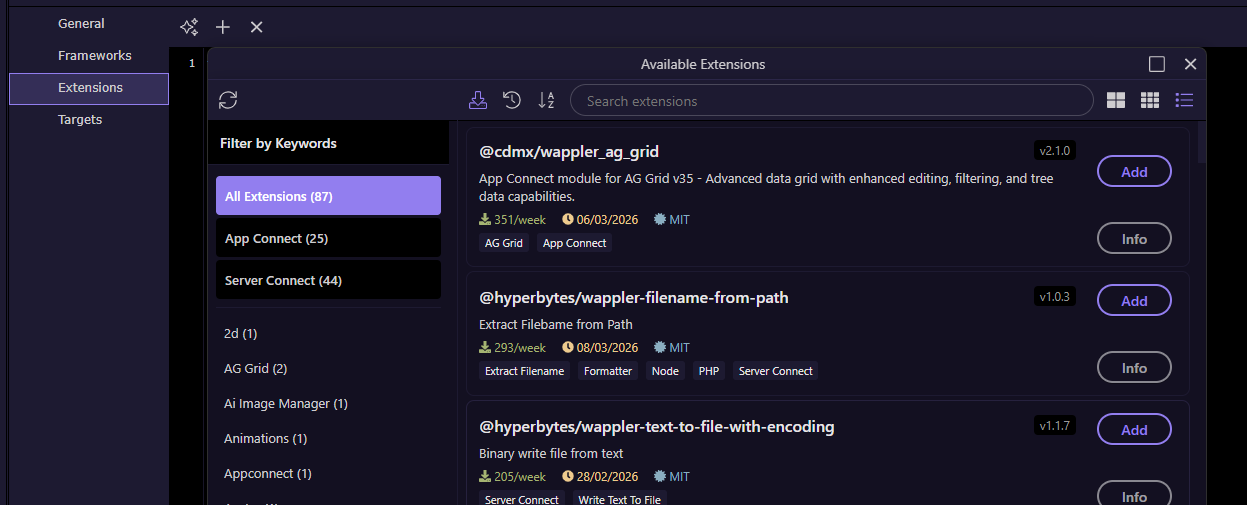
To install extensions, it is equally slick, just click on the add extension button, select the npm and install - simple, integrated, effective.
Now to PHP
The recommended route for PHP is via composer.
When we select extensions in the project manager and clikc new extension we get a folder with a node package.json, not a composer composer.json file
If we select "Add extension" we actually get a list of npm's which are almost exclusively node.js, not PHP and even when PHP code is included do not install in a good way (more on that later).
So PHP extensions have to be installed manually via terminal
The process of creating a composer package is also far from slick.
Having never actually completed the process, i believe i have to.
- Manually create the composer.json file via terminal (
composer. init) - Manually commit just the extension code to a git repository (from terminal as it is not possible in the standard git manager)
- commit the git repository to packagist
Then installing an extension can be done via Composer require
Happy for anyone to tell me I am over complicating this?
I think all will agree this is not the slick method employed for node packages.
So i guess the main thrust of this message is how can this be improved?
I have one suggestion.
While npm was developed as a node/ .js repository, it actually supports any language
as the install structure for .js and .php is identical to the installation path for .js and .php i.e. extensions/server_connect_modules etc
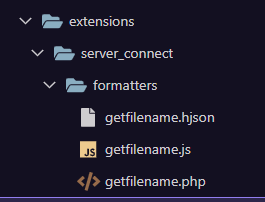
So i can bundle both .hjson, .js and .php files in the same folder and installing from the project manager will install all those files correctly, for example
But there is a negative side effect in that:
- both .js and .php code will be installed for both platforms as the files are just blindly copied
- in the case of a php project, a random
node_modulesfolder is created in the site root.
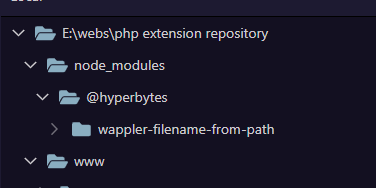
This is easily cleaned up manually but is not convenient
So, while i hope to stimulate discussion regarding improving the development of php projects, one solution, if feasible could be to improve the "intelligence" of the project manager installer to refer to the site platform and.
- only copy the matching files i.e. php/.js
- not create the node_modules folder is a php project
This would allow both types of project to be installed via npm and hence the project manager.
I look forward to any comments.