Wappler Version : 7.2.1 (also tested on 7.2.2) happens on both
Operating System : Windows 11 Pro
Server Model: NodeJS
Database Type: Postgres (though not relevant, occurs even on a blank page)
Hosting Type: Local
Expected behavior
What do you think should happen?
Design View should keep DOM Nodes and JS Heap stable while selecting elements. CPU usage should not spike abnormally. Wappler should remain responsive without crashing.
Actual behavior
What actually happens?
On a simple page (login form with 4 elements), switching to Design View and clicking between elements causes:
DOM Nodes to climb abnormally (100k+ on a blank login page).
JS Heap to rise from ~300 MB toward 400 MB+ without release.
CPU to spike to 100% on each element click.
After enough clicks, Wappler becomes sluggish (4–10s delay per click) and eventually crashes with a JavaScript heap out of memory (OOM) error.
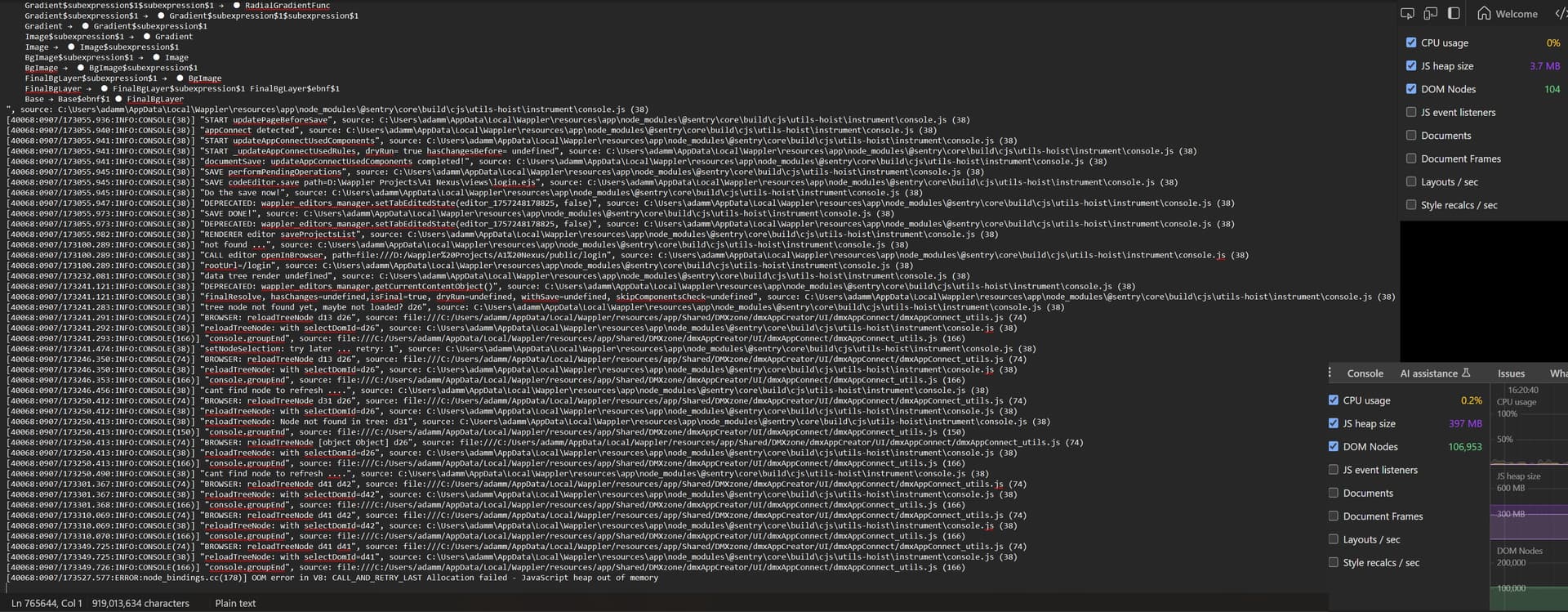
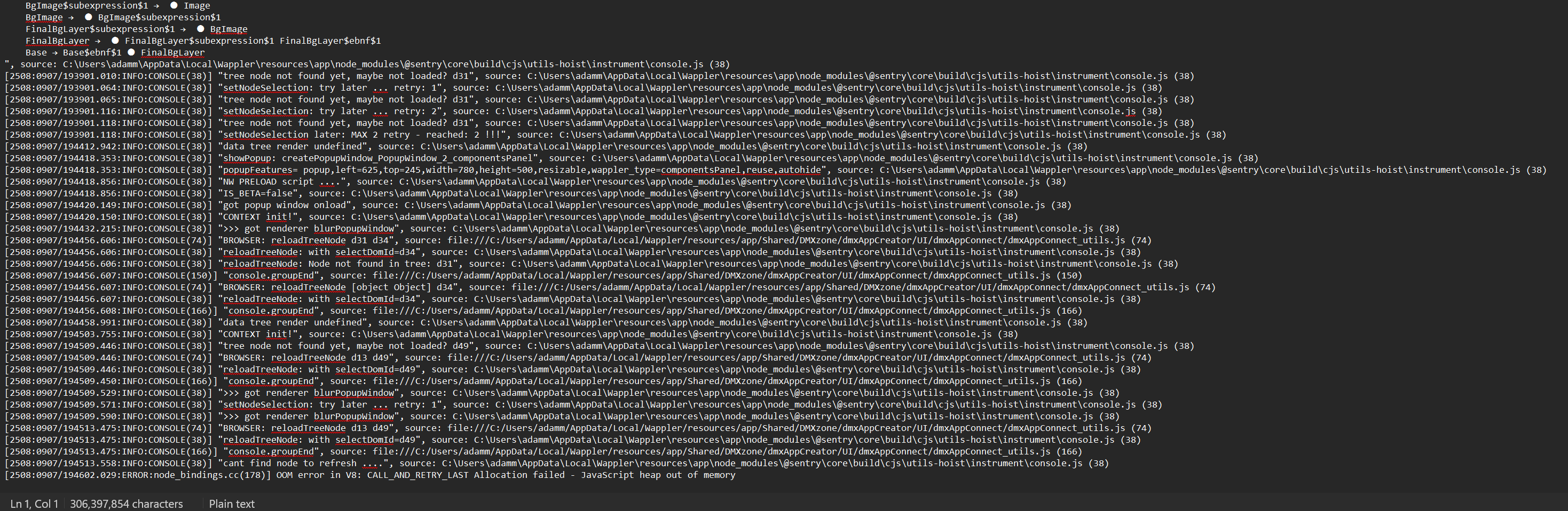
Crash log tail shows:
FATAL ERROR: Reached heap limit Allocation failed - JavaScript heap out of memory
How to reproduce
Detail a step by step guide to reproduce the issue
A screenshot or short video indicating the problem
A copy of your code would help. Include: JS, HTML.
Test your steps on a clean page to see if you still have an issue
Open a simple page in a clean project (tested with just a login page).
Switch to Design View.
Open DevTools → More Tools → Performance Monitor.
Click different elements repeatedly.
Observed: DOM Nodes count climbs into tens of thousands, JS Heap grows continuously, CPU pegs. Result: Wappler slows and eventually crashes with OOM.
Screenshots
Screenshot of Performance Monitor showing DOM Nodes at ~104k, Heap ~400MB, CPU spikes.
Screenshot of baseline after cache reset showing 29 DOM Nodes stable.
Logs
Attached: wappler_crashlog_tail.txt (last lines of crash log) showing the OOM error.
Thanks, that’s reassuring I’m not the only one. I’m not very technical, but for me it’s showing up as severe lag in the UI — even clicking between elements takes several seconds sometimes. After working for around 30 minutes to an hour in Design View, Wappler usually crashes with an out-of-memory error.
So it might be connected to what you’re seeing with the CPU spikes, though I’m not sure. Just wanted to add my experience in case it helps the team piece things together.
I'm on a reasonable spec laptop with 32gb of 7467 MHz LPDDR5 so won't notice the memory hit so much but I'd imagine on my other laptop I'd experience the same performance issues (and possible crashing).
The Team are very good and am sure they will look in to it and resolve any issues for the next update. Being new to Wappler I'd just like to let you know this..
well this is weird, do you open DevTools in Wappler? and inspect DOM nodes and JS heap there?
We don't provide devtools for that ... how do you do that?
Hi George, thanks for jumping in. The DevTools I mentioned were from the browser preview (localhost:8100), not inside Wappler.
I used the browser’s Performance Monitor (CPU, JS heap, DOM Nodes) while switching between elements in Design View, and that’s where I saw the heap size and DOM node counts climbing before the crash.
Inside Wappler, I only had logging enabled with --enable-logging and captured the crash tail, which shows a repeating reloadTreeNode loop followed by:
[ERROR:node_bindings.cc(178)] OOM error in V8: CALL_AND_RETRY_LAST Allocation failed - JavaScript heap out of memory
Your browser and devtools has actually nothing to do with Wappler and its memory use. Those are two separate programs that has each its own memory and cpu usage. So lloking at the browser devtools helps nothing for Wappler's memory usage.
As for your crash in Wappler, it doesn't seem related.
Are you sure it happens on every page - or a very specific page?
Does it happen each time?
Seems like something might be corrupted with Wappler, so if it happens so often you can try a clean install of Wappler, as described in:
Hi George, thanks — I understand and I actually already did a full reinstall (first on 7.2.2, then reverted back to 7.2.1 with a clean install) and the same crash behavior still happens.
It’s not limited to one page — even with just two simple pages, and even after leaving Wappler idle for 20 minutes, the UI slows down badly to a snails pace and then crashes within a few interactions.
The log always ends with repeated reloadTreeNode / selectDomId calls, then a V8 heap out of memory error. (OOM error in V8: CALL_AND_RETRY_LAST Allocation failed - JavaScript heap out of memory). This pattern shows up regardless of which page I’m working on, I have also deleted pages and created new pages and rebuilt them for them to then do the exact same issue. I am not really sure what else I can try to stop it from crashing.
well it must be something specific to your case/setup, as just having few selections in design view don't just crash Wappler and if it did then we will have a huge problem, but it just don't happen to us and the other users. So it must be something specific to you.
Just to make sure you rule out all other troubles - make sure windows is up to date and graphics drivers also. What graphic card do you have?
Also send me a sample page with step by step guide what you do to trigger it. So I can try to reproduce it.
Hi George — thanks. Just to clarify, this isn’t tied to a specific page. After Wappler has been open ~20–30 minutes, the entire UI becomes sluggish: top menus, panel switches, file tabs, Design View, even clicking Properties — each click takes a few seconds to 10 seconds to register, then it eventually crashes.
I’ve reproduced it on 7.2.1 and 7.2.2 after a clean reinstall, with caches cleared, and also with a fresh Chromium profile:
literally not even typing in code, or doing anything to the elements apart from just clicking them…..literally if I just click around the UI, it will be fine for a few minutes and then grinds to a halt and it crashes and throws this error in the crash log, reload wappler and do the same thing same result.
So this doesn’t seem tied to my specific project setup, but rather to the rendering when navigating elements in Design View. Is there a way I can help you reproduce it on your side?
You’ll see in this recording that as I hover over elements I click on them immediately — but the UI takes several seconds to respond. I also tried pulling the mouse away to highlight the delay, but it’s difficult to capture the timing difference in video without sound.
The video ends because Wappler crashes again with the same error: V8 out-of-memory in the crash log.
At this point I really don’t know what else to try — I’ve tested on 7.2.1 and 7.2.2, reinstalled, uninstalled, wiped caches and reinstalled again, but the issue is still exactly the same. Even outside of Design view, the left navigation panels and all UI buttons have this same huge delay until the app eventually crashes.
Would be much appreciated if anyone could shed any light on this and how to get it stable to stop the crashes from happening?
Thanks for the video. We will implement some memory increase improvements in the next update, see if that help.
But in the meantime can you try to reproduce it will very simple bank page form - without anything fancy, because your current page have a lot of js scripts and code and we won't to be sure the problem does not come from anything on your page.