Hi.
I have a date picker inside a modal to show current date. And, every time the modal is hidden, the form is reset.
So, next time modal is opened, current date value is shown.
dmx-bind:value="varCurrentDate.datetime"
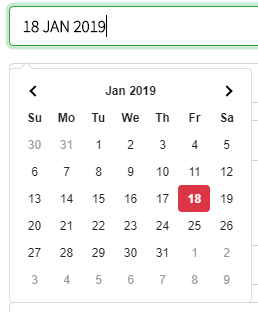
If the date is changed as below, value shown is correct.
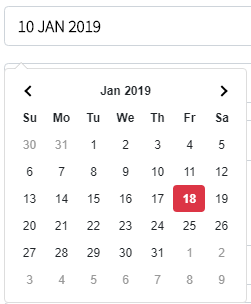
Now, if I simply close and open the modal again, text box value is reset to current date, but the picker still shows previous selected date - 18th Jan in this case:
How to set the pop-up date picker's value to show the value as shown in the text box?
The datepicker needs to also be re-set when you reset the form.
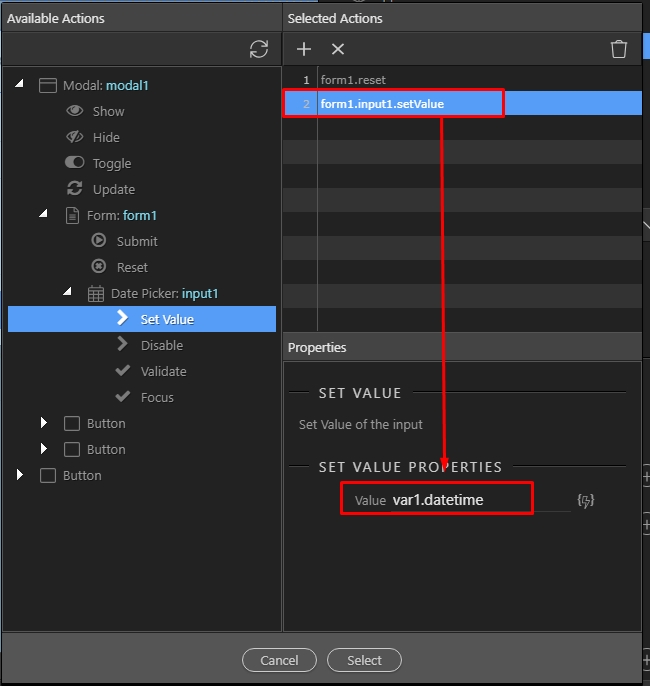
Attach a setvalue action for the datepicker on the same event you are using to reset your form on modal hide, so set its value to todays date:
One more observation - if there is a form RESET button, add a mouse>click dynamic event and create the same set value action for date picker text box for correct date to be selected on the picker.