Database Manager: Icon colours and Advanced Mode

Couple database manager questions as I start to explore it further.

1: What does the different colour table icons mean? As you can see in this screenshot, some are grey and some are green?
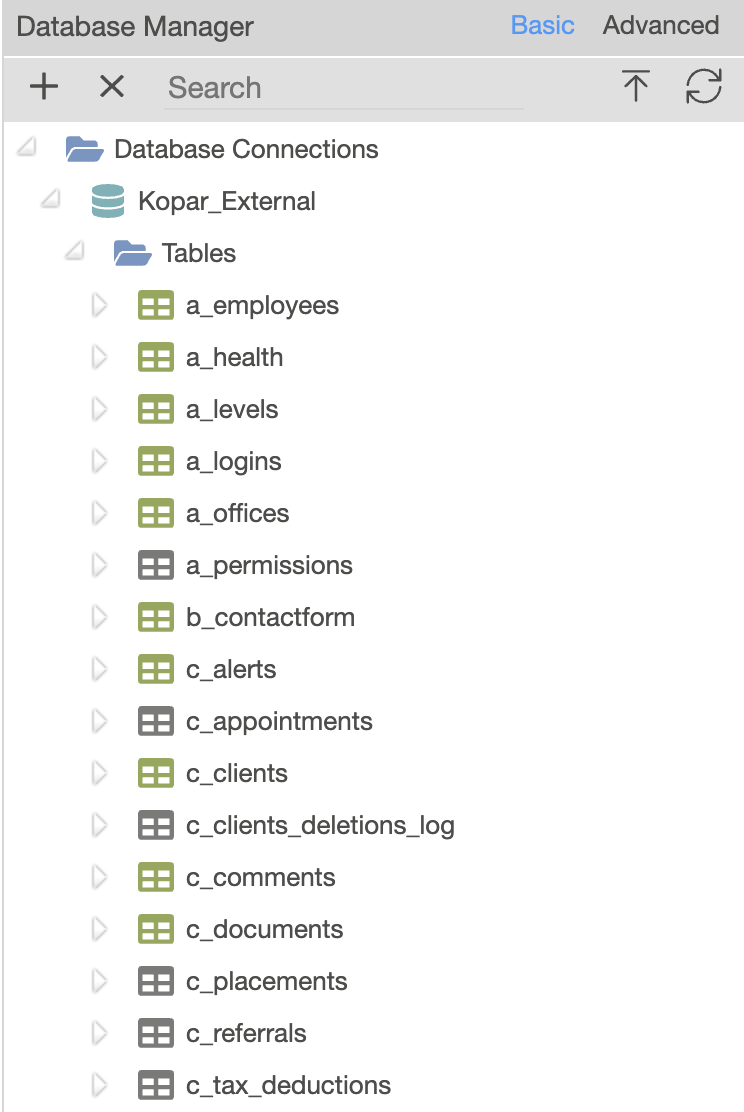
2: What is the difference between basic and advanced modes? They seem identical?

  1. Gray means schema for the table hasn’t been fetched yet and will be fetched from the database when you open the table node. Green means table schema’s is already fetched so no need to contact the database.

  2. Advanced view show a bit more technical and depth info about the tables columns.

1 Like