Please check the following docs:
you can see how to show/hide elements on the page based on the active theme in Wappler 6.7.1
Please check the following docs:
you can see how to show/hide elements on the page based on the active theme in Wappler 6.7.1
Another bump for this
One more please 
Can you explain what is the issue and what are you trying to achieve?
@Teodor thanks:
When you set an image A for light mode, and another B for dark mode:
Image A appears when the theme selected is "auto" but the user is in dark mode (by system)
So the user will see all the dark mode except this condition
How do you detect the active theme then?
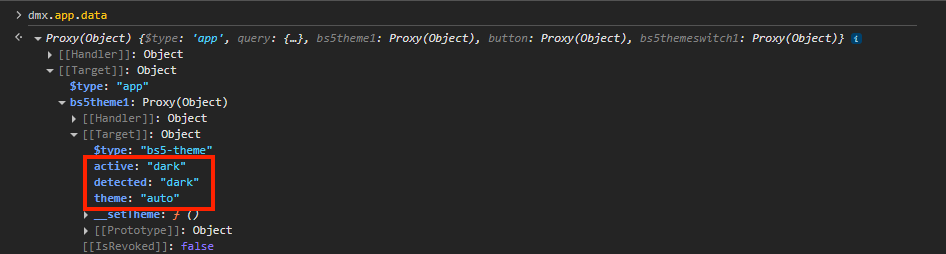
The component returns the active theme which you can use:
active - returns the currently active theme on the page
detected - returns the detected system theme
theme - the theme selected in the theme switch component (auto, light or dark)
Oh sorry I was pointing ".theme" instead of ".active"
Thanks @Teodor, my bad