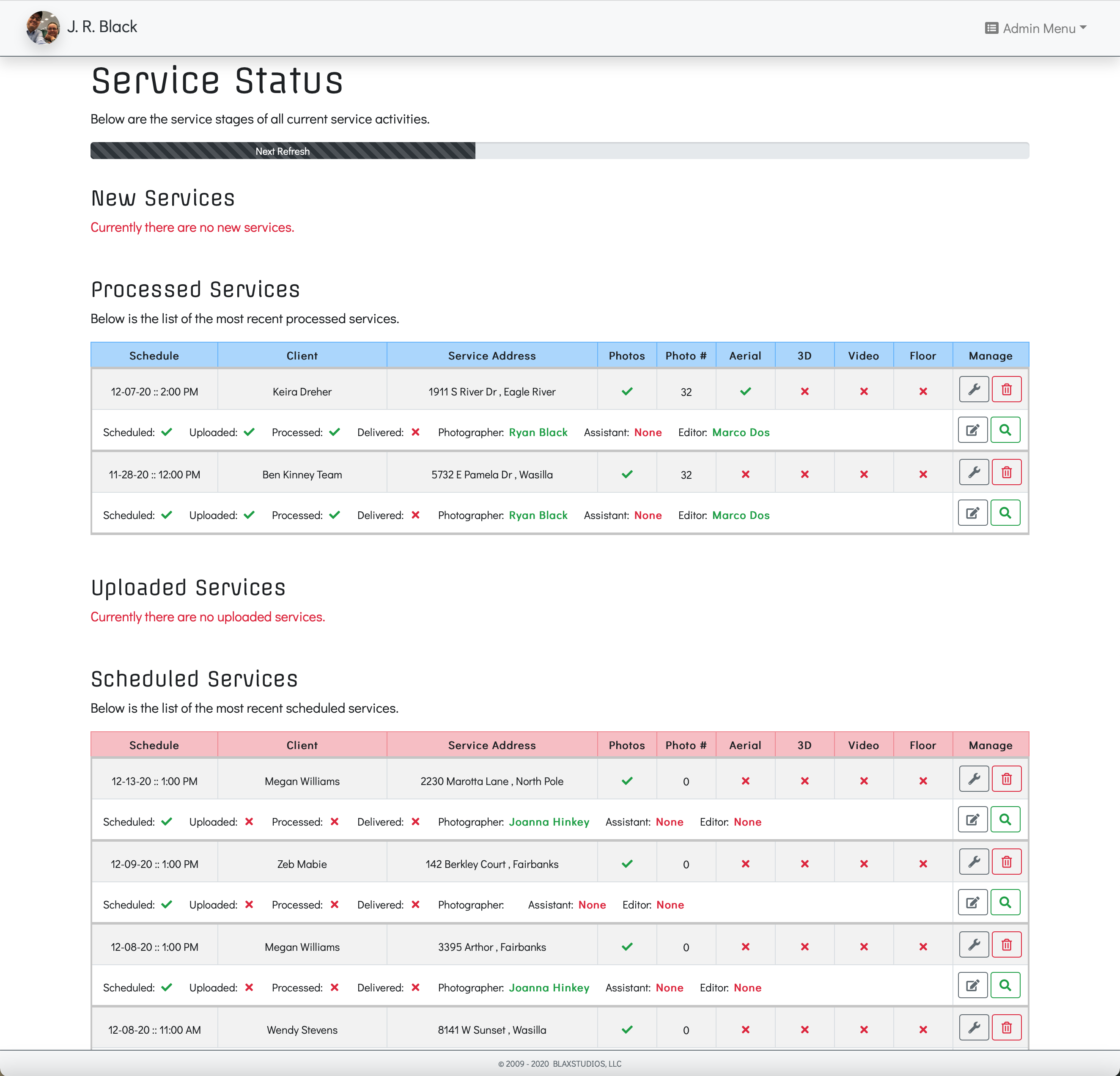
Anyone know how I can replace the javascript page auto refresh with a Wappler method? Also I would like to show a progress bar that indicates the time left before refresh.
Thanks for any recommendations.
Anyone know how I can replace the javascript page auto refresh with a Wappler method? Also I would like to show a progress bar that indicates the time left before refresh.
Thanks for any recommendations.
Do you need a whole page reload, or just refresh dynamic data used on it?
You’re right. I only need the dynamic data refreshed every 10 minutes.
Well, then use the action scheduler component to reload your server action every 600 seconds 
I could not remember that component’s name! Thanks…
If I wanted to reload the page, how would I go about that?
Well you can use javascript for that:
location.reload();
Below are the components that I’ve assigned to each table on the page.
Does anything look amiss? Can you place a scheduler component anywhere on the page?
    <dmx-scheduler id="scheduler_refresh_data_table_1" dmx-on:tick="sc_new_services.load()" delay="600"></dmx-scheduler>
    <dmx-scheduler id="scheduler_refresh_data_table_2" dmx-on:tick="sc_scheduled_services.load()" delay="600"></dmx-scheduler>
    <dmx-scheduler id="scheduler_refresh_data_table_3" dmx-on:tick="sc_uploaded_services.load()" delay="600"></dmx-scheduler>
    <dmx-scheduler id="scheduler_refresh_data_table_4" dmx-on:tick="sc_processed_services.load()" delay="600"></dmx-scheduler>
<dmx-scheduler id="scheduler_refresh_data_table_5" dmx-on:tick="sc_delivered_services.load()" delay="600"></dmx-scheduler>You don’t need 6 schedulers for the 6 server actions, you can load them using one scheduler (added anywhere on your page)
Even though each table has a different server action query, I can use only one scheduler action?
Do I just list all the queries separated by a semicolon inside one server action?
<dmx-scheduler id="scheduler_refresh_data" dmx-on:tick="sc_new_services.load({},true);sc_scheduled_services.load({},true);sc_uploaded_services.load({},true);sc_processed_services.load({},true);sc_delivered_services.load({},true)" delay="600"></dmx-scheduler>Can I add a progress bar to give some feedback to the user that the data is being refreshed?
Well just add them all in the UI for the dynamic event of the scheduler and it will generate the code for you...
Does this look correct?
<div class="progress" role="progressbar" aria-valuenow="0" aria-valuemin="0" aria-valuemax="100" dmx-show="scheduler_refresh_data.running" id="scheduler_progress" style="height: 10px;">
     <div class="progress-bar progress-bar-striped progress-bar-animated bg-primary" role="progressbar" style="width: 0" dmx-style:width.important="scheduler_refresh_data.percent+'%'" dmx-style:transition-duration="0s"></div>
</div>Thank you Teo! I appreciate your help.